

Add each new Apptoto appointment to Google Calendar
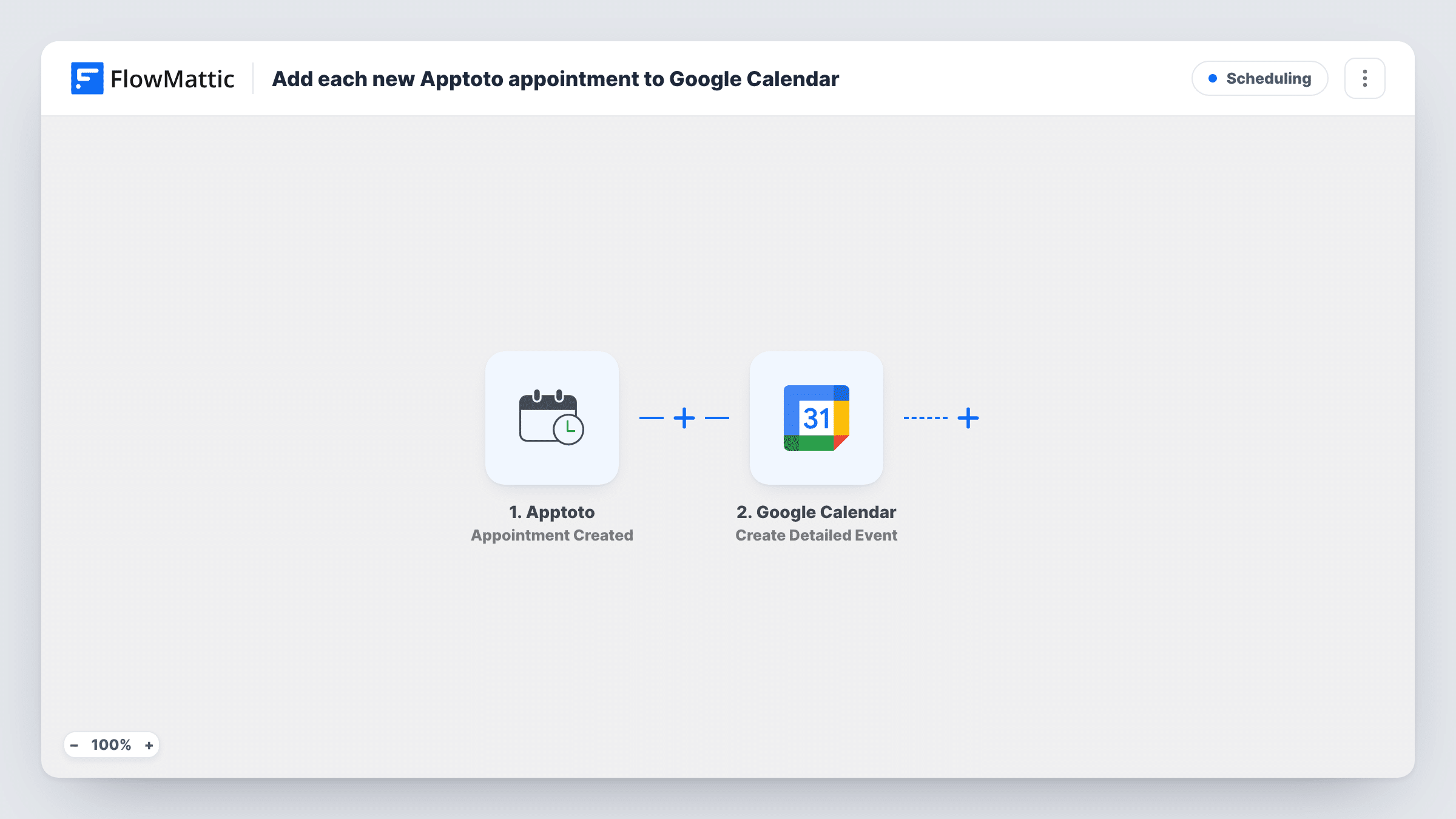
Each time an appointment is created in Apptoto, this workflow adds a matching event to the Google Calendar you pick, using the appointment’s time and details.
 Apptoto
 Google Calendar
2 steps Setup ~5 min Used on 1.9k sites Free to import
What this workflow does
Apptoto handles reminders and confirmations for your appointments, but you may still plan your week in Google Calendar. Typing every booking in twice is slow and easy to get wrong. This workflow adds each new Apptoto appointment to your calendar for you.
The Apptoto Appointment Created trigger fires when a new appointment is added. FlowMattic passes the appointment details to Google Calendar, where Create Detailed Event adds an event to the calendar you choose. You map the start and end times, title and any notes from the Apptoto data.
This flow only handles new appointments. If you change or cancel an appointment in Apptoto later, the calendar event stays as it was. Apptoto has separate Appointment Modified and Appointment Deleted triggers if you want to build that sync as well. Create one test appointment after import to check the times land in the right time zone.
A therapist's week at a glance
Sessions booked into Apptoto appear in the therapist's Google Calendar, next to personal commitments, so double booking is easier to spot.
Sharing a schedule with an assistant
Events go into a shared Google Calendar that an assistant can see, without giving them access to the Apptoto account.
Calendar on the phone
A consultant checks Google Calendar on their phone between meetings and sees each new Apptoto appointment there.
How this workflow runs
What happens at each step once the workflow is on, and what you need before you import it.
 Apptoto Appointment Created
Fires when a new appointment is created in your Apptoto account. Its time and details are passed on for the calendar event.
- Google Calendar Create Detailed Event
Adds an event to the Google Calendar you select. Map the Apptoto start and end times, a title and any notes, and connect your Google account.
What you need
- FlowMatticCore
- Apptoto AccountAccount
- Google Calendar AccountAccount
After importing, map your own data. To keep the template universal, not every step is pre-filled. Open each step in the builder and connect your accounts and fields (channels, lists, sheets, recipients) before you switch the workflow on.
Make it yours
Changes worth making after you import it.
- Build a second workflow with Apptoto's Appointment Deleted trigger and Google Calendar's Delete Event so cancellations leave your calendar too. You will need a way to find the event, such as storing its ID.
- Put the client's name in the event title so you can read your day at a glance in Google Calendar.
- Create a test appointment after import and confirm the event's start time matches. If it is off by some hours, check the time zone in the mapped values.
Questions about this workflow
Does rescheduling in Apptoto move the Google Calendar event?
No. This template only runs for new appointments. Use Apptoto's Appointment Modified trigger with Google Calendar's Update Event in a separate workflow for changes.
Which Google Calendar receives the Apptoto events?
The one you select in the Create Detailed Event step. It can be your main calendar or a separate one kept for appointments.
Are existing Apptoto appointments copied over?
No. Only appointments created after the workflow is on are added. Earlier ones stay in Apptoto only.
Does the client get a Google Calendar invite?
Not as imported. The event is only added to your own calendar. Google Calendar's Add Attendee to Event action could be added as a later step if you want to invite them.
More Scheduling workflows
Other ready-to-import templates from the same category.




Import this workflow into your WordPress site
Download the JSON, import it from the Workflows screen and connect your accounts. Every run stays on your server, with no per-task fees.
30-day money-back guarantee Unlimited workflows and runs Self-hosted