

Send a Slack alert to the team when a GivingFuel subscription or deposit is processed
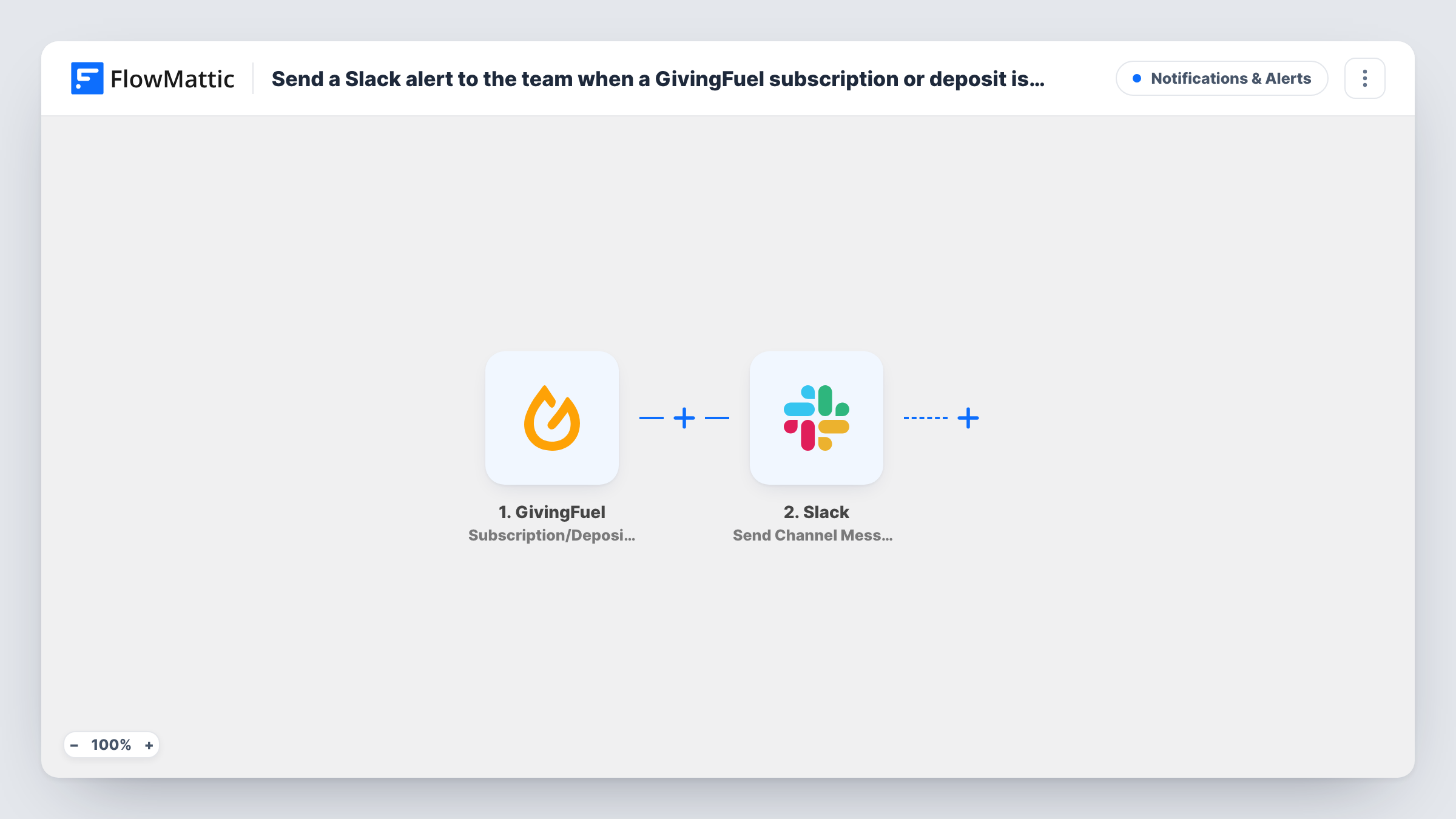
Each time GivingFuel processes a subscription or a deposit, FlowMattic posts a message to a Slack channel so your fundraising team sees the gift without logging in to GivingFuel.
 GivingFuel
 Slack
2 steps Setup ~5 min Used on 1.7k sites Free to import
What this workflow does
Fundraising teams like to know when money arrives, whether it is a first recurring gift or a deposit landing. Checking the GivingFuel dashboard through the day is easy to forget. This workflow brings each processed gift into the Slack channel your team already reads.
The GivingFuel trigger fires when a subscription or deposit is processed. FlowMattic captures the details of that event so you can map them. The Slack step then posts a message to a specific channel. You write the text, mixing fixed words with the values GivingFuel sends; a test gift shows you which ones, such as donor or amount details, are there to use.
Both kinds of event use the same trigger, so subscriptions and deposits produce the same message unless you change that. The tips below show how to tell them apart. Each run is kept in Task History, where you can see what GivingFuel sent and what was posted to Slack.
Celebrating gifts in a team channel
A nonprofit posts every processed gift in a #donations channel, so staff and volunteers see support come in during a campaign.
Thank-you calls to recurring donors
A development officer watches the Slack channel for subscription messages and picks which recurring donors to phone with a personal thank-you.
Finance keeping an eye on deposits
The finance lead follows the same channel to see deposits as GivingFuel processes them, before matching them to the bank statement.
How this workflow runs
What happens at each step once the workflow is on, and what you need before you import it.
 GivingFuel Subscription/Deposit Processed
Fires when GivingFuel processes a subscription or a deposit. The event's details are passed on so the Slack step can use them.
- Slack Send Channel Message
Posts a message to the Slack channel you set in this step. Build the text from fixed words and GivingFuel values, then send a test to check how it reads in the channel.
What you need
- FlowMatticCore
- GivingFuel AccountAccount
- Slack AccountAccount
After importing, map your own data. To keep the template universal, not every step is pre-filled. Open each step in the builder and connect your accounts and fields (channels, lists, sheets, recipients) before you switch the workflow on.
Make it yours
Changes worth making after you import it.
- Process a test gift after import and look at the data in Task History, so you know which GivingFuel values the trigger provides before you write the message.
- To post subscriptions and deposits to different channels, add a Router with one Slack step per route, using a GivingFuel value that tells the two apart, once a test shows you which one.
- Add a Filter after the trigger if the channel should only hear about larger gifts, for example an amount greater than a figure you choose. The Filter drops decimals, so 49.99 counts as 49.
Questions about this workflow
Does the Slack message separate GivingFuel subscriptions from deposits?
Not as imported. One trigger covers both events and the template sends one message for each. Map a value from GivingFuel that shows the type into the text, or split them with a Router.
Which Slack channel does the GivingFuel alert go to?
The channel you choose in the Slack step after connecting your workspace. Pick one your fundraising team follows, or a private channel if the details are sensitive.
Will donors see anything from this Slack workflow?
No. The workflow only reads the GivingFuel event and posts inside your Slack workspace. It sends nothing to the donor.
Are gifts processed before import posted to Slack?
No. Only subscriptions and deposits processed after the workflow is turned on start a run.
More Notifications & Alerts workflows
Other ready-to-import templates from the same category.



Import this workflow into your WordPress site
Download the JSON, import it from the Workflows screen and connect your accounts. Every run stays on your server, with no per-task fees.
30-day money-back guarantee Unlimited workflows and runs Self-hosted