

Send a Slack alert when a Convictional order is canceled
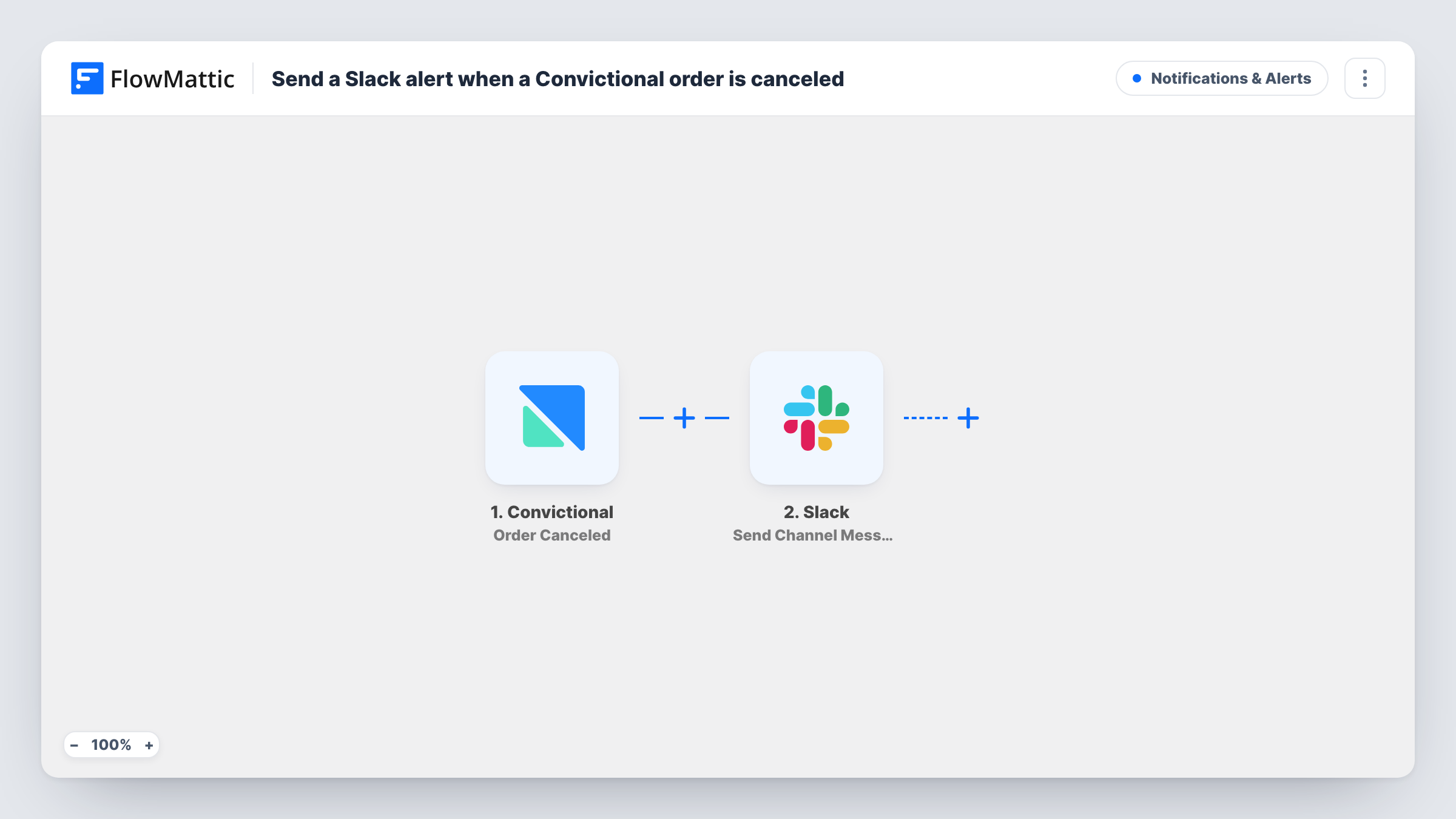
When line items on a Convictional order are canceled, this workflow posts an alert to a Slack channel, so your drop-ship team sees cancellations without watching the Convictional dashboard.
 Convictional
 Slack
2 steps Setup ~5 min Used on 2.4k sites Free to import
What this workflow does
A canceled drop-ship order can affect stock, a supplier's shipment or a customer's refund. If the only place it shows is the Convictional web app, someone on your team may not see it until it's too late to act. This workflow brings the cancellation into Slack.
The Convictional Order Canceled trigger fires when one or more line items on an existing order are canceled. That means a partial cancellation runs the workflow as well as a full one. The order data is passed to the Slack Send Channel Message action, which posts to the channel you choose. You write the alert and map in order details, such as the order number and the canceled items.
Each cancellation event produces one Slack message. The workflow only reports the cancellation; it does not refund, restock or contact anyone. Task History records each run, so you can look back at which orders were reported.
Retailers sourcing from several suppliers
A buyer's team gets a message in #order-issues for every canceled line item, so they can check whether to source the product elsewhere.
Suppliers stopping a shipment in time
A seller on Convictional posts cancellations to the warehouse channel, where packers see that an item should not go out.
Customer service picking up refunds
Support staff watch a Slack channel for canceled items and use the order details in each message to contact the customer about their refund.
How this workflow runs
What happens at each step once the workflow is on, and what you need before you import it.
 Convictional Order Canceled
Fires when one or more line items on an existing Convictional order are canceled. The order data Convictional sends is passed on so you can use it in the alert.
- Slack Send Channel Message
Posts the alert to the Slack channel you pick. Write the message and insert order details from Convictional. Connect your Slack workspace and run a test to see which order fields are available.
What you need
- FlowMatticCore
- Convictional AccountAccount
- Slack AccountAccount
After importing, map your own data. To keep the template universal, not every step is pre-filled. Open each step in the builder and connect your accounts and fields (channels, lists, sheets, recipients) before you switch the workflow on.
Make it yours
Changes worth making after you import it.
- Mention a user group or a specific person in the Slack message text so the right teammate gets notified about each cancellation.
- Add a Google Sheets Add New Row step after the Slack message to keep a running list of canceled Convictional orders for weekly review.
- Set up a matching workflow on Convictional's Order Fulfilled trigger if your team also wants a Slack note when fulfillments are added.
Questions about this workflow
Does a partial cancellation on a Convictional order send a Slack alert?
Yes. The trigger fires when one or more line items are canceled, so canceling a single item on a larger order also posts a message.
Does this workflow refund the customer or update stock?
No. It only posts to Slack. Any refund or inventory change happens wherever you normally handle it.
Which Slack channel receives the Convictional alerts?
The channel you select in the Send Channel Message step after import. Swapping to another channel later only means editing that one step.
Will orders canceled before I import the workflow show up?
No. Only cancellations that happen after the workflow is turned on are posted.
More Notifications & Alerts workflows
Other ready-to-import templates from the same category.





Import this workflow into your WordPress site
Download the JSON, import it from the Workflows screen and connect your accounts. Every run stays on your server, with no per-task fees.
30-day money-back guarantee Unlimited workflows and runs Self-hosted