

Send a Slack alert when a Docsumo document is approved
When a document is approved in Docsumo, FlowMattic posts an alert in the Slack channel you choose, so your team knows the extracted data is ready to use.
 Docsumo
 Slack
2 steps Setup ~5 min Used on 2.7k sites Free to import
What this workflow does
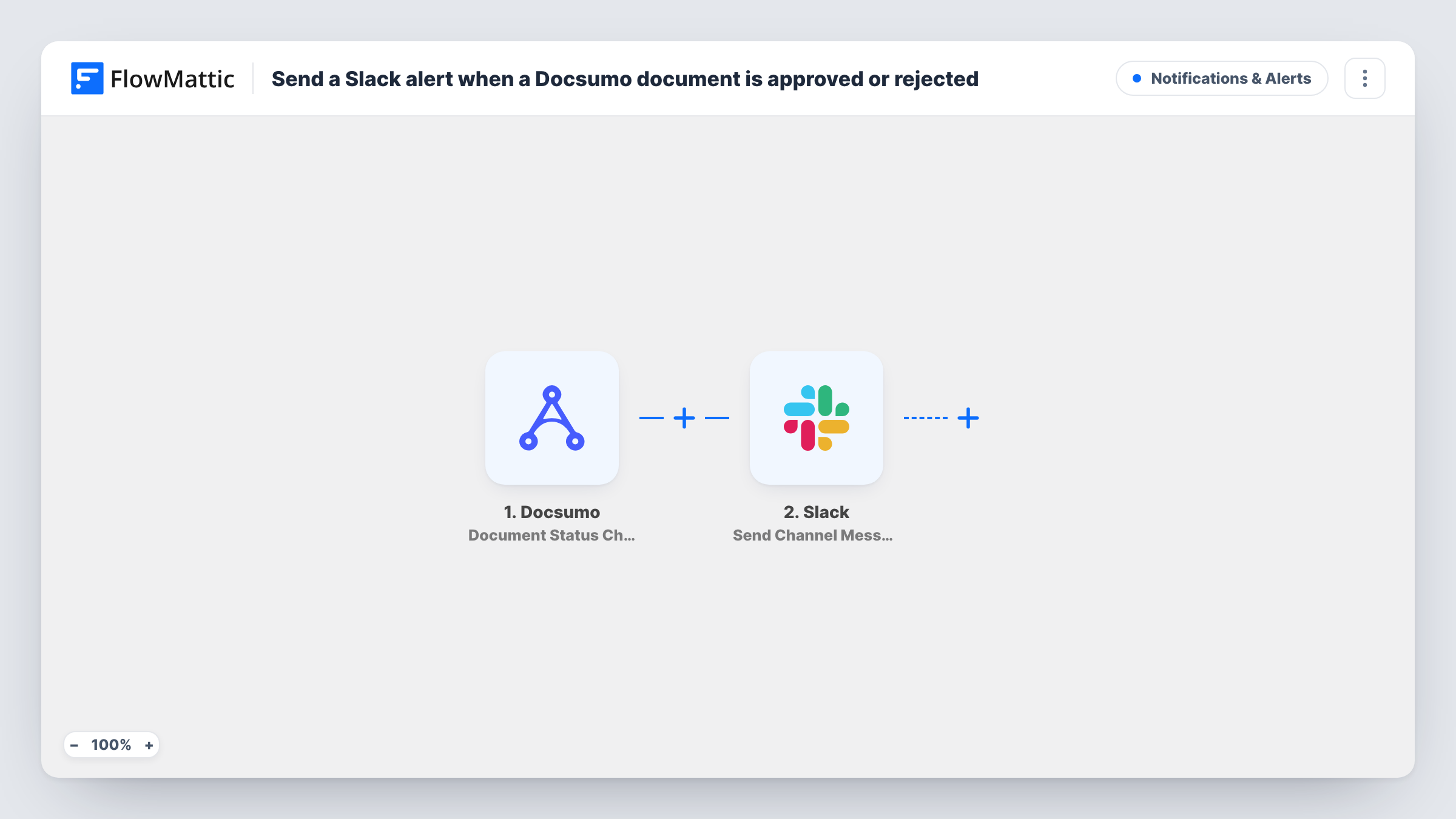
Documents processed in Docsumo, such as invoices, bank statements or forms, usually wait for a reviewer before anyone acts on them. The people downstream, in finance or operations, then have to keep checking whether review is done. This workflow tells them in Slack the moment a document is approved.
The Docsumo trigger listens for document status changes sent from Docsumo's webhook. To keep it to approvals, set Docsumo's webhook notifications to send only the Approved status. If you leave other statuses selected, those changes will post alerts too.
Next, Slack receives the alert as a channel message. That step ships unmapped, so after import you connect Slack, pick the channel and write the message, mapping in document details from a test run. Private channels need Slack's own Send Private Channel Message action rather than this one.
Approve a test document in Docsumo and check Task History to see the data Docsumo sent and Slack's response before you rely on the alerts.
Invoices ready for payment
An accounts payable team gets a Slack post in #ap-approved as each supplier invoice is approved in Docsumo, and schedules the payment.
Loan document review
A lending team posts approved bank statements to a channel, so underwriters know which applications have verified documents.
Onboarding paperwork
An HR team is told in Slack when a new hire's ID or tax form passes review in Docsumo, so the next onboarding step can start.
How this workflow runs
What happens at each step once the workflow is on, and what you need before you import it.
 Docsumo Document Status Change
Starts the workflow when Docsumo reports a document status change. Subscribe Docsumo's webhook notifications only to the Approved status, so other status changes don't start a run.
- Slack Send Channel Message
Sends the approval alert to a Slack channel. Nothing is filled in yet, so connect Slack, choose the channel and write the alert, mapping in document details from the Docsumo data.
What you need
- FlowMatticCore
- Docsumo AccountAccount
- Slack AccountAccount
After importing, map your own data. To keep the template universal, not every step is pre-filled. Open each step in the builder and connect your accounts and fields (channels, lists, sheets, recipients) before you switch the workflow on.
Make it yours
Changes worth making after you import it.
- If a test run shows the document's name and type, map them into the message, so readers know which file was approved without opening Docsumo.
- To alert one person instead of a channel, swap the step for Slack's Send Direct Message action and map the reviewer or owner.
- For alerts on a second Docsumo status as well, select it in Docsumo too and add a Router between the Docsumo trigger and the Slack step. Move the Slack step into the approved route and copy it into the other route, with status conditions that can't both match.
Questions about this workflow
Will Docsumo send every status change to this workflow?
It sends the statuses you select in Docsumo's webhook notifications. Choose only Approved for this workflow, otherwise other changes will post Slack alerts as well.
Does this workflow post to a private Slack channel?
Not as imported. Send Channel Message targets a regular channel. Slack's separate Send Private Channel Message action is the one to switch to for a private channel.
Which Docsumo details can I put in the Slack message?
Any value in the data Docsumo sends with the status change. Approve a test document, then map the fields you want from that run into the message.
More Notifications & Alerts workflows
Other ready-to-import templates from the same category.



Import this workflow into your WordPress site
Download the JSON, import it from the Workflows screen and connect your accounts. Every run stays on your server, with no per-task fees.
30-day money-back guarantee Unlimited workflows and runs Self-hosted