

Send a Slack alert when a Freemius cart is abandoned
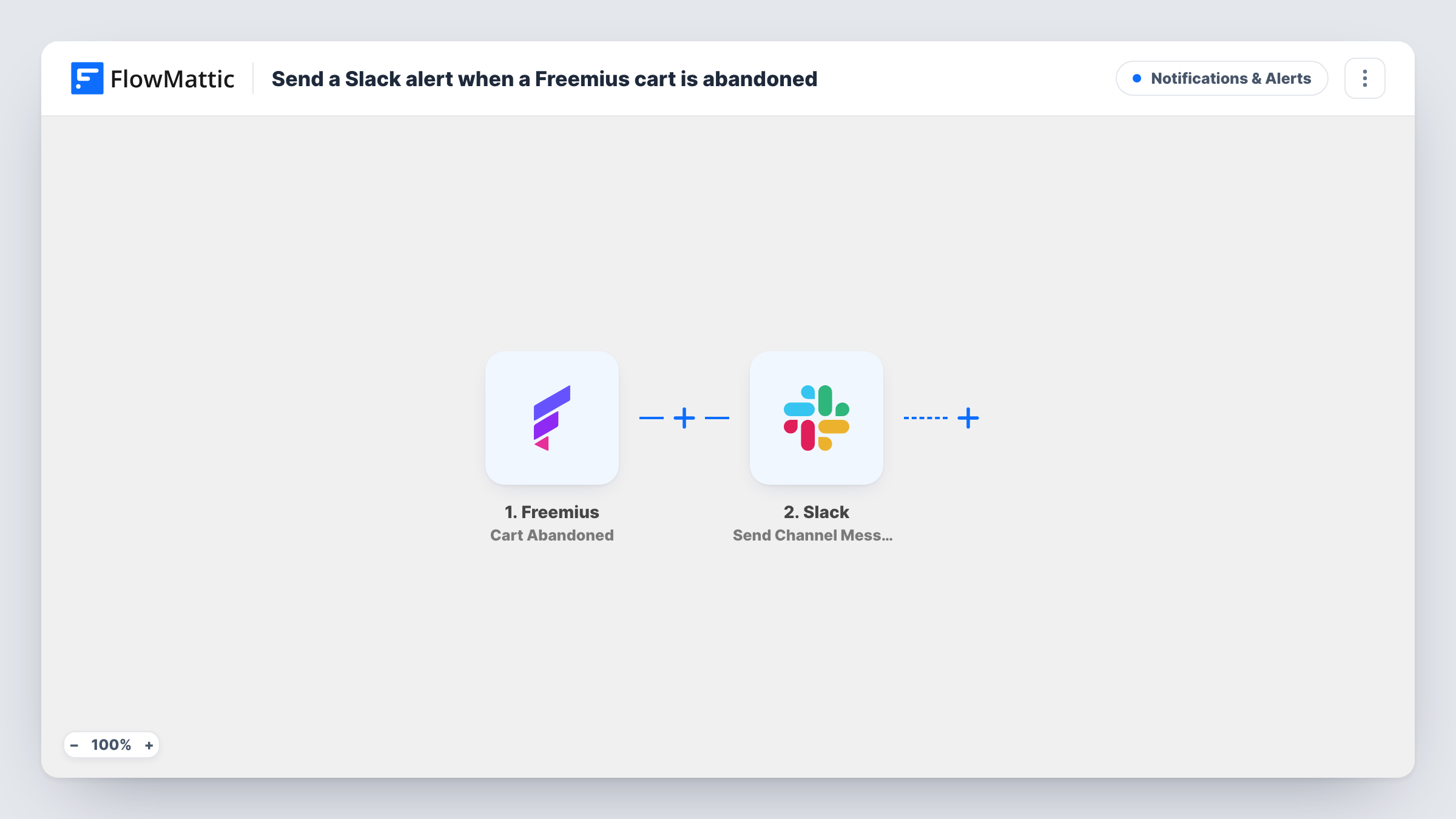
When a Freemius cart session is abandoned, this workflow posts a message to a Slack channel with the cart details, so your team knows about the unfinished checkout and can decide whether to reach out.
 Freemius
 Slack
Slack2 steps Setup ~5 min Used on 1.3k sites Free to import
What this workflow does
When you sell a plugin, theme or SaaS through Freemius, someone who reaches checkout and leaves is a buyer you nearly had. Freemius records the abandoned cart, but nobody on your team sees it unless they go looking. This workflow brings each one into Slack, where your team already talks.
The Freemius trigger fires whenever a cart session is abandoned. FlowMattic then sends a message to the Slack channel you choose, using the Send Channel Message action. You build the message from the cart data in the trigger, for example the product and whatever contact details the cart holds.
Posting to Slack is all it does. It does not email the person or create a coupon, so any follow-up is up to your team. Every abandoned cart posts one message, which suits a dedicated sales channel more than a busy general one. Task History keeps a record of each abandoned-cart run and the Slack response.
Founder watching a new plugin launch
During launch week, each abandoned Freemius checkout shows up in Slack, so you can spot whether people stall at the pricing step.
Sales channel for a SaaS team
A #sales channel receives every abandoned cart, and a team member decides who should follow up with the visitor.
Checking a pricing change
After you change plan prices, the Slack alerts give the team a running feed of carts left behind while you compare them with completed sales.
How this workflow runs
What happens at each step once the workflow is on, and what you need before you import it.
 Freemius Cart Abandoned
Fires whenever a Freemius cart session is abandoned. The cart data from Freemius becomes available to map into the Slack message.
- Slack Send Channel Message
Sends the abandoned-cart alert to a Slack channel. Connect your Slack workspace, choose the channel, and write the message text with values from the Freemius cart mapped in.
What you need
- FlowMatticCore
- Freemius AccountAccount
- Slack AccountAccount
After importing, map your own data. To keep the template universal, not every step is pre-filled. Open each step in the builder and connect your accounts and fields (channels, lists, sheets, recipients) before you switch the workflow on.
Make it yours
Changes worth making after you import it.
- Abandon a test cart in Freemius after import so FlowMattic captures the real cart data, then map the fields you want into the Slack message.
- Want the alert in a private channel? Swap the step for Slack's Send Private Channel Message action. To alert one teammate only, pick Send Direct Message.
- Only care about one product? Add a Filter after the trigger that continues when the cart's product matches, so other carts don't post.
Questions about this workflow
Does this send a recovery email to the Freemius buyer?
No. The workflow only posts a Slack message to your team. To contact the visitor, add an email step after the Slack step or follow up yourself.
Which Slack channels can it post to?
Send Channel Message posts to the channel you select in the step. For a private channel, use Slack's separate Send Private Channel Message action, which FlowMattic also offers.
Will I get alerts for carts abandoned before I turned the workflow on?
No. Only cart sessions Freemius marks as abandoned after the workflow is active start a run.
How soon after a Freemius checkout is left does the Slack alert arrive?
Freemius decides that and sends the event. FlowMattic posts to Slack when the Cart Abandoned event arrives, so the alert follows Freemius's timing, not a delay set in the workflow.
More Notifications & Alerts workflows
Other ready-to-import templates from the same category.




Import this workflow into your WordPress site
Download the JSON, import it from the Workflows screen and connect your accounts. Every run stays on your server, with no per-task fees.
30-day money-back guarantee Unlimited workflows and runs Self-hosted