

Send a Slack alert when a MoonClerk plan payment fails
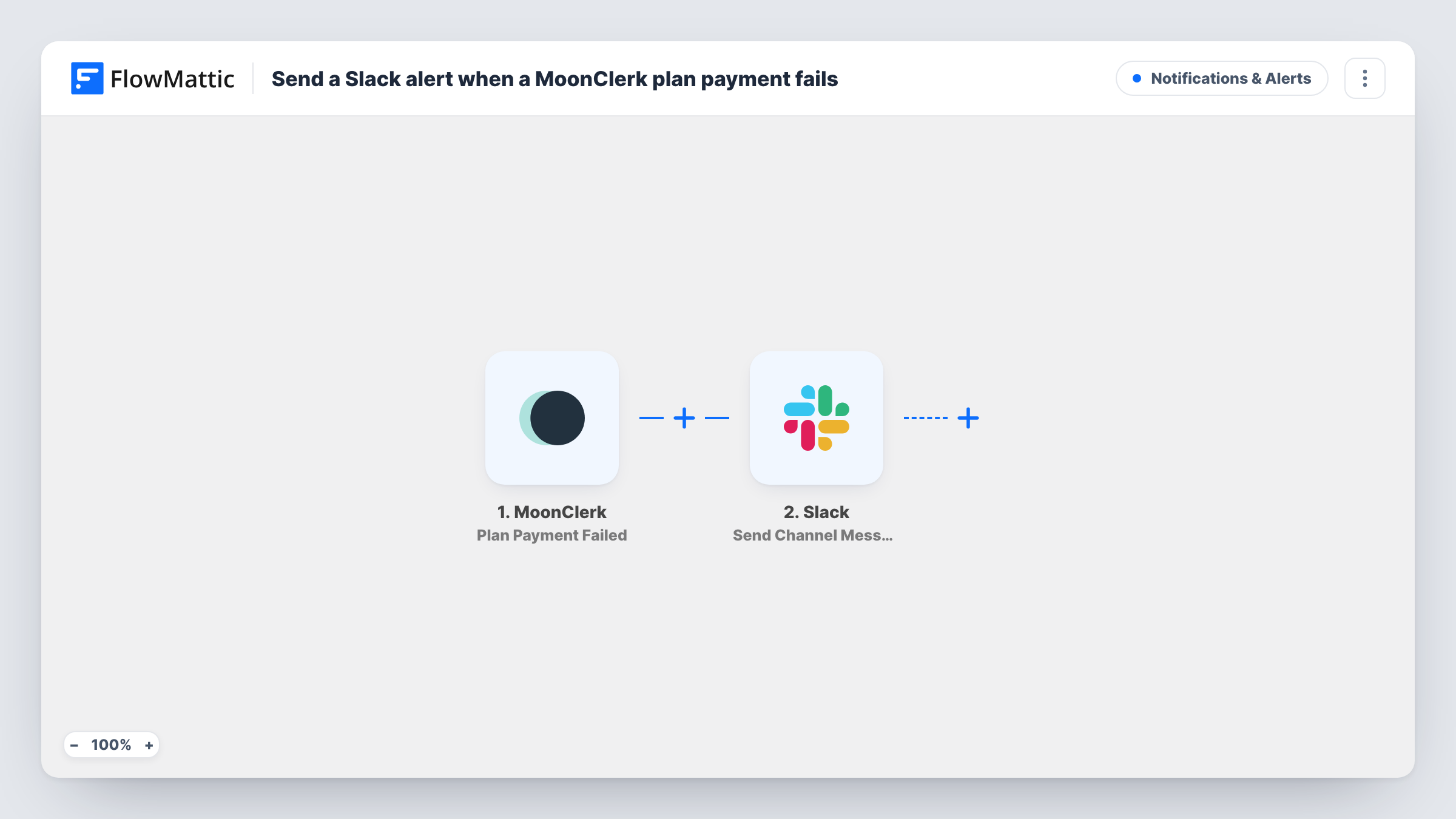
When a payment on a MoonClerk recurring plan fails, this workflow posts a message to the Slack channel you choose, so whoever handles billing sees the failure and can contact the payer.
 MoonClerk
 Slack
2 steps Setup ~5 min Used on 1.5k sites Free to import
What this workflow does
Recurring payments through MoonClerk usually run in the background, which is the point. The downside is that a declined card can go unnoticed until someone reviews the dashboard. For a nonprofit with monthly donors or a business with subscription plans, that delay matters. This workflow puts each failed plan payment in front of your team in Slack.
The MoonClerk trigger, Plan Payment Failed, fires when a payment tied to a plan has failed. FlowMattic receives the event data and hands it to the Slack step, which posts to a channel in your workspace. You write the message and add details from the MoonClerk event, such as the payer or amount if the event includes them.
Each failed plan payment produces one Slack message, with no Filter in between. The workflow only alerts your team. It doesn't retry the charge, change the plan or contact the payer. Task History in FlowMattic keeps a record of each alert.
Monthly donor follow-up
A nonprofit takes recurring gifts through MoonClerk. When a donor's card fails, the fundraising channel gets a Slack post so someone can reach out and ask them to update their card.
Membership dues
A club bills members monthly through a MoonClerk plan. The treasurer sees failed dues in Slack the same day instead of at month end.
Service retainers
A small agency bills clients on MoonClerk plans. A Slack alert on a failed payment lets the account manager raise it before the next piece of work starts.
How this workflow runs
What happens at each step once the workflow is on, and what you need before you import it.
 MoonClerk Plan Payment Failed
Fires when a MoonClerk payment that belongs to a plan fails. The event data comes into FlowMattic so you can include payment and payer details in the Slack message.
- Slack Send Channel Message
Sends the failed-payment notice into one Slack channel. Connect your workspace, choose the channel and write the text, mapping in the MoonClerk details that tell your team which payment failed.
What you need
- FlowMatticCore
- MoonClerk AccountAccount
- Slack AccountAccount
After importing, map your own data. To keep the template universal, not every step is pre-filled. Open each step in the builder and connect your accounts and fields (channels, lists, sheets, recipients) before you switch the workflow on.
Make it yours
Changes worth making after you import it.
- When the first failure comes in, open the run in Task History to see exactly which MoonClerk values arrive before you finish the Slack message.
- For billing alerts in a private Slack channel, use the Send Private Channel Message action from Slack in place of the channel action shipped here.
- To also keep a log, add a Google Sheets Add New Row step after Slack, so every failed MoonClerk payment also lands in a running spreadsheet list.
Questions about this workflow
Does this MoonClerk alert fire for one-time payments?
The trigger covers payments related to a plan. For every payment in any state, MoonClerk's Payment Created trigger exists, but you would need a Filter to pick out failures.
Will FlowMattic retry the failed MoonClerk payment?
No. The workflow only posts a Slack message. Any retry or card update happens in MoonClerk or with the payer.
Can I message the payer directly instead of my team?
Not as imported. You could add an email step after Slack and map the payer's email, if the MoonClerk event includes it. Check a run in Task History first.
Do I get a Slack post when a MoonClerk plan ends?
No. Plan Ended is a separate MoonClerk trigger. Copy this workflow and switch the trigger if you want those alerts too.
More Notifications & Alerts workflows
Other ready-to-import templates from the same category.




Import this workflow into your WordPress site
Download the JSON, import it from the Workflows screen and connect your accounts. Every run stays on your server, with no per-task fees.
30-day money-back guarantee Unlimited workflows and runs Self-hosted