

Send a Slack alert when a Waitwhile visit is updated
Whenever a Waitwhile visit or booking changes, this workflow posts a message to a Slack channel with the visit details, so your team sees queue changes without keeping Waitwhile open.
 Waitwhile
 Slack
Slack2 steps Setup ~5 min Used on 2.4k sites Free to import
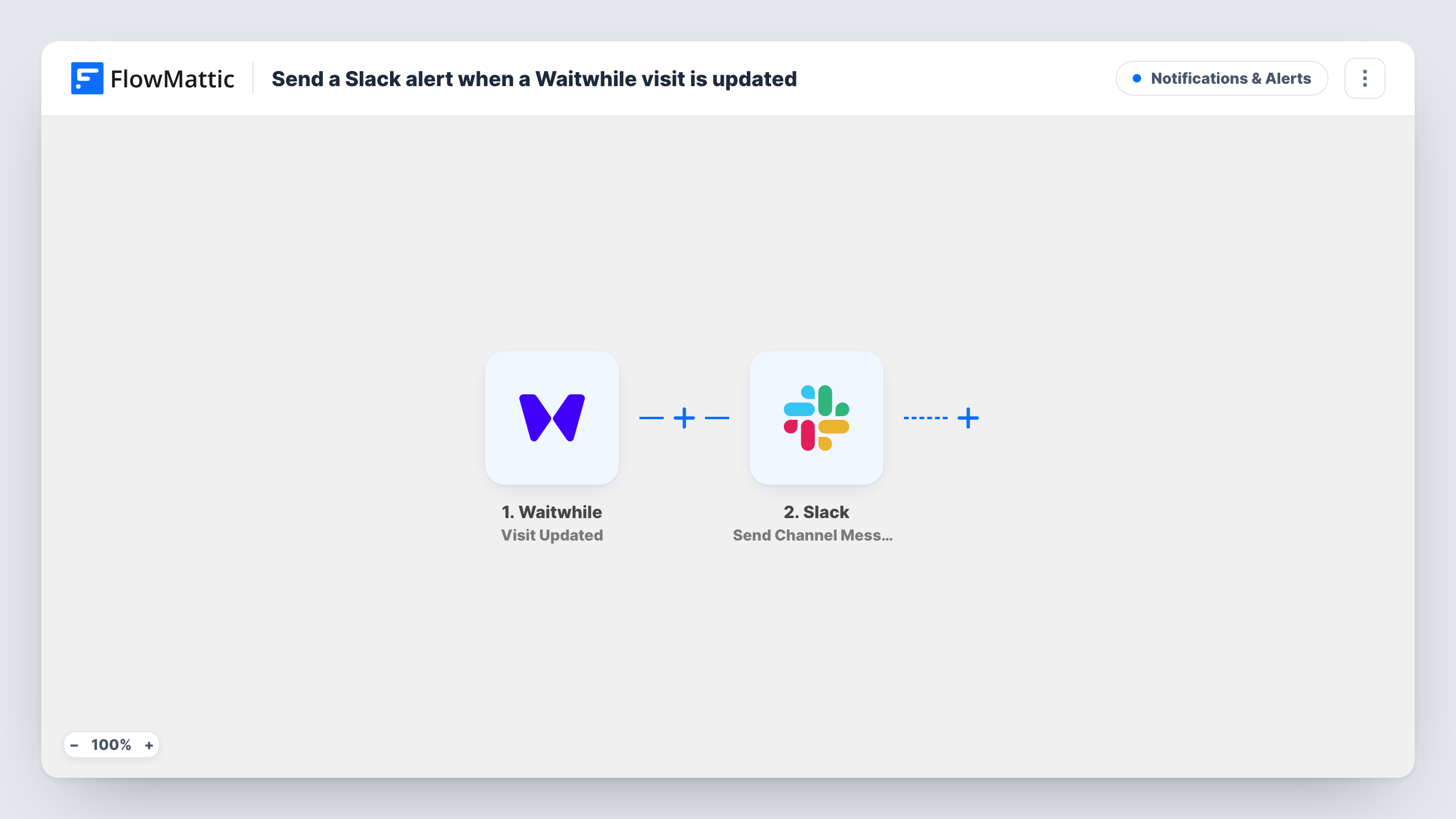
What this workflow does
Queues move: visits get called, served, moved or cancelled, and bookings get rescheduled. Staff who live in Slack don't always have the Waitwhile dashboard in front of them. This workflow posts each change to a channel your team already reads.
The Waitwhile trigger is Visit Updated. FlowMattic describes it as firing when any change is made to an existing waitlist visit or booking. Each time it fires, the Slack step posts a message to the channel you pick, built from the visit details you map in, such as the visitor's name and current status.
Because any change counts, a single visit can post several messages over its life: one when it is called, another when it is served, and more if staff edit it. That suits a team log channel. If you only want certain changes, add a Filter, as the tips explain. Every update that reaches Slack also shows up as a run in Task History.
Kitchen or back-office updates
A restaurant posts Waitwhile table-queue changes to a Slack channel the hosts and managers watch, so everyone sees who has been seated.
Cancelled bookings for a service desk
A repair shop's team sees in Slack when a booking is moved or cancelled, so they can offer the freed slot to someone else.
A running log of queue activity
A clinic manager keeps a quiet Slack channel that records every change to Waitwhile visits during the day, as a log they can scroll back through.
How this workflow runs
What happens at each step once the workflow is on, and what you need before you import it.
 Waitwhile Visit Updated
Fires when any change is made to an existing Waitwhile visit or booking, such as a new status or edited details. The updated visit data is passed to the Slack step.
- Slack Send Channel Message
Sends the update to one Slack channel of your choice. Write the text and map visit details into it, for example the visitor's name, the new status and the location.
What you need
- FlowMatticCore
- Waitwhile AccountAccount
- Slack AccountAccount
After importing, map your own data. To keep the template universal, not every step is pre-filled. Open each step in the builder and connect your accounts and fields (channels, lists, sheets, recipients) before you switch the workflow on.
Make it yours
Changes worth making after you import it.
- To post only certain changes, add a Filter after the trigger on the visit's status field, for example continuing only when the status equals cancelled. A test update shows the exact status values.
- Waitwhile updates meant for a private Slack channel need the step swapped for Send Private Channel Message. Send Direct Message suits alerts for one manager.
- Include the visit's status and the time of the change in the message, so team members can tell several updates to the same visit apart.
Questions about this workflow
Which Waitwhile changes post to Slack?
All of them, as imported. FlowMattic describes Visit Updated as firing on any change to an existing visit or booking, so status changes and edits both post a message.
Will a new Waitwhile visit post to Slack too?
Not through this trigger, which watches existing visits. Use Waitwhile's Visit Created trigger in a second workflow if you want a message when a visit is first added.
Can I stop the Slack channel getting too many messages?
Yes. Add a Filter after the trigger so only the status values you care about continue to Slack. Every other change ends the run at the Filter.
More Notifications & Alerts workflows
Other ready-to-import templates from the same category.




Import this workflow into your WordPress site
Download the JSON, import it from the Workflows screen and connect your accounts. Every run stays on your server, with no per-task fees.
30-day money-back guarantee Unlimited workflows and runs Self-hosted