

Send a Slack alert when Braze fires a key engagement event
When a webhook campaign in Braze sends to FlowMattic, this workflow posts a message about it in a Slack channel, so your team sees the engagement events you care about without watching Braze dashboards.
 Braze
 Slack
2 steps Setup ~5 min Used on 1.2k sites Free to import
What this workflow does
Braze tracks what your users do, but the moments that matter to sales or support, such as a trial user reaching a milestone or a customer taking a key action, stay inside Braze unless someone goes looking. This workflow brings those moments into Slack, where your team already talks.
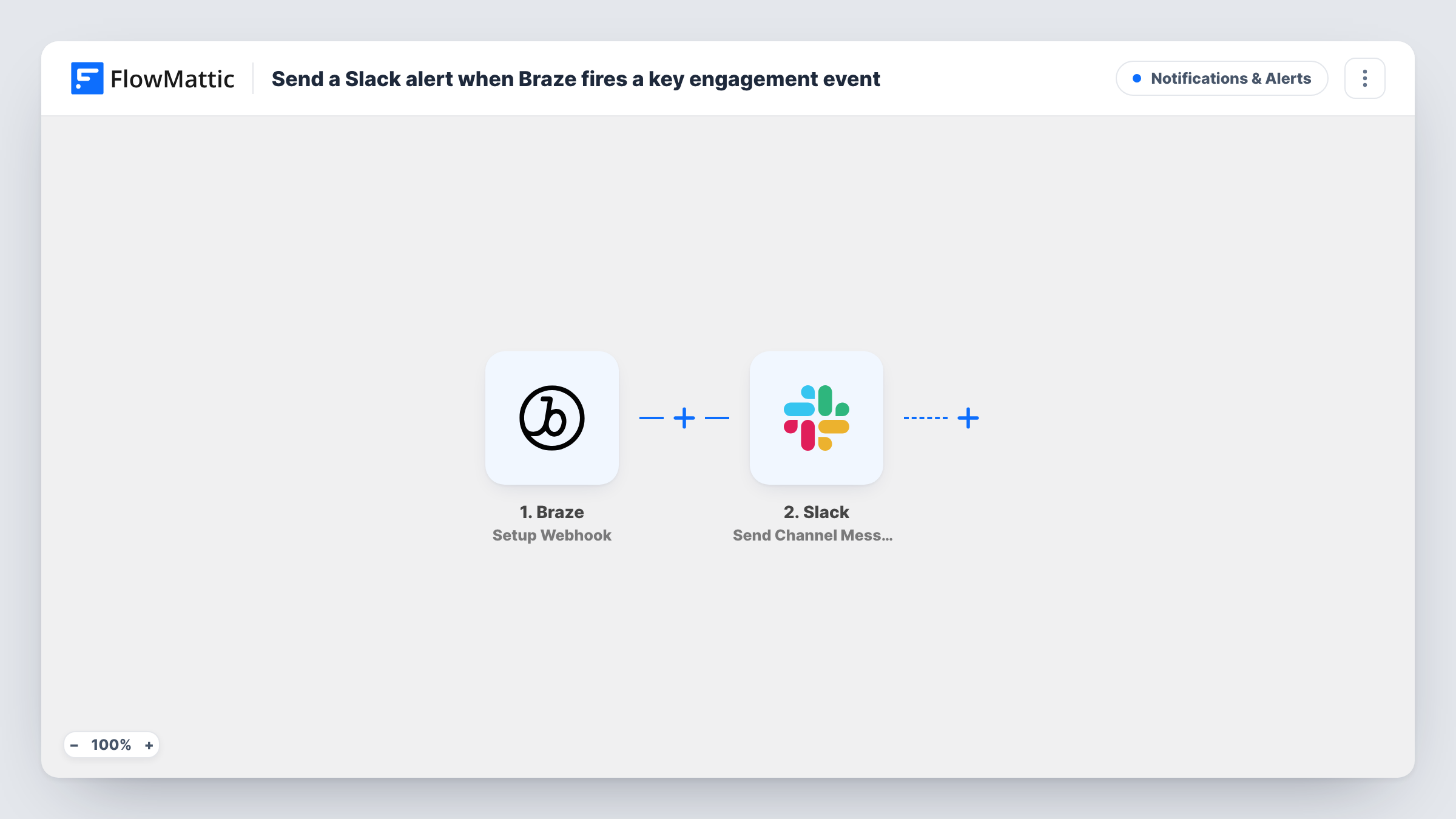
The Braze trigger, Setup Webhook, gives you a webhook URL and triggers according to the webhook campaign you build in Braze. You decide in Braze which engagement event starts that campaign and what data its payload includes. When the campaign sends, FlowMattic passes that data to Slack, which posts a message to the channel you pick, built from the payload fields.
FlowMattic does not choose the event; your Braze campaign does. Every payload Braze sends to this URL becomes a Slack message, so keep the campaign aimed at the events your team should hear about.
Trial milestone alerts for sales
Your Braze campaign sends when a trial user completes a set-up step you track, and the sales channel sees the user's details from the payload.
High-value action alerts
A Braze campaign tied to a purchase or upgrade event posts to a customer success channel, so the team can say thanks or check in.
Monitoring a new feature
During a launch, a campaign aimed at a new feature's usage event posts each use to a product channel for the first few weeks.
How this workflow runs
What happens at each step once the workflow is on, and what you need before you import it.
 Braze Setup Webhook
Gives you a webhook URL for a Braze webhook campaign. The run starts each time that campaign sends, and the payload you build in Braze becomes data to map.
- Slack Send Channel Message
Shares the Braze event in a Slack channel you choose. Write the message and insert payload fields, such as the user ID or event name, that your Braze campaign includes.
What you need
- FlowMatticCore
- Braze AccountAccount
- Slack AccountAccount
After importing, map your own data. To keep the template universal, not every step is pre-filled. Open each step in the builder and connect your accounts and fields (channels, lists, sheets, recipients) before you switch the workflow on.
Make it yours
Changes worth making after you import it.
- Build the Braze webhook payload as JSON with separate keys, such as user and event, so each value can be mapped on its own in the Slack message.
- Add a Filter after the trigger if one Braze campaign sends several kinds of events and the channel only needs some of them.
- Send a test from the Braze campaign after import, so FlowMattic captures a real payload before you map the Slack message.
Questions about this workflow
Which Braze events will reach Slack?
Only the ones your Braze webhook campaign sends to this workflow's URL. You choose the triggering event and the payload when you set up the campaign in Braze.
Do I need to write code in Braze for this Slack alert?
No code is needed in FlowMattic. In Braze you create a webhook campaign, paste in the URL from the trigger step and write the payload it sends.
Can the Braze alert go to a Slack channel the bot isn't in?
Messages are posted through the Slack account you connect, so that account needs access to the channel. Test with your chosen channel after import.
More Notifications & Alerts workflows
Other ready-to-import templates from the same category.





Import this workflow into your WordPress site
Download the JSON, import it from the Workflows screen and connect your accounts. Every run stays on your server, with no per-task fees.
30-day money-back guarantee Unlimited workflows and runs Self-hosted