

Send a Slack notification when a Frontly action is executed
Whenever an action runs in your Frontly app, FlowMattic posts a message to a Slack channel you choose, so your team sees what happened in the app from the place they already talk.
 Frontly
 Slack
2 steps Setup ~5 min Used on 2.3k sites Free to import
What this workflow does
In a Frontly app, actions are the moments when something gets done, such as a button press that saves or submits something. If your team works in Slack, they won't see those moments unless someone opens the app. This workflow posts a Slack message each time one of them happens.
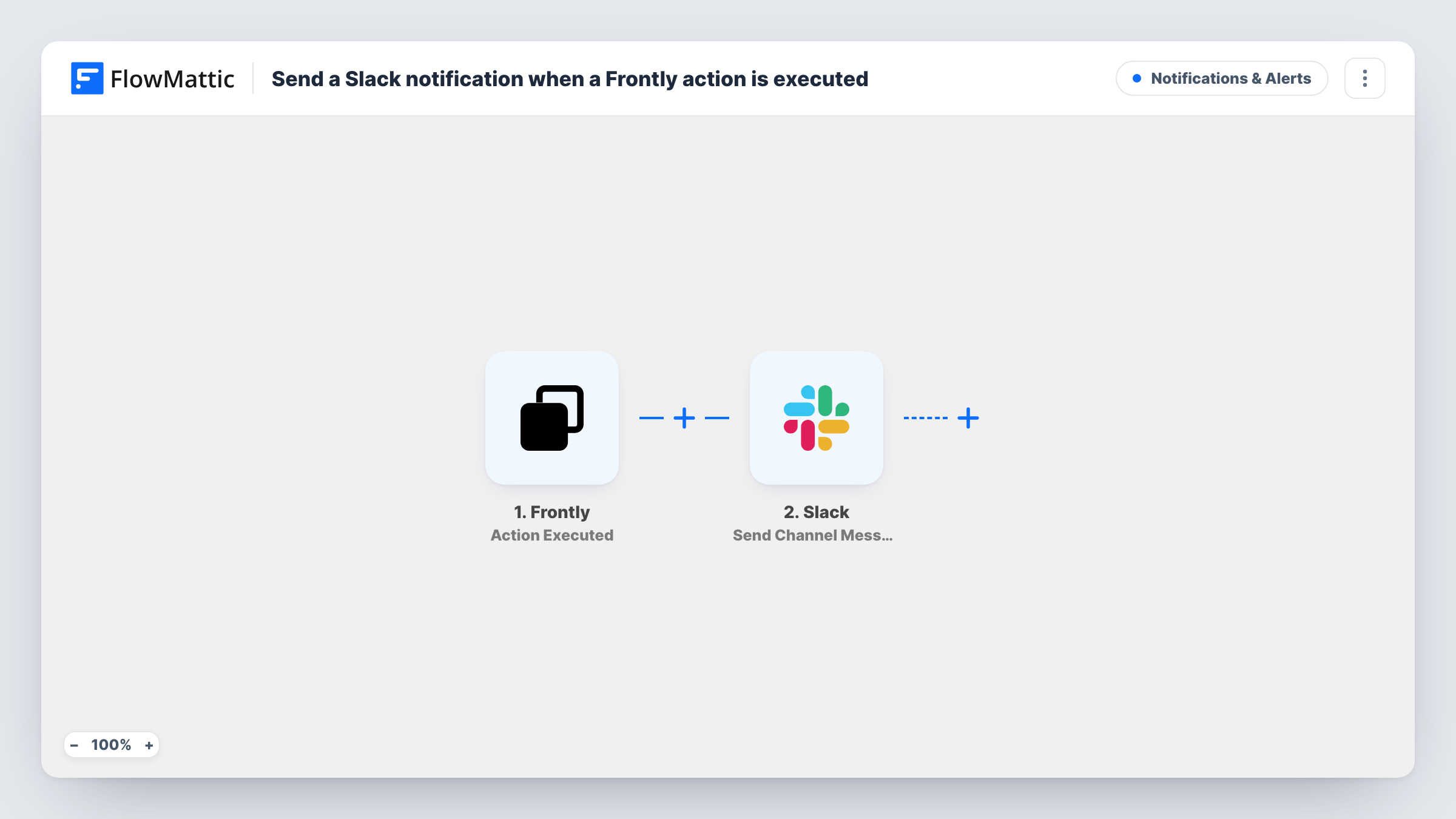
The Frontly trigger, Action Executed, starts a run whenever a Frontly action is executed and passes along the data that came with it. The second step uses Slack's Send Channel Message action to post into the channel you pick. You write the message text and place values from the Frontly action inside it, so each post says what was done.
No Filter ships with the template, so every executed action posts a message. If your Frontly app has many actions, or one that runs often, the channel can get busy. Add a Filter to keep only the actions people need to hear about. Task History shows every run and the reply Slack sent back.
Client portal requests
A client submits a request through a Frontly portal action, and your account team sees a Slack post about it in their shared channel.
Internal tool approvals
Staff approve expenses with a button in a Frontly admin app. Finance reads each approval in a Slack channel instead of checking the app.
Watching a new Frontly app after launch
In the first weeks after you publish an app, a channel post for each executed action shows you how people actually use it.
How this workflow runs
What happens at each step once the workflow is on, and what you need before you import it.
 Frontly Action Executed
Starts a run every time an action is executed in your Frontly app. The data that came with that action is passed on for the Slack message.
- Slack Send Channel Message
Sends a post into one Slack channel of your choosing for each Frontly action. Connect your Slack workspace, pick the channel and write the text, mapping values from the Frontly action into it.
What you need
- FlowMatticCore
- Frontly AccountAccount
- Slack AccountAccount
After importing, map your own data. To keep the template universal, not every step is pre-filled. Open each step in the builder and connect your accounts and fields (channels, lists, sheets, recipients) before you switch the workflow on.
Make it yours
Changes worth making after you import it.
- Add a Filter after the trigger so only the Frontly actions your team cares about post to Slack. Run each action once first and check Task History to see which value tells them apart.
- If the Frontly updates belong in a private channel, switch to Slack's Send Private Channel Message action, or use Send Direct Message to notify one person.
- Put the most useful Frontly value at the start of the message, so the channel preview shows it without anyone opening the thread.
Questions about this workflow
Which Frontly actions send a Slack message?
As imported, every executed action does, because the template has no Filter. Add one after the trigger to limit the posts to specific actions or values.
Can the Frontly alerts go to a private Slack channel?
The imported step targets ordinary channels, but Slack in FlowMattic has a separate Send Private Channel Message action, so replace the step with it if the channel is private.
What will each Slack post about a Frontly action say?
Whatever text you set up in the Slack step. You can type fixed text and insert any value the Frontly trigger passes on. Run a test action to see which values are available.
Will Frontly actions from before import reach Slack?
No. Only actions executed after the workflow is switched on start a run, so earlier activity in your Frontly app is not posted.
More Notifications & Alerts workflows
Other ready-to-import templates from the same category.



Import this workflow into your WordPress site
Download the JSON, import it from the Workflows screen and connect your accounts. Every run stays on your server, with no per-task fees.
30-day money-back guarantee Unlimited workflows and runs Self-hosted