

Send a Telegram message for every new Form2chat submission
Every new Form2chat form submission triggers a Telegram message with the details you choose, so you or your team see each entry on your phone in the chat you already watch.
 Form2chat
 Telegram
2 steps Setup ~5 min Used on 2.4k sites Free to import
What this workflow does
A form entry that waits in a dashboard can wait too long. If you answer enquiries from your phone, Telegram is a quicker place to hear about them. This workflow sends a Telegram text message for each new Form2chat submission, carrying the answers you want to see.
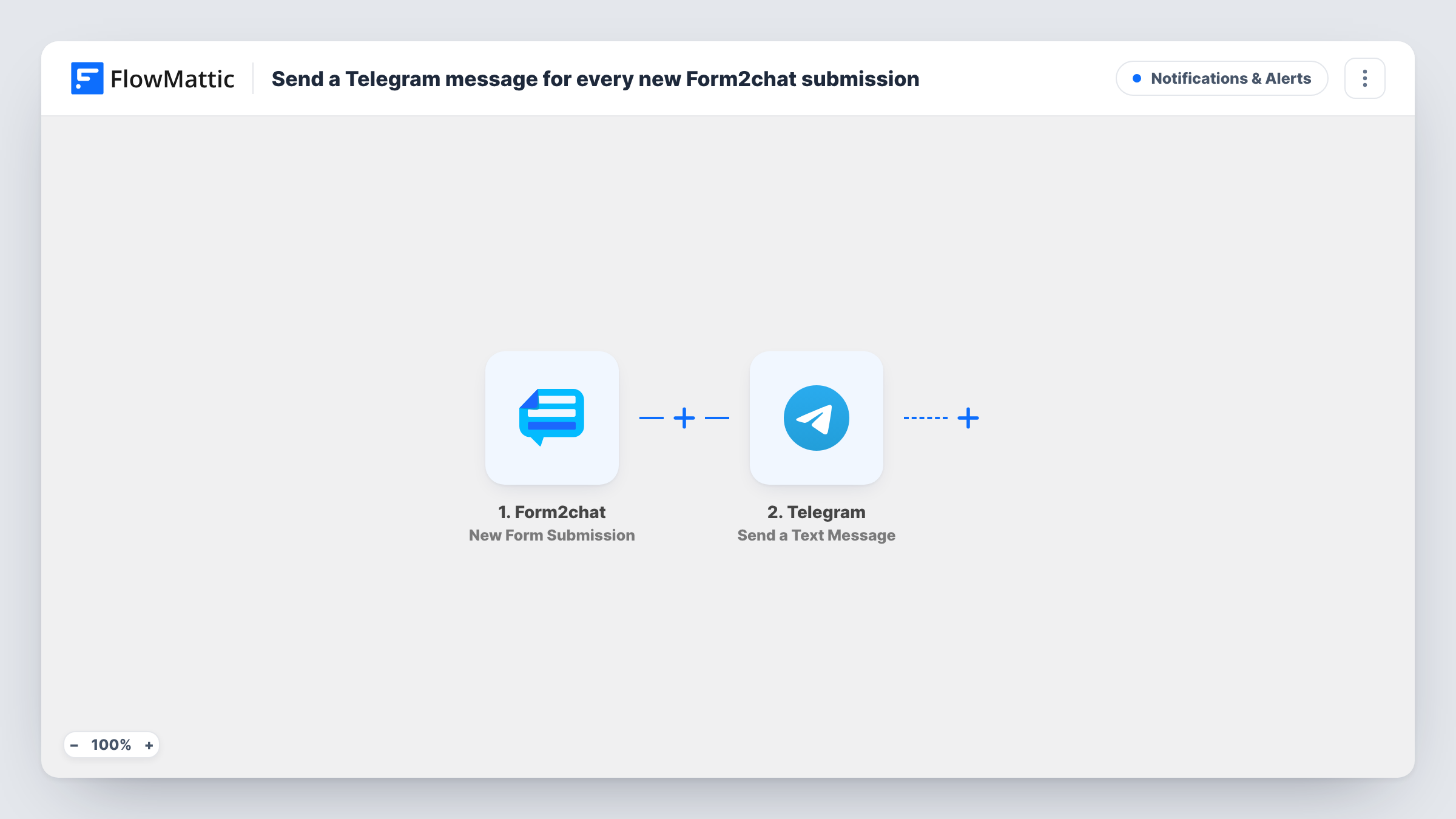
The Form2chat trigger fires when a new submission is received. FlowMattic takes the answers and builds a message with the Telegram Send a Text Message action, which supports markup, so you can bold a name or put each answer on its own line.
There is no Filter, so every submission sends one message, test entries included. Telegram sends through a bot, so the bot you connect has to be a member of any group you want it to post in. Task History shows each run and Telegram's response if a message does not arrive.
Solo business owner on the move
A freelancer gets each Form2chat enquiry as a Telegram message and can reply to the customer between appointments.
Support group chat
Submissions from a help form post into a Telegram group where the support team decides who answers each one.
Booking requests for a restaurant
Table requests sent through Form2chat appear in the manager's Telegram chat with the date and party size laid out clearly.
How this workflow runs
What happens at each step once the workflow is on, and what you need before you import it.
 Form2chat New Form Submission
Fires when a new Form2chat form submission is received. Each answer becomes a value you can place in the Telegram message.
- Telegram Send a Text Message
Sends a text message to the Telegram chat you choose, with markup support. Write the message and insert the Form2chat answers where you want them.
What you need
- FlowMatticCore
- Form2chat AccountAccount
- Telegram AccountAccount
After importing, map your own data. To keep the template universal, not every step is pre-filled. Open each step in the builder and connect your accounts and fields (channels, lists, sheets, recipients) before you switch the workflow on.
Make it yours
Changes worth making after you import it.
- Add a Filter after the trigger if you only want a Telegram message for some submissions, for example when a topic answer equals Urgent.
- Add a Google Sheets step after Telegram to keep a record of every Form2chat submission as well as the alert.
- Put the submitter's name and contact details on the first line of the message so the preview on your lock screen shows who wrote in.
Questions about this workflow
Can the Telegram message go to a group instead of a private chat?
Yes, if the bot you connect is a member of that group. Point the step at that group and send a test to confirm the message arrives.
Does each Form2chat submission send a separate Telegram message?
Yes. As imported, every submission starts a run and sends one message. Add a Filter if you want fewer alerts.
Will the Form2chat answers show as plain text in Telegram, or can I style them?
Yes. The Send a Text Message action supports markup, so you can use bold text and line breaks to make the answers easier to read.
More Notifications & Alerts workflows
Other ready-to-import templates from the same category.




Import this workflow into your WordPress site
Download the JSON, import it from the Workflows screen and connect your accounts. Every run stays on your server, with no per-task fees.
30-day money-back guarantee Unlimited workflows and runs Self-hosted