

Send a Twilio SMS when a Motion Tools hailing booking is created
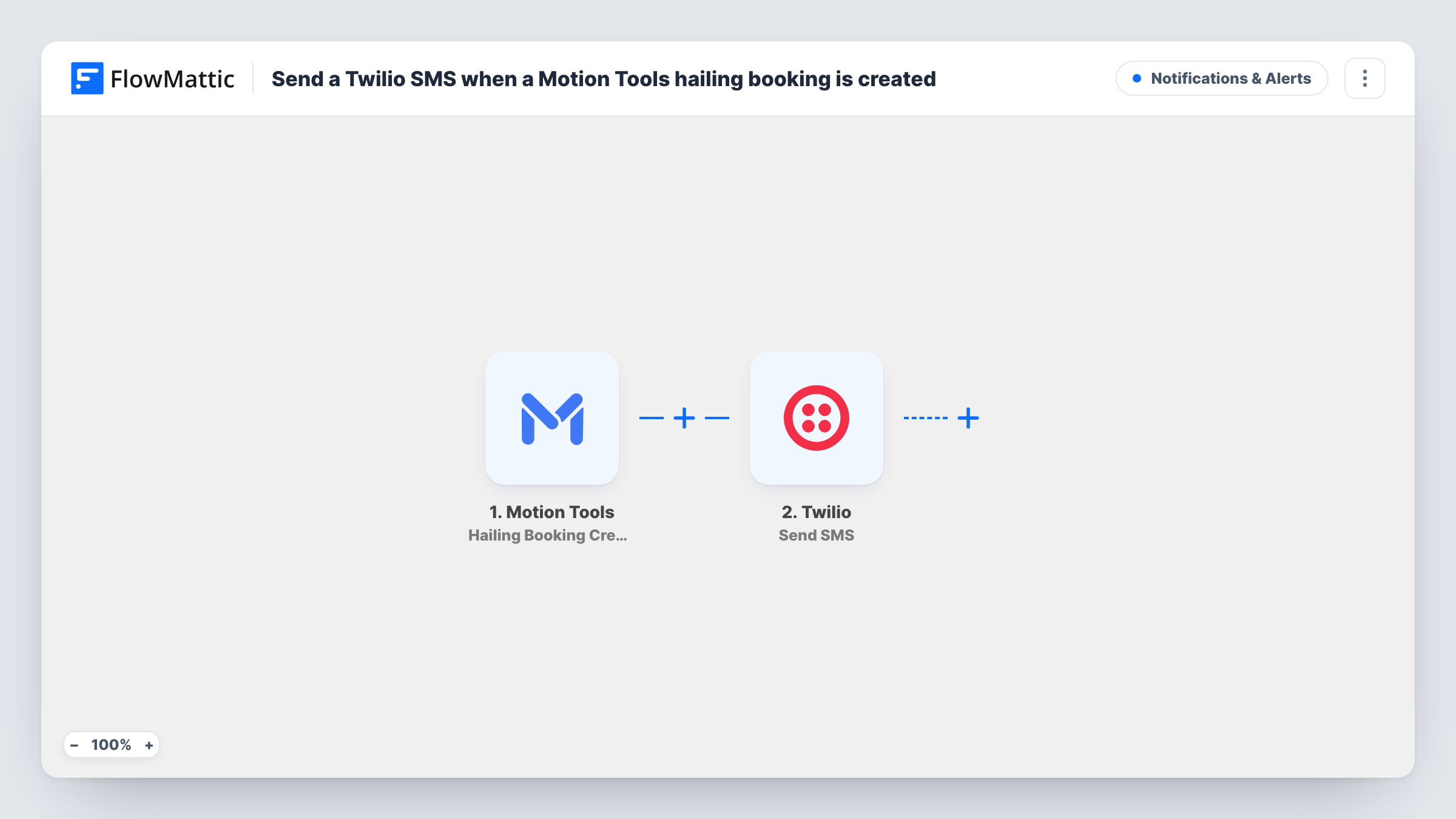
When a new hailing booking is created in Motion Tools, FlowMattic sends a text message through your Twilio number, to the rider, a driver or a dispatcher, depending on the number you set.
 Motion Tools
 Twilio
2 steps Setup ~5 min Used on 3.2k sites Free to import
What this workflow does
A quick text after a booking is made gives people something to hold on to: a confirmation for the rider, or a heads-up for a dispatcher on call. Motion Tools records the booking, and Twilio can deliver the text. This workflow links the two so a message goes out for each new booking.
The Motion Tools trigger, Hailing Booking Created, fires when a new booking has been created and passes on the booking data. The Twilio step, Send SMS, then sends a text from your Twilio number to the number you give it. Map a phone number from the booking to reach the rider, or enter a fixed number to alert your own team. You write the text and can insert booking values into it.
Every new booking sends one SMS. Changes after that, such as a driver being assigned or a cancellation, are separate Motion Tools events and send nothing here. Task History shows whether Twilio accepted each message.
Booking confirmation for riders
A shuttle service texts each rider a short confirmation with their pickup details as soon as the booking appears in Motion Tools.
Night-shift dispatcher alert
Send each new booking to the on-call dispatcher's phone, so someone sees it even when nobody is watching the dispatch screen.
Small fleet owner keeping an eye on demand
The owner gets a text per booking during a quiet launch week, to see how bookings come in before switching to a daily report.
How this workflow runs
What happens at each step once the workflow is on, and what you need before you import it.
 Motion Tools Hailing Booking Created
Starts a run for each hailing booking newly created in Motion Tools. The booking's details are passed on so you can use them in the SMS.
- Twilio Send SMS
Texts the booking alert from a number on your Twilio account. Connect your Twilio account, set the recipient, either a phone number from the booking or a fixed one, and write the text with booking values.
What you need
- FlowMatticCore
- Motion Tools AccountAccount
- Twilio AccountAccount
After importing, map your own data. To keep the template universal, not every step is pre-filled. Open each step in the builder and connect your accounts and fields (channels, lists, sheets, recipients) before you switch the workflow on.
Make it yours
Changes worth making after you import it.
- Make a test booking with your own phone number after import, so you can read the SMS as a rider would and check that booking values appear correctly.
- Texting riders and a dispatcher? Add a second Twilio Send SMS step, one to the rider's number and one to your fixed team number.
- If some bookings come from clients who shouldn't get texts, add a Filter after the trigger on a value the booking carries, such as the service area.
Questions about this workflow
Who gets the Twilio SMS for a Motion Tools booking?
Whoever's number you set in the Send SMS step. Map a phone number from the booking data to reach the rider, or type a fixed number to text your team. A test booking shows which phone values Motion Tools sends.
Does the rider get another SMS when a driver is assigned?
No. Only the creation of a booking sends a text in this workflow. Driver assignment and other changes are separate Motion Tools triggers you could use in another workflow.
Do I need a Twilio phone number for these booking texts?
Yes. The step sends from a number on your Twilio account. Check that the number can send SMS to the countries your riders are in.
What happens if the Motion Tools booking has no phone number?
Twilio has no number to send to, so the step is likely to fail, and Task History shows the error on it. Add a Filter that continues only when the phone value is not empty to avoid those runs.
More Notifications & Alerts workflows
Other ready-to-import templates from the same category.





Import this workflow into your WordPress site
Download the JSON, import it from the Workflows screen and connect your accounts. Every run stays on your server, with no per-task fees.
30-day money-back guarantee Unlimited workflows and runs Self-hosted