

Send a welcome email series from FluentCRM when subscription trial ends
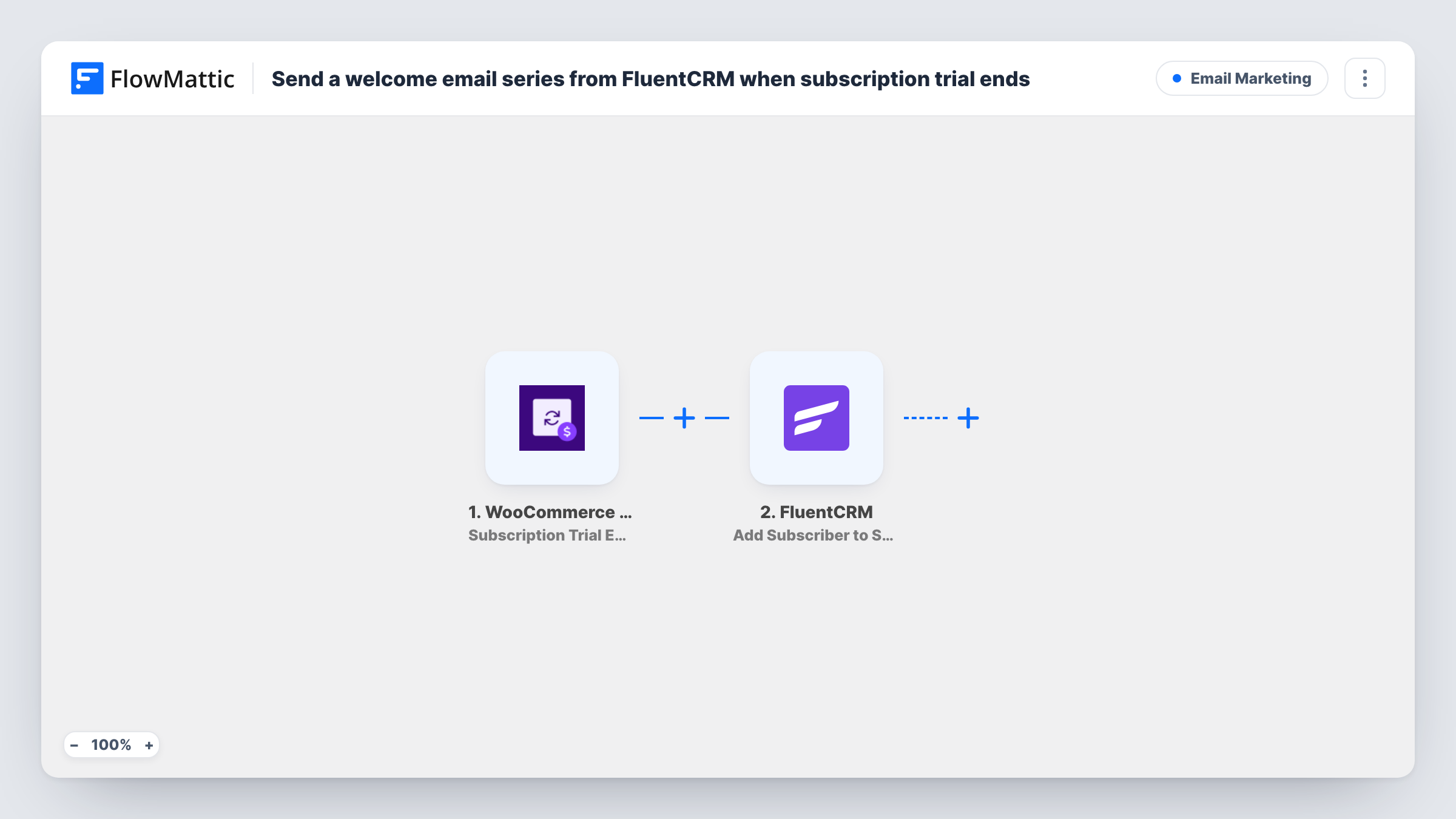
When a WooCommerce Subscriptions trial period ends, this workflow enrolls the subscriber’s FluentCRM contact in an email sequence you choose, so a planned series of welcome emails starts at that point.
 WooCommerce Subscriptions
 FluentCRM
2 steps Setup ~5 min Used on 2.2k sites Free to import
What this workflow does
The end of a free trial is when a subscriber moves from trying your product to paying for it, or deciding not to. It is a natural moment for a series of emails that welcome them properly, explain what comes next and point to help. This workflow starts that series for you at the moment WooCommerce Subscriptions marks the trial as over.
The WooCommerce Subscriptions trigger, Subscription Trial Ended, fires when a subscription's trial period ends. The subscription and customer data from that event, including the customer's email, is passed on.
Next, FluentCRM runs Add Subscriber to Sequence, which enrolls a contact in an existing email sequence. You build the sequence and its emails in FluentCRM beforehand, then pick it in this step and map the customer's email. FluentCRM then sends the emails on the schedule you set in the sequence. Task History shows each enrollment attempt.
Software or membership trials
A customer's 14-day trial on a subscription product ends. They are enrolled in a FluentCRM sequence that welcomes them as a paying member and links to getting-started guides.
Subscription boxes with a trial month
When the trial box period ends, the sequence explains what the first paid box contains and when it ships.
Courses sold on a subscription
Learners who finish a trial week receive a series pointing to the next lessons and the community, starting the day their trial closes.
How this workflow runs
What happens at each step once the workflow is on, and what you need before you import it.
 WooCommerce Subscriptions Subscription Trial Ended
Fires when the trial period on a WooCommerce subscription ends. The subscription and customer details from that event, including the customer's email, become available for the FluentCRM step.
- FluentCRM Add Subscriber to Sequence
Enrolls the customer's FluentCRM contact in the email sequence you select. Create the sequence in FluentCRM first, then pick it here and map the email from the subscription event.
What you need
- FlowMatticCore
- WooCommerce Subscriptions PluginPlugin
- FluentCRM PluginPlugin
After importing, map your own data. To keep the template universal, not every step is pre-filled. Open each step in the builder and connect your accounts and fields (channels, lists, sheets, recipients) before you switch the workflow on.
Make it yours
Changes worth making after you import it.
- Make sure WooCommerce customers already exist as FluentCRM contacts, or add a FluentCRM Create or Update Contact step before the sequence step, so every trial customer can be enrolled.
- Add a Filter after the trigger that continues only for a particular subscription product if each product needs its own welcome series, and use a Router with one sequence per product if you have several.
- Test with a short trial on a test product and your own email, then check Task History to confirm the contact joined the sequence.
Questions about this workflow
Does the trial ending mean the customer has paid?
Not necessarily. The trigger fires when the trial period ends. Whether the first payment then succeeds is handled by WooCommerce Subscriptions, so write your sequence to suit either case or add a check for the subscription status.
What happens if the WooCommerce customer isn't a FluentCRM contact yet?
Add Subscriber to Sequence enrolls an existing contact. If there is no contact for that email, the enrollment may fail and Task History shows FluentCRM's response. Adding a Create or Update Contact step first avoids this.
Can I change the welcome emails after importing?
Yes. The emails live in the FluentCRM sequence, so you edit their content and timing in FluentCRM. The workflow only decides when someone joins.
Do subscriptions without a trial trigger this FluentCRM sequence?
No. Subscription Trial Ended only fires for subscriptions that had a trial period and reached its end.
More Email Marketing workflows
Other ready-to-import templates from the same category.






Import this workflow into your WordPress site
Download the JSON, import it from the Workflows screen and connect your accounts. Every run stays on your server, with no per-task fees.
30-day money-back guarantee Unlimited workflows and runs Self-hosted