

Send an automatic Twilio SMS reply when DIDWW receives an inbound message
Whenever a text arrives on your DIDWW number, this workflow sends the sender an SMS through Twilio, so every inbound message gets an automatic acknowledgment while you prepare a proper answer.
 DIDWW
 Twilio
2 steps Setup ~5 min Used on 3.1k sites Free to import
What this workflow does
Texts to a business number often arrive when nobody is free to answer. The person who wrote has no idea whether the message landed. This workflow sends them a short reply straight away, so they know you have it.
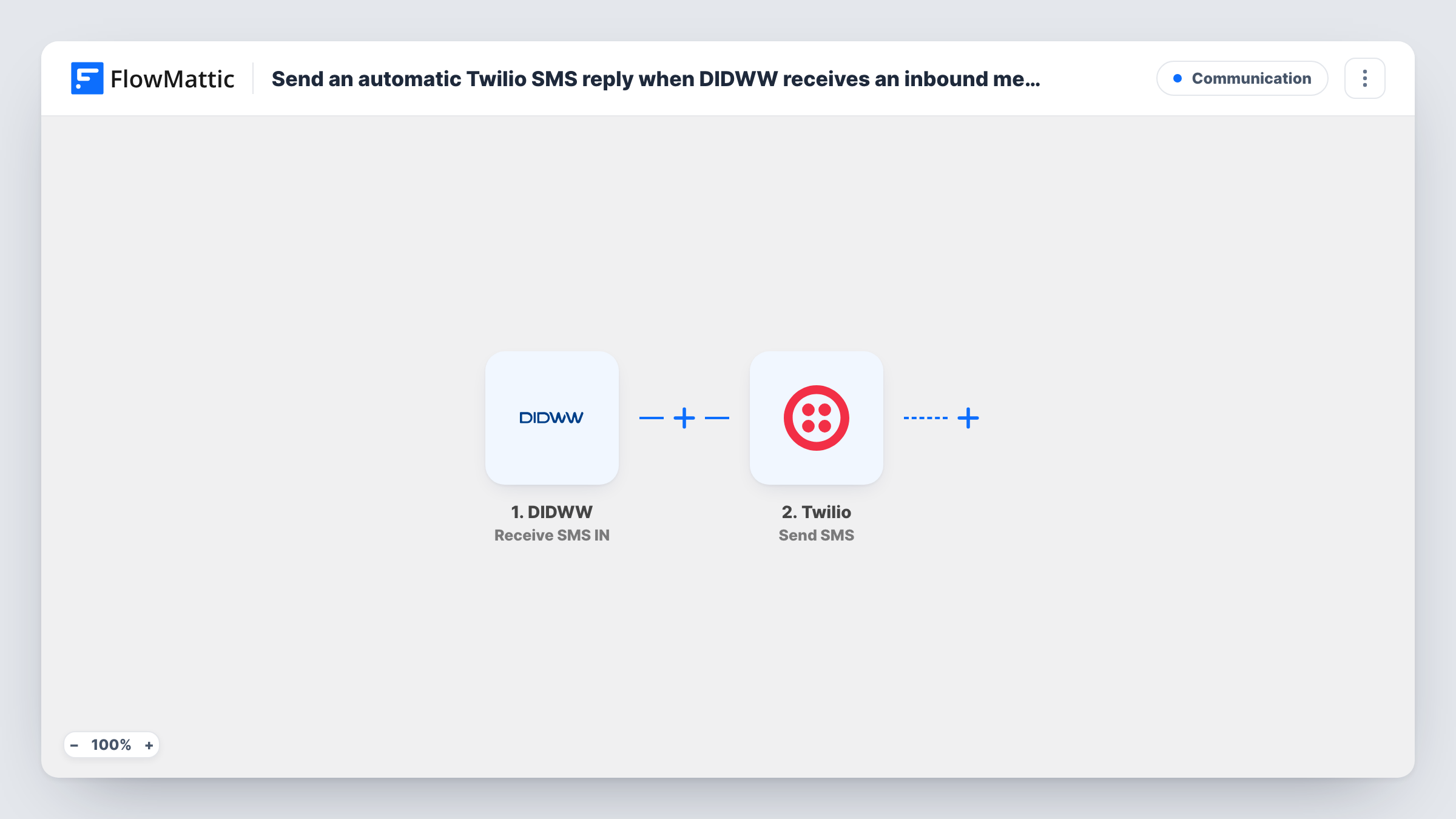
The DIDWW Receive SMS IN trigger fires when an SMS reaches your DIDWW number. FlowMattic passes the message data, including who sent it, to Twilio. The Send SMS action then texts that person from your Twilio account, using the reply wording you write in the step.
Keep in mind that the reply comes from your Twilio number, not from the DIDWW number the person texted. Say who you are in the message so the reply makes sense to them. The workflow answers every inbound SMS, so someone who sends three texts in a row gets three replies unless you add a check first.
After-hours support line
Customers text your DIDWW support number at night. Each one gets a Twilio SMS saying the message is logged and the team replies during business hours.
Marketing keyword campaigns
A flyer asks people to text a word to your DIDWW number. The Twilio reply confirms receipt and points them to the offer page you include in the message.
Service desk for field staff
Technicians text job updates to a DIDWW number. The automatic Twilio reply confirms the update arrived, so they don't send it twice.
How this workflow runs
What happens at each step once the workflow is on, and what you need before you import it.
 DIDWW Receive SMS IN
Starts a run for each text message that lands on your DIDWW number. The message details, such as the sender's number and text, are passed on. Send a test text to see which fields DIDWW provides.
- Twilio Send SMS
Texts the person back using the Twilio account you connect. Map the sender's number from the DIDWW event as the recipient and write the reply text. The message goes out from your Twilio number.
What you need
- FlowMatticCore
- DIDWW AccountAccount
- Twilio AccountAccount
After importing, map your own data. To keep the template universal, not every step is pre-filled. Open each step in the builder and connect your accounts and fields (channels, lists, sheets, recipients) before you switch the workflow on.
Make it yours
Changes worth making after you import it.
- Add a Filter after the trigger so only texts containing a keyword, such as INFO, get a reply. Messages without it are left for a person to handle.
- Include the DIDWW message text in the Twilio reply, for example by quoting the first words back, so the person can see which message you are answering.
- Add a Google Sheets Add New Row step after the Twilio step to keep a log of each inbound text and the time you replied.
Questions about this workflow
Which number does the Twilio reply come from?
From the Twilio number you use in the Send SMS step, not the DIDWW number the person texted. Mention your business name in the reply so it isn't mistaken for an unknown sender.
Does every DIDWW inbound text get a Twilio reply?
Yes. Nothing in the template limits it, so each SMS that reaches your DIDWW number sends one reply. Add a Filter if some texts shouldn't get one.
Can I reply from my DIDWW number instead of Twilio?
Not with this template. The FlowMattic catalog lists DIDWW triggers for inbound SMS and calls but no DIDWW send action, so the reply goes out through Twilio.
Will I still see the original message in DIDWW?
Yes. The workflow only reads the inbound SMS event. It doesn't change or remove anything in your DIDWW account.
More Communication workflows
Other ready-to-import templates from the same category.






Import this workflow into your WordPress site
Download the JSON, import it from the Workflows screen and connect your accounts. Every run stays on your server, with no per-task fees.
30-day money-back guarantee Unlimited workflows and runs Self-hosted