

Send an email via Email SMTP when a Sage Intacct employee record is updated
When an employee record changes in Sage Intacct, this workflow sends an email with the details through your site’s mail function or your own SMTP server, so payroll or HR hears about the change.
 Sage Intacct
 Email
2 steps Setup ~5 min Used on 1.8k sites Free to import
What this workflow does
Changes to employee records in Sage Intacct, such as a new department or an updated address, often matter to people who do not work in Sage every day. Payroll, IT or a manager may need to know. This workflow turns each change into an email you write once.
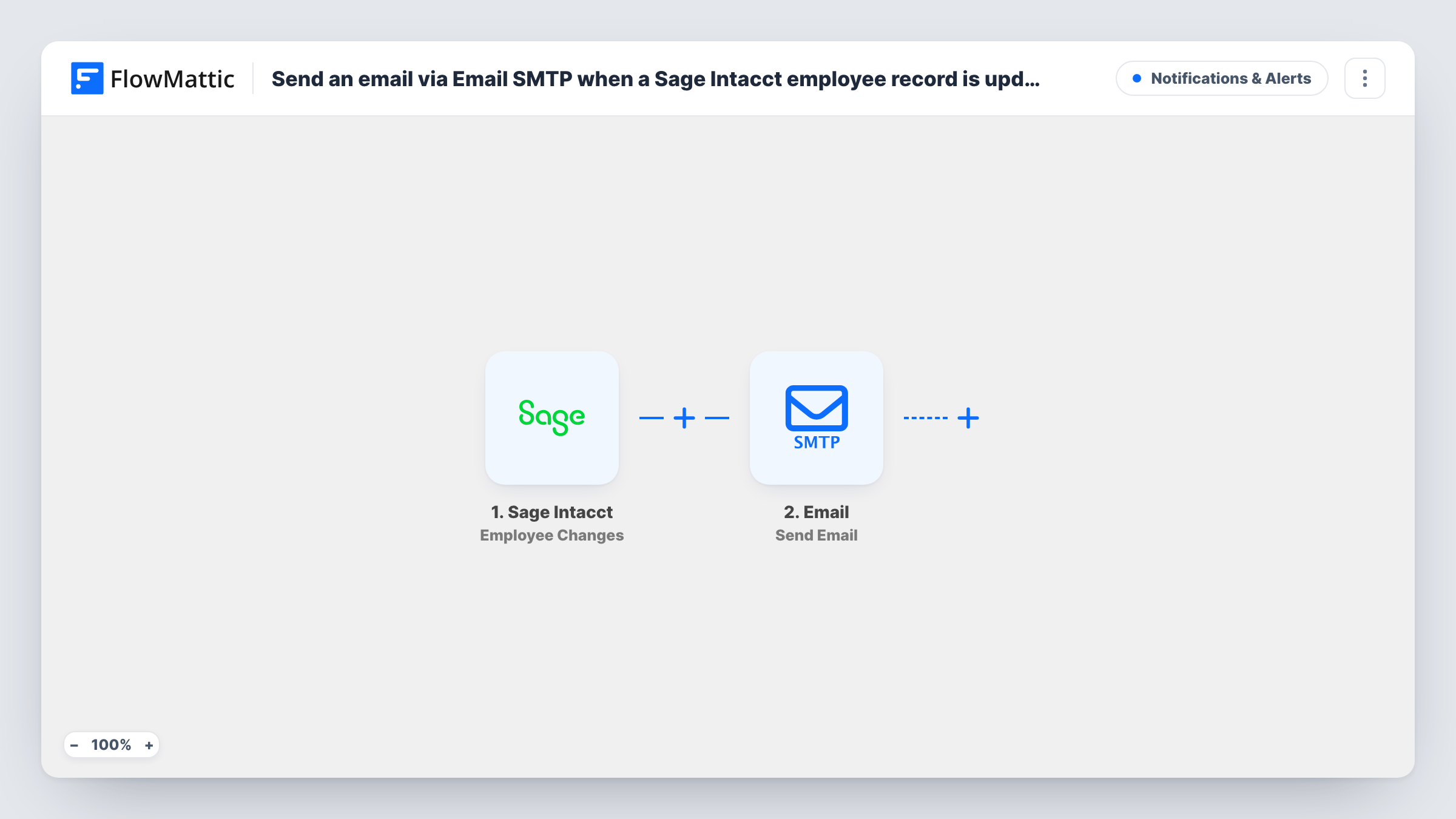
The Sage Intacct trigger fires when an employee is created or updated. FlowMattic passes the employee data on to the Email step, which sends a message using the WordPress mail function or a custom SMTP server you set up. You choose the recipient, subject and body, and map employee values into them.
Note that the trigger covers new employee records as well as updates, so a newly added employee also produces an email. If you only want updates, the tips explain one way to narrow it. Each email sent is listed in Task History with the data that went into it. Employee data can be sensitive, so send it only to people who should see it.
Telling payroll about record changes
When HR edits an employee in Sage Intacct, the payroll inbox gets an email with the employee's name and the updated details you map.
Alerting IT to new or changed staff
IT receives an email whenever an employee is added or updated, so accounts and equipment can be set up or adjusted.
Audit trail in a shared mailbox
A shared finance mailbox collects every employee change notice, giving you a searchable history alongside Sage Intacct's own records.
How this workflow runs
What happens at each step once the workflow is on, and what you need before you import it.
 Sage Intacct Employee Changes
Fires when an employee record is created or updated in Sage Intacct. The employee data from that event is available to map in the email.
 Email Send Email
Sends an email through the WordPress mail function or a custom SMTP server. Set the recipient, subject and message, and map the Sage Intacct employee values into them.
What you need
- FlowMatticCore
- Sage Intacct AccountAccount
After importing, map your own data. To keep the template universal, not every step is pre-filled. Open each step in the builder and connect your accounts and fields (channels, lists, sheets, recipients) before you switch the workflow on.
Make it yours
Changes worth making after you import it.
- Switch the Email step to a custom SMTP server if you want these notices sent through your own mail provider rather than the WordPress mail function.
- To skip new hires and email only on edits, add a Filter that compares a created date and a modified date if the event carries both. Check the fields with a test change first.
- Map only the fields the recipient needs, such as name and department, rather than the whole record, to keep personal data out of email where you can.
Questions about this workflow
Does a new Sage Intacct employee also trigger the email?
Yes. The Employee Changes trigger fires when an employee is created or updated, so both produce an email unless you add a Filter.
Do I need an SMTP account to send the Sage Intacct alert?
No. The Email step can use the built-in WordPress mail function. A custom SMTP server is optional, and you set it up in the step if you want it.
Can the Sage Intacct change email go to more than one person?
Yes. Send it to a shared address, or add another Send Email step with a different recipient.
Which employee details can I put in the email?
Any value that Sage Intacct sends with the event. Make a test change after import and check Task History to see what is available to map.
More Notifications & Alerts workflows
Other ready-to-import templates from the same category.





Import this workflow into your WordPress site
Download the JSON, import it from the Workflows screen and connect your accounts. Every run stays on your server, with no per-task fees.
30-day money-back guarantee Unlimited workflows and runs Self-hosted