

Send user a reminder email through FlowMattic when a purchase is overdue
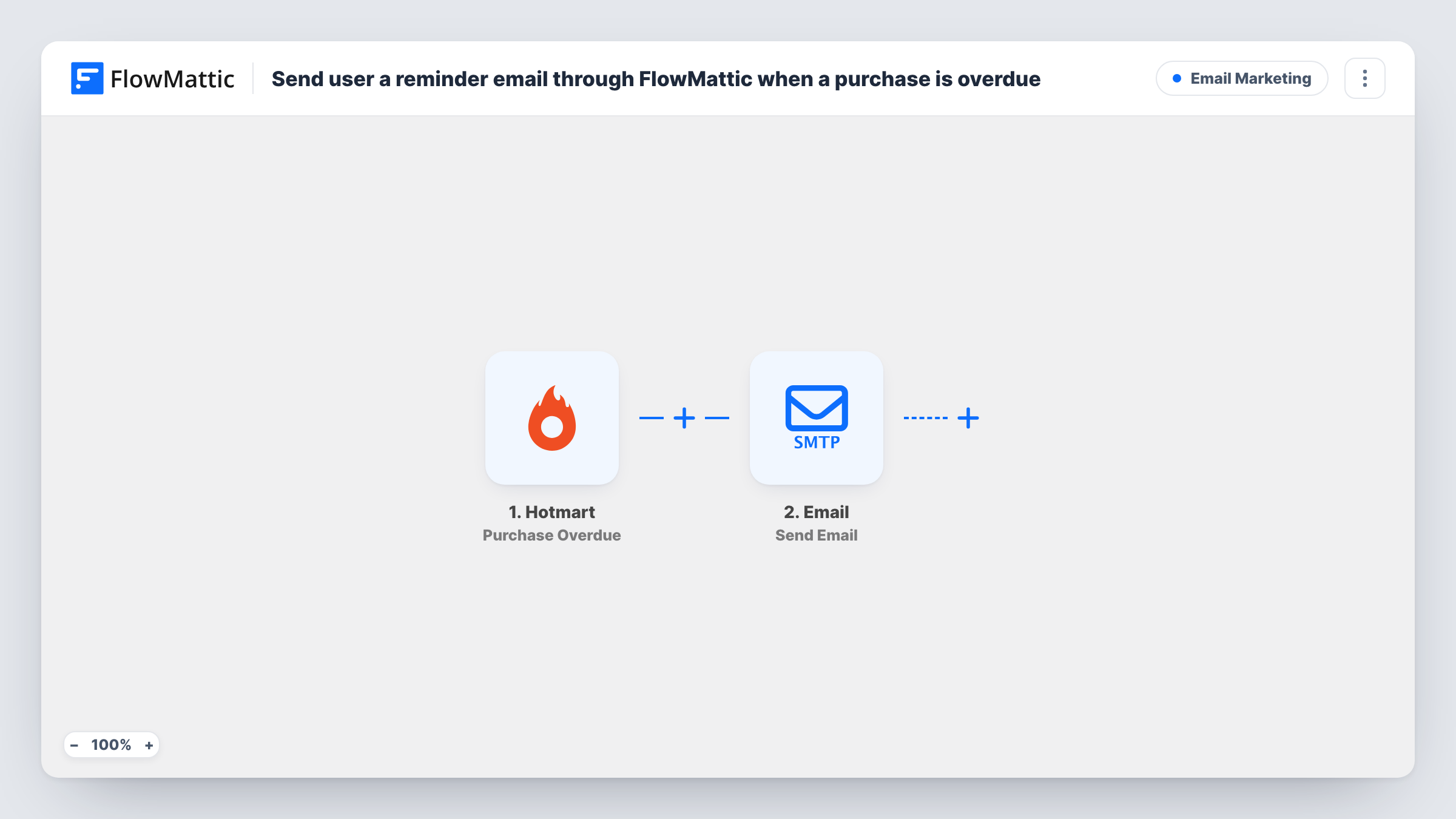
When a Hotmart purchase becomes overdue, FlowMattic emails the buyer a reminder through its Email module, using WordPress mail or your SMTP account, so they know the payment is still open.
 Hotmart
 Email
2 steps Setup ~5 min Used on 2.3k sites Free to import
What this workflow does
Some Hotmart payments don't arrive on time, and the buyer may not realise. Sending each reminder yourself means watching your sales list and writing the same email again and again. This workflow sends the reminder when Hotmart reports the purchase as overdue.
The Hotmart trigger, Purchase Overdue, fires when a purchase is overdue. FlowMattic then runs Send Email from its Email module, which sends through the built-in WordPress mail function or a custom SMTP account. Map the buyer's email address from the Hotmart event as the recipient, and write the reminder with details such as the product name, based on what a test run captures.
Each overdue event sends one email. The workflow doesn't check whether the buyer has paid since, so keep the wording neutral in case the payment and the email cross.
Online course sold in instalments
A student's instalment for your Hotmart course is overdue. They get a short email with the product name and a note about the open payment.
Membership creators with recurring plans
When a member's payment for your Hotmart membership is late, the reminder goes out without you checking the sales report.
Software sold on a monthly plan
A customer's Hotmart payment for your app falls overdue, and the reminder arrives from your own email address with the product name in it.
How this workflow runs
What happens at each step once the workflow is on, and what you need before you import it.
 Hotmart Purchase Overdue
Fires when a Hotmart purchase is overdue. The buyer and purchase details from Hotmart become available to map in the email.
 Email Send Email
Sends the reminder with FlowMattic's Email module, through WordPress mail or your SMTP account. Map the buyer's email as the recipient and write the subject and message.
What you need
- FlowMatticCore
- Hotmart AccountAccount
After importing, map your own data. To keep the template universal, not every step is pre-filled. Open each step in the builder and connect your accounts and fields (channels, lists, sheets, recipients) before you switch the workflow on.
Make it yours
Changes worth making after you import it.
- Set up SMTP for the Email step, or use your site's mail plugin, so reminders come from your own domain rather than the server's default address.
- Add a Delay before the email if you want to give buyers a little time before the reminder goes out.
- Build a second workflow on Hotmart's Purchase approved trigger to thank buyers once the payment comes through.
Questions about this workflow
Who receives the overdue reminder email?
Whoever you map as the recipient. Map the buyer's email address from the Hotmart event so the reminder reaches the person who made the purchase.
Does the workflow send more than one reminder per Hotmart purchase?
It sends one email each time Hotmart reports the purchase as overdue. There are no follow-up emails unless you add more steps.
What if the buyer pays before the email is sent?
The workflow doesn't check payment status, so the email still goes out. A Delay plus a status check would need extra steps you build.
Can I send the Hotmart reminder from Gmail instead?
Yes. Enter Gmail's SMTP details in the Email step, or replace it with the Gmail app's Send Email action.
More Email Marketing workflows
Other ready-to-import templates from the same category.






Import this workflow into your WordPress site
Download the JSON, import it from the Workflows screen and connect your accounts. Every run stays on your server, with no per-task fees.
30-day money-back guarantee Unlimited workflows and runs Self-hosted