

Tag a contact in ActiveCampaign when a MoEngage event indicates intent
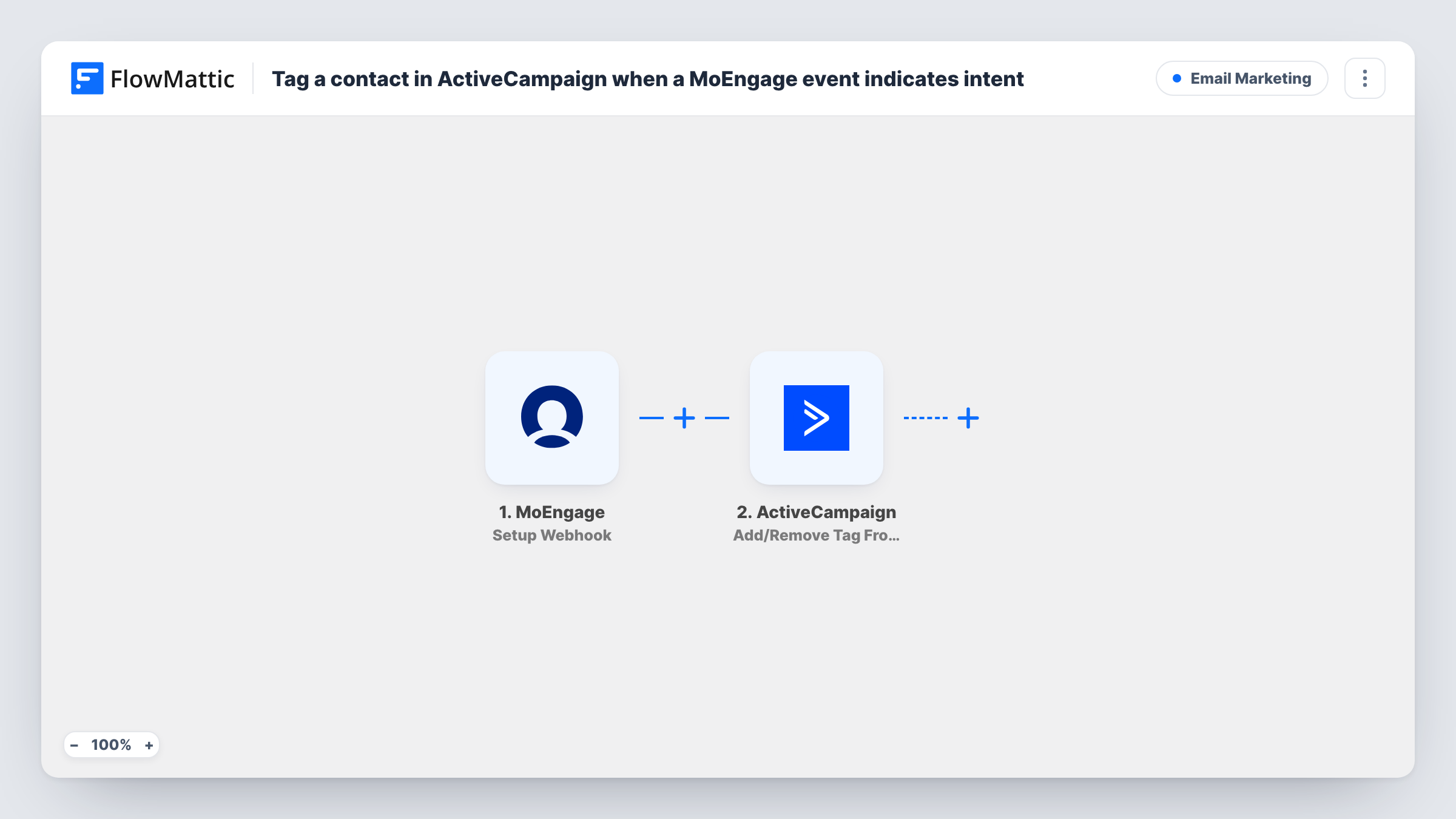
When MoEngage sends an intent event to this workflow’s webhook, FlowMattic adds or removes a tag on that person’s ActiveCampaign contact, so your ActiveCampaign automations can react to what they did in your app.
 MoEngage
 ActiveCampaign
2 steps Setup ~5 min Used on 1.7k sites Free to import
What this workflow does
MoEngage sees what people do in your app or on your site, such as viewing pricing or starting a checkout. Your sales emails and lead scoring may run in ActiveCampaign, which never sees that behaviour. This workflow turns a MoEngage intent event into an ActiveCampaign tag that your automations can start from.
The MoEngage trigger, Setup Webhook, runs whenever MoEngage posts an event to the webhook URL. Configure MoEngage to send only the event you treat as intent. FlowMattic does not judge intent itself, so any other event sent to the URL would tag the person too.
The ActiveCampaign step, Add/Remove Tag From Contact, adds or removes the tag you choose on a contact. Map the person's email or other identifier from the MoEngage event, then test with someone who is already an ActiveCampaign contact. Task History shows each event and ActiveCampaign's reply on the tag step.
Pricing page views for a SaaS trial
MoEngage sends an event when a trial user opens the pricing screen, and the ActiveCampaign tag starts a sequence that answers plan questions.
Cart started in a shopping app
A cart-start event from MoEngage tags the shopper in ActiveCampaign, so a follow-up automation you build there can send a reminder email.
Hand-off to a sales rep
A demo-request event in your app tags the contact, and an ActiveCampaign automation keyed to that tag assigns a task to the account owner.
How this workflow runs
What happens at each step once the workflow is on, and what you need before you import it.
 MoEngage Setup Webhook
Receives each event MoEngage posts to this webhook URL. Set MoEngage to send only your intent event, then send a test so FlowMattic captures the user fields you will map.
- ActiveCampaign Add/Remove Tag From Contact
Adds or removes a tag on an ActiveCampaign contact, using the identifier you map from the MoEngage event. Choose the tag and connect your ActiveCampaign account on import, then test with a known contact.
What you need
- FlowMatticCore
- MoEngage AccountAccount
- ActiveCampaign AccountAccount
After importing, map your own data. To keep the template universal, not every step is pre-filled. Open each step in the builder and connect your accounts and fields (channels, lists, sheets, recipients) before you switch the workflow on.
Make it yours
Changes worth making after you import it.
- If MoEngage users may not be ActiveCampaign contacts yet, add ActiveCampaign's Create or Update Contact action before the tag step so there is always a contact to tag.
- When one MoEngage webhook must carry several events, add a Filter after the trigger that continues only when the event name matches your intent event. Read the exact name from a test run.
- Use a separate tag for each intent event, such as one for pricing views and one for demo requests, by importing this workflow once per event with its own MoEngage webhook.
Questions about this workflow
How does FlowMattic know a MoEngage event shows intent?
It doesn't decide. The tag is applied for every event MoEngage sends to the webhook, so the choice of event in MoEngage is what makes it an intent signal.
What if the MoEngage user isn't in ActiveCampaign?
The tag step works on a contact, so there may be nothing to tag, and Task History shows ActiveCampaign's response. Add Create or Update Contact first if that case matters to you.
Does the MoEngage event need to include an email address?
The ActiveCampaign step needs something that identifies the contact, so check a test event in Task History. If the identifier is missing, add it to the data MoEngage sends.
Can this ActiveCampaign step remove a tag instead?
Yes. The action adds or removes a tag, so you can set it to remove one, for example clearing a cold-lead tag when an intent event arrives.
More Email Marketing workflows
Other ready-to-import templates from the same category.



Import this workflow into your WordPress site
Download the JSON, import it from the Workflows screen and connect your accounts. Every run stays on your server, with no per-task fees.
30-day money-back guarantee Unlimited workflows and runs Self-hosted