

When User Purchases Membership in Paid Membership Pro, email a thank you image from Canva
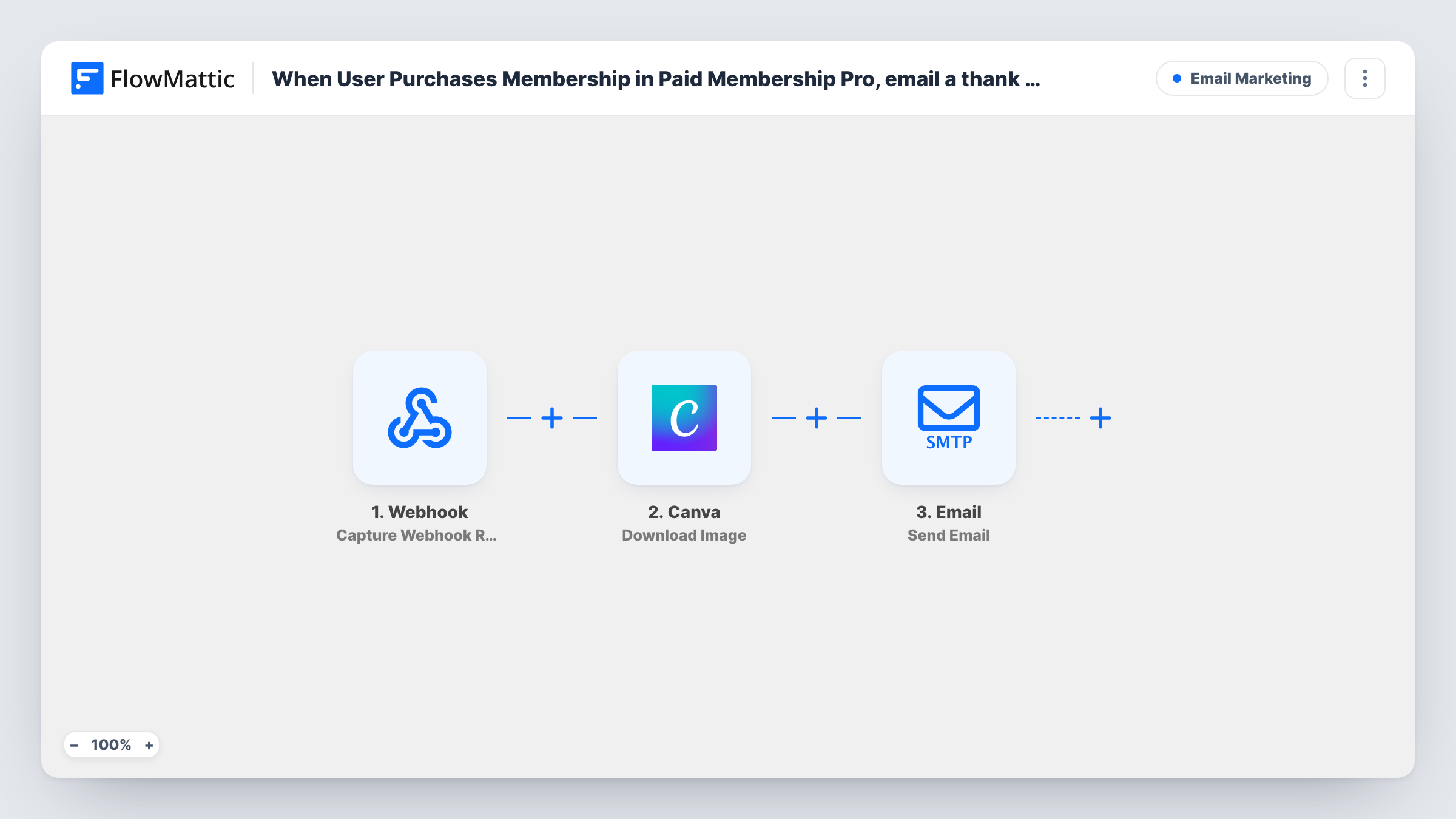
When someone buys a membership in Paid Memberships Pro, FlowMattic gets your thank-you image from Canva and emails it to the new member through the Email by FlowMattic step.
 Paid Memberships Pro
 Canva
Canva
 Email
Email3 steps Setup ~5 min Used on 3.0k sites Free to import
What this workflow does
A welcome that looks designed, not typed, is easy to want and tedious to send by hand. This workflow pairs your membership checkout with a Canva graphic you made once, so every buyer receives the same branded thank-you without you opening Canva or your inbox.
The Paid Memberships Pro trigger starts a run when a user purchases a membership, and it passes the member's details on to the next steps. The Canva Download Image step then fetches the image of the design you pick. It ships unmapped, so after import you connect Canva, choose your thank-you design and run a test to see what the step returns.
The last step is FlowMattic's own Email module, which sends through WordPress mail or the SMTP account you set. It also ships unmapped: map the member's email as the recipient, write the subject and message, and place the image result from the Canva step in the email.
Every purchase starts a run, so a member who buys a second level gets a second email. Check Task History after your first test purchase to see what Canva returned and what the email step sent.
Branded welcome for paid members
A coaching site sends each new paying member a thank-you card designed in Canva with the logo and a short note from the coach.
Seasonal thank-you artwork
A community swaps the Canva design behind the step for a holiday version in December, and every December buyer gets the festive image.
Membership card style image
A club designs a simple member card graphic in Canva and emails it after checkout, so members have something to save on their phone.
How this workflow runs
What happens at each step once the workflow is on, and what you need before you import it.
 Paid Memberships Pro User Purchases Membership
Starts the workflow when a user purchases a membership in Paid Memberships Pro. The member's account details, such as the email address and name, become available for the email step.
- Canva Download Image
Downloads an image from Canva. The template leaves this step blank, so connect your Canva account, pick the thank-you design, then run a test to see the image result this step returns.
 Email Send Email
Sends the email with Email by FlowMattic, using WordPress mail or your SMTP details. Map the member's email as the recipient, write the subject and body, and add the image result from the Canva step.
What you need
- FlowMatticCore
- Paid Memberships Pro PluginPlugin
- Canva AccountAccount
After importing, map your own data. To keep the template universal, not every step is pre-filled. Open each step in the builder and connect your accounts and fields (channels, lists, sheets, recipients) before you switch the workflow on.
Make it yours
Changes worth making after you import it.
- Enter your SMTP provider's details in the Email step if WordPress mail on your host tends to land in spam, so the thank-you reaches the inbox.
- Greet the member by name: map the first name or display name from the Paid Memberships Pro trigger into the subject line and the first line of the message.
- To thank only buyers of one level, put a Filter between the trigger and the Canva step that checks the membership level from the trigger. The level to check is yours to choose.
Questions about this workflow
Do I need to design the thank-you image in Canva first?
Yes. The Download Image step fetches an image from a design in your Canva account, so create the thank-you design there before you set up the step after import.
Is the Canva image attached or linked in the email?
That depends on what the Canva step returns and how you map it. Run a test purchase, look at the Canva step's result in Task History, then place that result in the Email step's message.
Does a member get the email again if they buy another membership level?
Yes. Each purchase in Paid Memberships Pro starts a new run, so a second purchase sends a second thank-you email.
Can every member get a personal image with their own name on it?
Not as imported. The step downloads one design you choose. FlowMattic's Canva integration also has Create Design from Template, which you could add before the download step to build a design per member.
More Email Marketing workflows
Other ready-to-import templates from the same category.






Import this workflow into your WordPress site
Download the JSON, import it from the Workflows screen and connect your accounts. Every run stays on your server, with no per-task fees.
30-day money-back guarantee Unlimited workflows and runs Self-hosted