

Transcribe Discord voice message attachments and log results to Notion
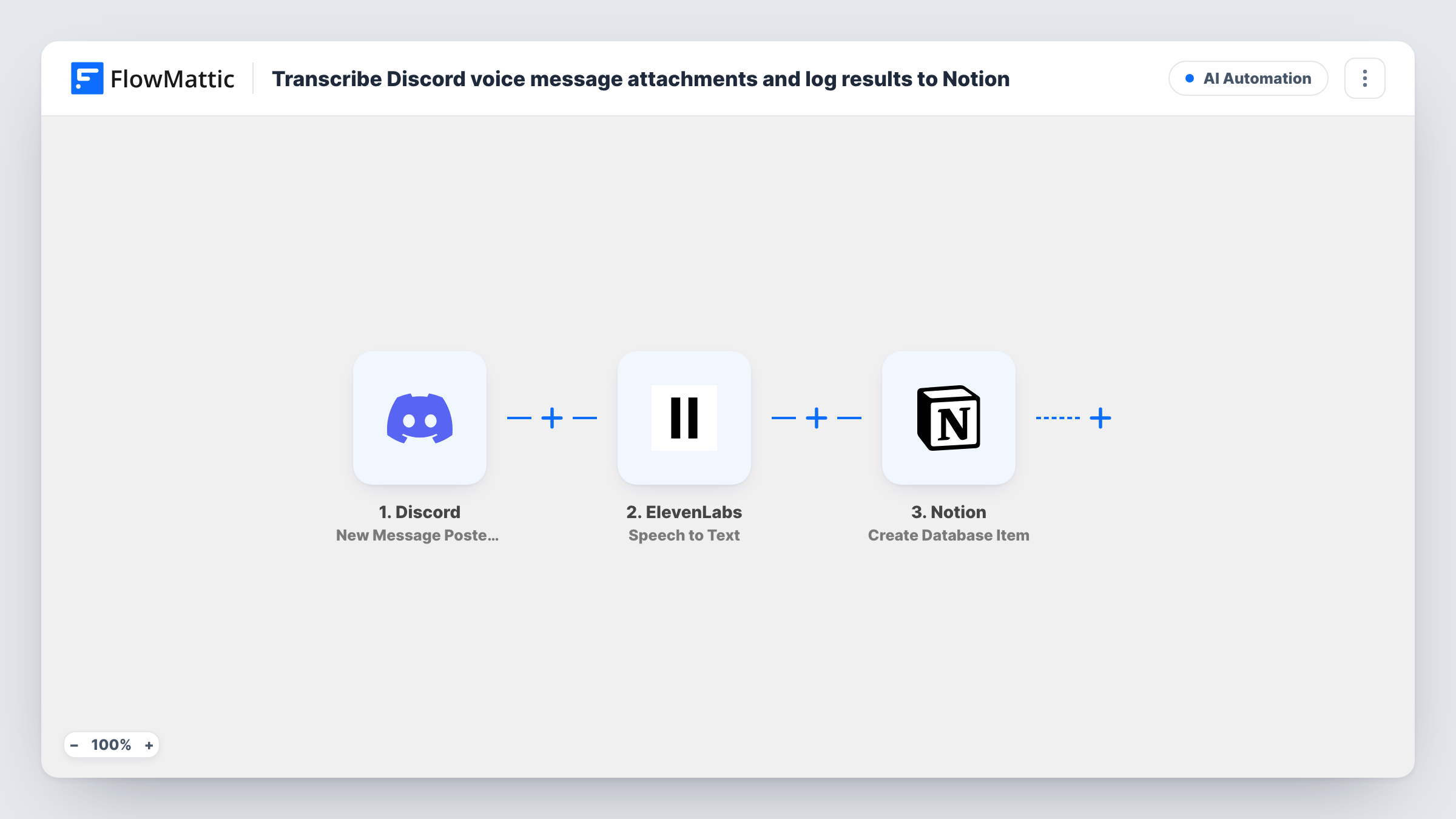
When a message is posted in the Discord channel you pick, this workflow sends its audio attachment to ElevenLabs Speech to Text and saves the transcript as a new item in a Notion database.
 Discord
 ElevenLabs
 Notion
3 steps Setup ~5 min Used on 2.6k sites Free to import
What this workflow does
Voice notes are quick to record in Discord but slow to search later. If your team or community shares updates by voice, the spoken content is lost unless someone writes it down. This workflow turns attached audio into text and keeps it in Notion.
A run starts each time someone posts in the Discord text channel you pick for this workflow. FlowMattic passes the message data to ElevenLabs, whose Speech to Text action converts audio into text. You map the message's attachment into that step. The transcript then goes to Notion, which creates an item in your database with the text and any message details you map, such as the author or time.
As imported, every message in the channel starts a run, including plain text messages with no audio. Those give ElevenLabs nothing to transcribe, and Task History shows the error on that step. The Notion step still runs afterwards, so add a Filter that continues only when the message has an attachment. A test post with a voice message shows how Discord passes the attachment.
Stand-up updates from a remote team
Team members post short voice notes in a #standup channel. Each one is transcribed and stored in a Notion database the manager reads each morning.
Community feedback by voice
Members of a Discord server leave spoken feedback in a dedicated channel, and the transcripts collect in Notion where the team tags them by topic.
Ideas recorded on the go
A creator drops voice memos into a private channel from their phone, and the text appears in a Notion ideas database to sort later.
How this workflow runs
What happens at each step once the workflow is on, and what you need before you import it.
 Discord New Message Posted to Channel
Fires when a new message is posted to the Discord text channel you select. The message data, including any attachment it carries, is passed to the next steps.
- ElevenLabs Speech to Text
Sends the audio you map from the Discord message to ElevenLabs Speech to Text and returns the transcript. Messages with no audio give it nothing to convert.
- Notion Create Database Item
Adds the transcript to your Notion database as a new item. Map the ElevenLabs transcript and any Discord message details you want to keep, such as the author name.
What you need
- FlowMatticCore
- Discord AccountAccount
- ElevenLabs AccountAccount
- Notion AccountAccount
After importing, map your own data. To keep the template universal, not every step is pre-filled. Open each step in the builder and connect your accounts and fields (channels, lists, sheets, recipients) before you switch the workflow on.
Make it yours
Changes worth making after you import it.
- Add a Filter between Discord and ElevenLabs that continues only when the message's attachment value is not empty, so text-only messages stop before transcription.
- Use a channel set aside for voice notes, so ordinary chat does not start a run for every message.
- Post one voice message after import and look at the run in Task History to see which attachment value to map into the ElevenLabs step.
Questions about this workflow
Does every Discord message get sent to ElevenLabs?
Yes, as imported. Each new message in the selected channel starts a run. Add a Filter for messages with an attachment so only audio is transcribed.
What happens when someone posts text without audio in the Discord channel?
ElevenLabs has nothing to transcribe and returns an error, which shows in Task History. The Notion step still runs, so it may create an item with an empty transcript unless you add a Filter.
Which ElevenLabs action does the transcription?
Speech to Text, which converts audio into text. Connect your ElevenLabs account in that step after import.
Can the transcript also go to Google Sheets instead of Notion?
Yes. Replace the Notion step with a Google Sheets Add New Row step, or add it alongside, and map the ElevenLabs transcript into a column.
More AI Automation workflows
Other ready-to-import templates from the same category.








Import this workflow into your WordPress site
Download the JSON, import it from the Workflows screen and connect your accounts. Every run stays on your server, with no per-task fees.
30-day money-back guarantee Unlimited workflows and runs Self-hosted