

Update an ActiveCampaign contact when a Benchmark Email profile changes
When a subscriber’s profile is updated in Benchmark Email, this workflow sends the new details to ActiveCampaign, updating the matching contact or creating one if the person isn’t there yet.
 Benchmark Email
 ActiveCampaign
2 steps Setup ~5 min Used on 678 sites Free to import
What this workflow does
If you run email in Benchmark Email and keep your CRM or automations in ActiveCampaign, a profile edit in one leaves the other out of date. A subscriber who changes their name or company in Benchmark still shows the old details in ActiveCampaign. This workflow copies those changes across when they happen.
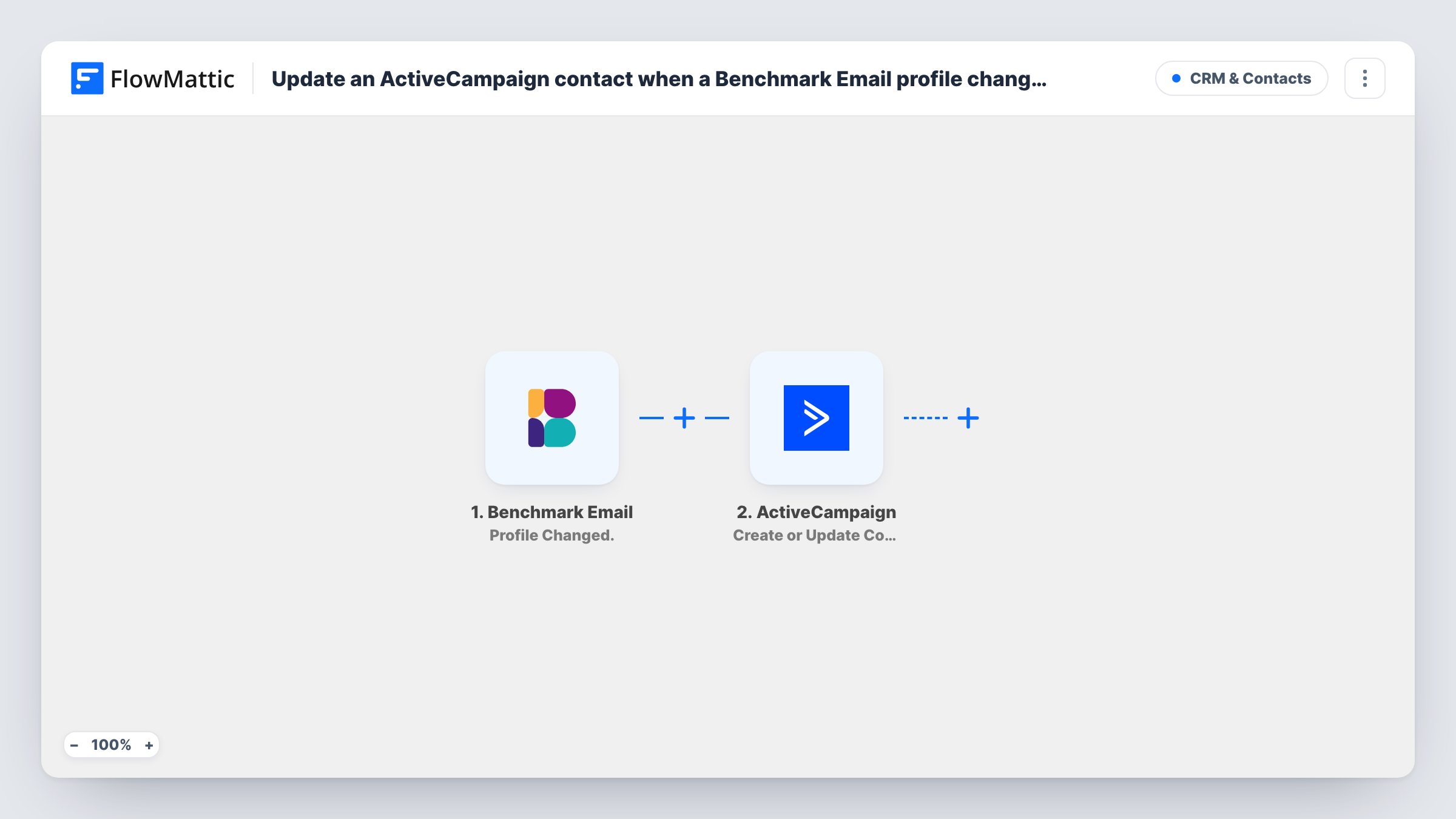
The Benchmark Email trigger fires when a profile is updated. FlowMattic passes the profile fields to ActiveCampaign, where Create or Update Contact updates the existing contact or creates a new one if no match is found. You map the subscriber's email and the profile fields you want to keep in step.
Because the action also creates contacts, someone missing from ActiveCampaign is added on their first profile change. Each profile update runs the workflow again, and whatever values you map are written each time, so map only fields Benchmark fills in reliably.
Keep sales records current
A subscriber updates their job title in Benchmark Email. Your sales team sees the new title on the ActiveCampaign contact without anyone retyping it.
Run two tools during a migration
While you move email marketing from Benchmark to ActiveCampaign, profile edits in Benchmark keep landing on the ActiveCampaign side.
Segment on fresh profile data
Subscribers fill in a preference or region field in Benchmark. ActiveCampaign segments built on those fields pick up the change.
How this workflow runs
What happens at each step once the workflow is on, and what you need before you import it.
 Benchmark Email Profile Changed.
Fires when a subscriber profile is updated in Benchmark Email. The profile fields it carries, including the email address, are passed to ActiveCampaign.
- ActiveCampaign Create or Update Contact
Updates the ActiveCampaign contact that matches the email, or creates a new contact if none exists. Map the Benchmark email and each profile field you want copied.
What you need
- FlowMatticCore
- Benchmark Email AccountAccount
- ActiveCampaign AccountAccount
After importing, map your own data. To keep the template universal, not every step is pre-filled. Open each step in the builder and connect your accounts and fields (channels, lists, sheets, recipients) before you switch the workflow on.
Make it yours
Changes worth making after you import it.
- Leave unmapped any ActiveCampaign field that Benchmark sometimes sends blank. A blank value in a later profile change can overwrite data you entered in ActiveCampaign.
- Benchmark has a separate Existing Email Changed trigger. Handle address changes in their own workflow, since a new email sent here would not match the old ActiveCampaign contact.
- Add a Filter after the trigger that continues only when the email is not empty, so profile events without an address don't reach ActiveCampaign.
Questions about this workflow
What if the Benchmark subscriber isn't in ActiveCampaign yet?
Create or Update Contact creates a new contact when it finds no match, so the person is added to ActiveCampaign on their first profile change.
Does a changed email address update the same ActiveCampaign contact?
Not reliably. The contact is matched on email, so a new address can produce a second contact. Benchmark reports address changes with its own Existing Email Changed trigger, which you can handle separately.
Which Benchmark Email fields reach ActiveCampaign?
The ones you map. Update a test profile in Benchmark after import, look at the fields the trigger captured, and map each into the ActiveCampaign step.
Does ActiveCampaign send anything back to Benchmark?
No. The workflow runs one way, from Benchmark Email profile changes to ActiveCampaign contacts.
More CRM & Contacts workflows
Other ready-to-import templates from the same category.





Import this workflow into your WordPress site
Download the JSON, import it from the Workflows screen and connect your accounts. Every run stays on your server, with no per-task fees.
30-day money-back guarantee Unlimited workflows and runs Self-hosted