

When a new conversation is recorded in Tars, create a contact in FluentCRM and tag them
Each conversation your Tars chatbot records creates or updates the visitor as a FluentCRM contact by email, with a tag you choose to mark them as a chat lead.
 Tars
Tars
 FluentCRM
2 steps Setup ~5 min Used on 1.6k sites Free to import
What this workflow does
A chatbot that collects names and emails is only half a lead funnel if those details stay inside the chatbot dashboard. This workflow sends each Tars conversation to FluentCRM, so chat visitors land in the same WordPress CRM as your other leads and can be emailed and segmented there.
The Tars trigger fires when a new conversation is recorded and passes on the answers the visitor gave. Which fields arrive depends on what your bot asks, so run a test chat and look at the trigger data before mapping.
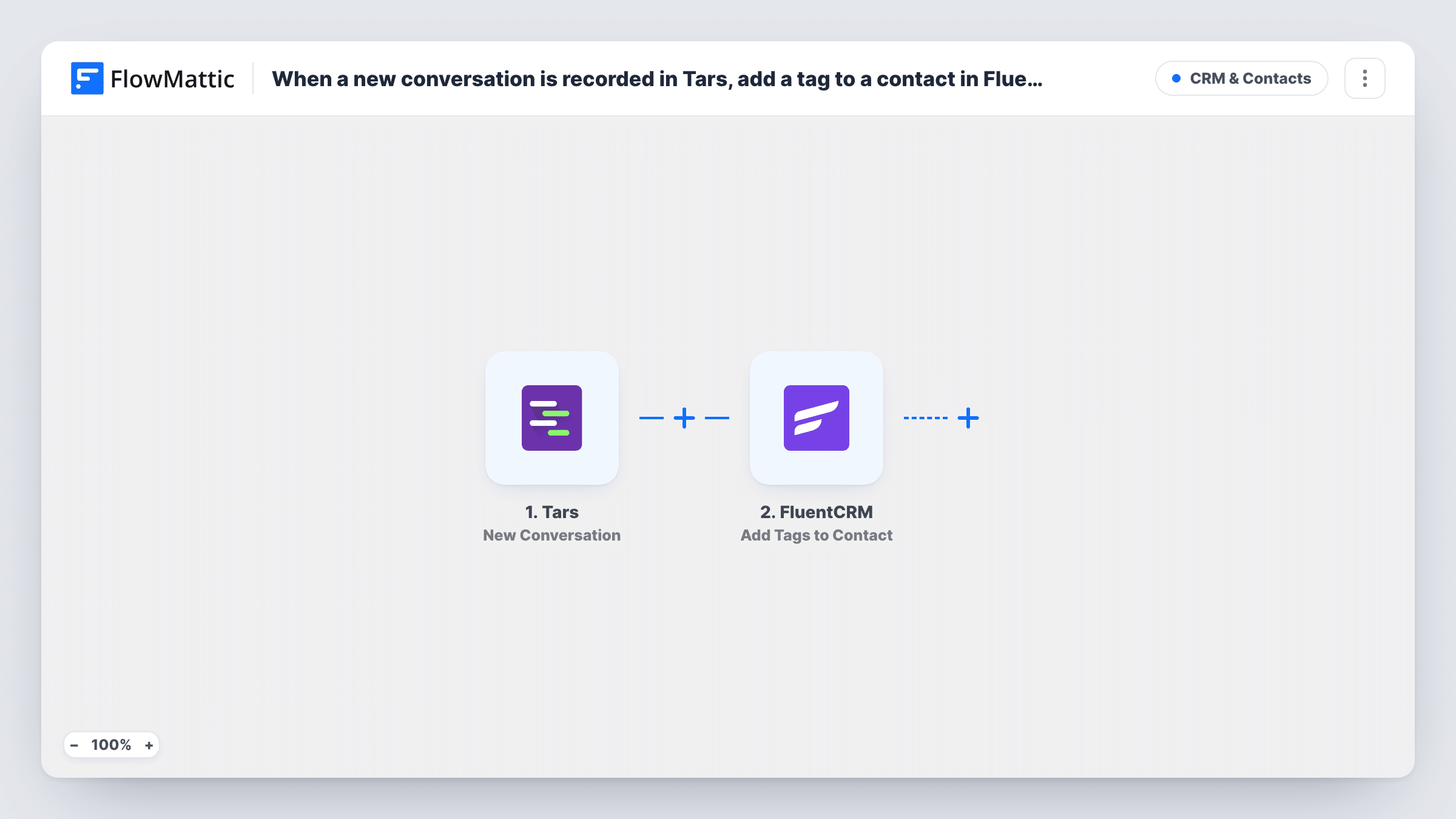
The FluentCRM step creates a contact, or updates the contact that already has the same email. It ships unmapped: after import, map the email and name your bot collects, and pick your chat-lead tag if the step offers a tag setting. If it doesn't, add FluentCRM's Add Tags to Contact action as a third step and map the contact from step 2.
FluentCRM matches contacts on email, so a conversation without an email has nothing to match on. Make sure your bot asks for one, and check Task History after a test chat to see what FluentCRM returned.
Chatbot leads into a nurture sequence
A coaching business tags every Tars visitor as a chat lead, and a FluentCRM automation on that tag sends them a three-email introduction.
Quote requests from a website bot
A contractor's Tars bot asks for project details and email, and each conversation becomes a tagged FluentCRM contact the sales team can follow up from.
Knowing which subscribers also chatted
A shop that already has newsletter subscribers in FluentCRM sees which of them used the chatbot, because the step updates their existing contact by email.
How this workflow runs
What happens at each step once the workflow is on, and what you need before you import it.
 Tars New Conversation
Starts a run each time Tars records a new conversation. The answers the visitor gave in the chat, such as name and email, become available to map.
- FluentCRM Create or Update Contact
Creates the visitor as a FluentCRM contact, or updates the one with the same email. Map the email and name from the chat, and set the tag if the step offers it; otherwise add an Add Tags to Contact step.
What you need
- FlowMatticCore
- Tars AccountAccount
- FluentCRM PluginPlugin
After importing, map your own data. To keep the template universal, not every step is pre-filled. Open each step in the builder and connect your accounts and fields (channels, lists, sheets, recipients) before you switch the workflow on.
Make it yours
Changes worth making after you import it.
- Have your Tars bot ask for an email on every conversation path, because FluentCRM needs an address to create or match the contact.
- Put a Filter between the Tars trigger and the FluentCRM step that continues only when the email answer is not empty, so chats that never got an address don't reach FluentCRM. The field name comes from your own bot.
- Create the chat-lead tag in FluentCRM before you set up the step, so it is ready to select.
- Map other chat answers, such as the visitor's interest or budget, into FluentCRM custom fields to segment chat leads later.
Questions about this workflow
What if the Tars visitor is already a FluentCRM contact?
FluentCRM finds the contact with the same email and updates it, so you don't get a duplicate. The values you map overwrite or add to that contact.
Where do I set the FluentCRM tag for chat leads?
In the Create or Update Contact step, if it shows a tag option after import. If there isn't one, add Add Tags to Contact after it and map the contact from step 2.
Does every Tars conversation create a contact?
Every new conversation starts a run. A contact can only be created or matched when the chat includes an email, so conversations without one won't give FluentCRM a usable record.
Does the FluentCRM plugin have to be installed for this Tars workflow?
Yes. The template lists the FluentCRM plugin and a Tars account as its requirements.
More CRM & Contacts workflows
Other ready-to-import templates from the same category.




Import this workflow into your WordPress site
Download the JSON, import it from the Workflows screen and connect your accounts. Every run stays on your server, with no per-task fees.
30-day money-back guarantee Unlimited workflows and runs Self-hosted