

When a Breezy HR candidate status changes, update the row in Airtable and notify the panel in Slack
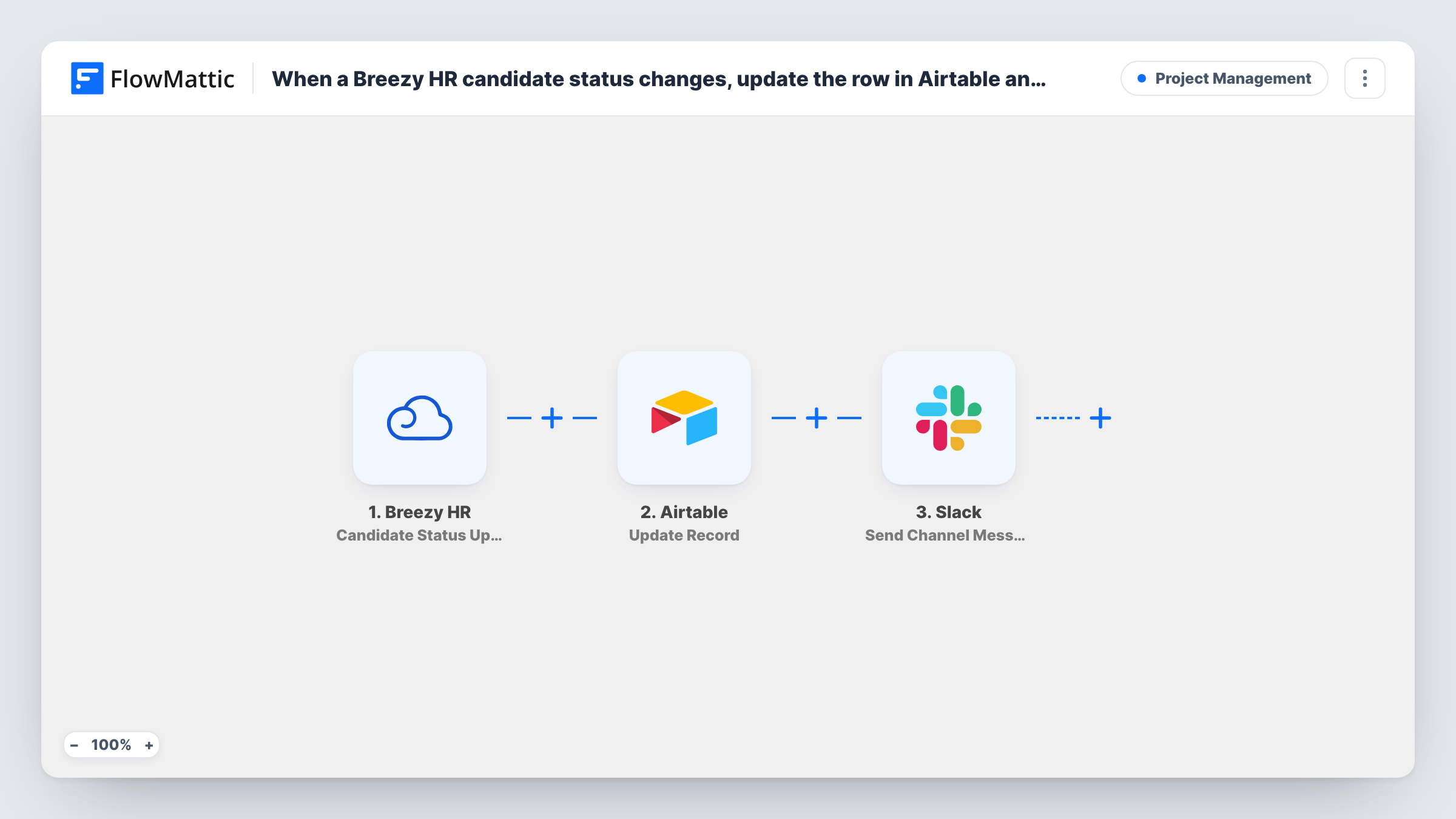
When a Breezy HR candidate moves to another pipeline stage, FlowMattic finds that candidate’s record in Airtable, updates it, and posts a message to the hiring panel’s Slack channel.
 Breezy HR
 Airtable
 Slack
Slack4 steps Setup ~8 min Used on 1.2k sites Productivity Free to import
What this workflow does
Many hiring teams track candidates in an Airtable base alongside Breezy HR, for interview scores, panel notes or reporting. Keeping the stage column right by hand is tedious, and panel members often learn about a move late. This workflow updates the candidate's Airtable record and tells the panel in Slack each time the stage changes.
The Breezy HR trigger, Candidate Status Updated, fires when a candidate moves from one stage in a pipeline to another. FlowMattic receives the candidate and stage details from Breezy HR.
An Airtable Search Record step then looks for the candidate using a filter formula, and an Update Record step changes the record it finds. Both ship unmapped. After import you pick the base and table, write a formula that matches a value your table stores for every candidate, such as their email or Breezy candidate ID, and in the update step map the found record's ID and the new stage into your fields.
Finally a Slack message goes to the channel you choose, with the candidate's name and new stage mapped in as you write it. Every stage move runs the whole flow, whichever stage it is. Move a test candidate and check Task History to see what Airtable found and what each step returned.
Interview panel kept up to date
An engineering team's panel channel gets a Slack message every time a candidate changes stage, so interviewers see who has moved forward and who is coming up.
Hiring reports built in Airtable
A people-ops lead reports time-in-stage from an Airtable base, and the stage column stays current without anyone editing it by hand.
Agency recruiters sharing progress
A recruitment agency mirrors each client's Breezy HR pipeline in Airtable and tells the client's hiring channel in Slack when a candidate advances.
How this workflow runs
What happens at each step once the workflow is on, and what you need before you import it.
 Breezy HR Candidate Status Updated
Fires when a candidate moves from one stage to another in a Breezy HR pipeline. The candidate's details and the new stage are passed to Airtable and Slack.
- Airtable Search Record
Searches your Airtable table with a filter formula to find this candidate's record. After import, choose the base and table and match on a value both apps share, such as the email.
- Airtable Update Record
Changes the Airtable record that Search Record returned. Map the record ID from that search, then map the new stage and any other Breezy HR details into your Airtable fields.
- Slack Send Channel Message
Posts a message about the stage change to the Slack channel you pick for the hiring panel. Write the text and map in the candidate's name and new stage.
What you need
- FlowMatticCore
- Breezy HR AccountAccount
- Airtable AccountAccount
- Slack AccountAccount
After importing, map your own data. To keep the template universal, not every step is pre-filled. Open each step in the builder and connect your accounts and fields (channels, lists, sheets, recipients) before you switch the workflow on.
Make it yours
Changes worth making after you import it.
- Store the Breezy HR candidate ID in an Airtable field when you first add candidates, and search on it, since emails can be mistyped or change.
- To notify the panel only for certain stages, put a Filter between the Airtable Update Record step and the Slack step that checks the stage name. Airtable still gets every change.
- If the hiring channel is private, use Slack's Send Private Channel Message action instead, because Send Channel Message is aimed at standard channels.
Questions about this workflow
Does the Airtable base need a record for every Breezy HR candidate?
Yes. This flow searches for and updates records; it doesn't create them. A candidate with no matching record isn't added, so check Task History for what the search returned.
Which Breezy HR stage changes start this workflow?
Any move of a candidate from one pipeline stage to another. As imported, every move updates Airtable and posts in Slack.
How does the Airtable search know which record is the candidate?
Through the filter formula you write in Search Record, using a Breezy HR value such as the email that your table also stores. Test it with a known candidate before going live.
More Project Management workflows
Other ready-to-import templates from the same category.




Import this workflow into your WordPress site
Download the JSON, import it from the Workflows screen and connect your accounts. Every run stays on your server, with no per-task fees.
30-day money-back guarantee Unlimited workflows and runs Self-hosted