

When a ChargeOver invoice is created, add a row in Google Sheets and alert sales in Slack
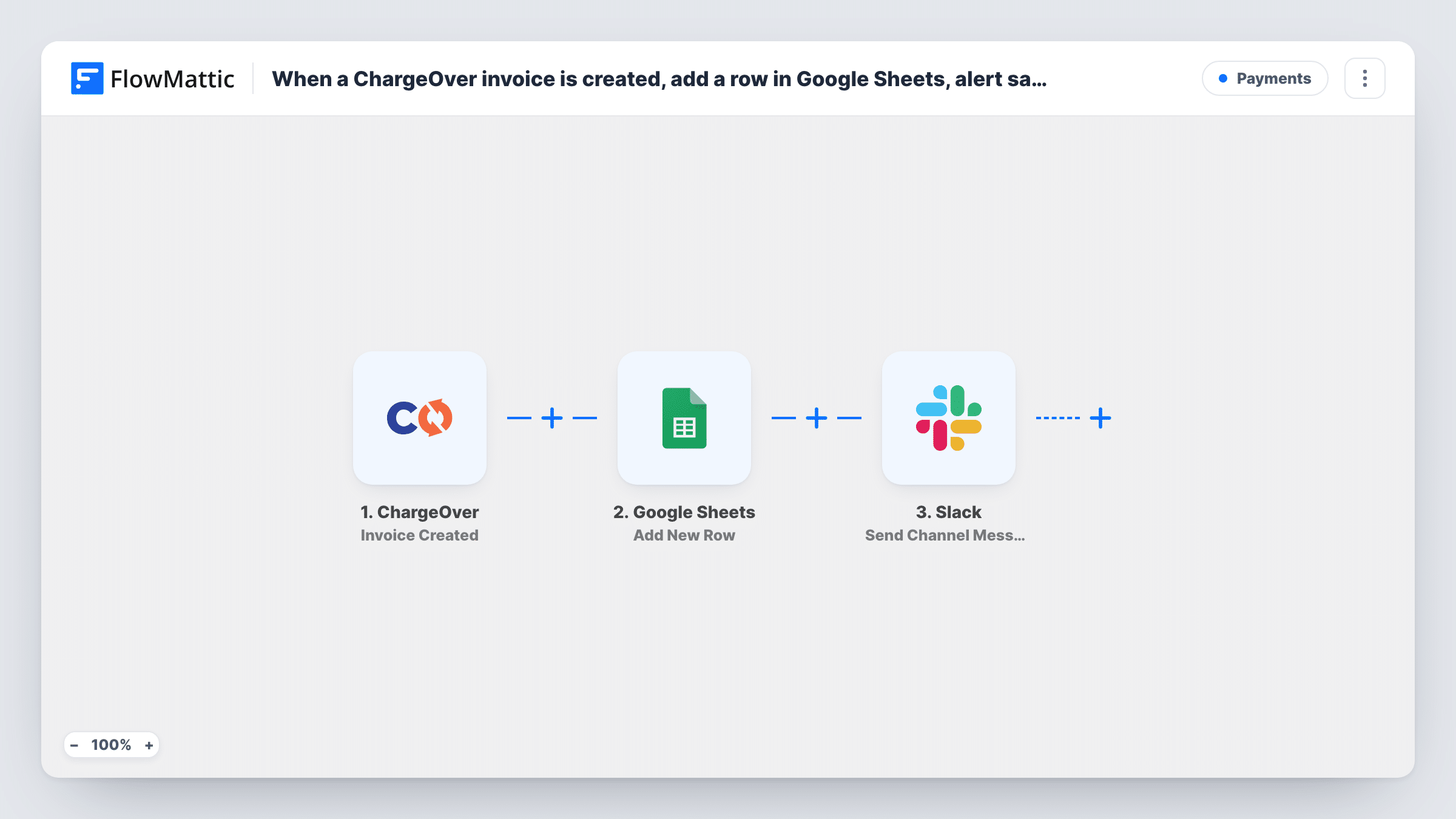
When ChargeOver creates an invoice, FlowMattic adds a row for it to Google Sheets and posts a message in a Slack channel so your sales team knows right away.
 ChargeOver
 Google Sheets
 Slack
Slack3 steps Setup ~5 min Used on 344 sites Free to import
What this workflow does
Sales reps like to know when a deal they closed turns into a bill, and finance likes a simple list of invoices it can total without logging in to the billing system. This workflow gives both groups what they need from one ChargeOver event: a spreadsheet row and a Slack message.
The ChargeOver trigger starts a run as soon as a new invoice exists in your ChargeOver account. The invoice data, such as the customer, invoice number and total, is passed to the next two steps.
The Google Sheets step adds one new row per invoice. It ships without column mapping, so pick the spreadsheet and sheet after import and match ChargeOver fields to your headers. Then the Slack step posts to the #channel you choose. Its message is empty in the template, so write a short line with the customer name, amount and invoice number mapped in.
Every new invoice runs both steps, whatever its amount. Updates, payments and voids are separate ChargeOver events and don't start this workflow. Create a test invoice and check Task History to see the row and the Slack post.
Sales channel sees new billing
A B2B service company posts each new ChargeOver invoice in its #sales channel, so the account owner can thank the customer or flag a wrong amount the same day.
Invoice register for finance
A bookkeeper filters the shared sheet by month to reconcile invoices against the accounting system without needing a ChargeOver login.
Collections follow-up
An office manager adds a paid-on column to the sheet and fills it in as money arrives, so unpaid invoices stand out at a glance.
How this workflow runs
What happens at each step once the workflow is on, and what you need before you import it.
 ChargeOver Invoice Created
Starts the workflow each time an invoice is created in ChargeOver. The invoice's details, such as customer, number and total, become available to the next two steps.
- Google Sheets Add New Row
Adds one row per ChargeOver invoice to the sheet you choose. No columns are mapped yet: pick the spreadsheet and match invoice fields like number, customer, date and total.
- Slack Send Channel Message
Posts a message about the invoice to the Slack #channel you pick. The text ships empty, so write the alert and map the customer name, total and invoice number into it.
What you need
- FlowMatticCore
- ChargeOver AccountAccount
- Google Sheets AccountAccount
- Slack AccountAccount
After importing, map your own data. To keep the template universal, not every step is pre-filled. Open each step in the builder and connect your accounts and fields (channels, lists, sheets, recipients) before you switch the workflow on.
Make it yours
Changes worth making after you import it.
- Put a Filter between the Google Sheets step and the Slack step that continues only when the invoice total is greater than an amount you set, so every invoice is logged but only larger ones alert sales.
- For a private sales channel, swap the Slack step for the Send Private Channel Message action, since the template's action posts to regular channels.
- Map the ChargeOver customer ID into its own column, so you can match rows to customers later even when two companies share a name.
Questions about this workflow
Does a ChargeOver invoice update add another row to Google Sheets?
No. The workflow only listens for Invoice Created. Updates, status changes and voids are other ChargeOver triggers in FlowMattic and don't run this one.
Do subscription invoices from ChargeOver start this workflow?
FlowMattic also has a separate ChargeOver trigger called Subscription Invoice Generated. Create a test subscription invoice and check Task History to see whether Invoice Created ran for it in your account.
What does the Slack message say about the ChargeOver invoice?
Whatever you write. The Send Channel Message step has no text in the template, so after import you write the alert and map the invoice fields you want.
Can I send the alert to one salesperson instead of a channel?
Yes. Replace the Slack step with Send Direct Message and pick the person who should get each invoice alert.
More Payments workflows
Other ready-to-import templates from the same category.




Import this workflow into your WordPress site
Download the JSON, import it from the Workflows screen and connect your accounts. Every run stays on your server, with no per-task fees.
30-day money-back guarantee Unlimited workflows and runs Self-hosted