

When a comment is added in Neaktor, analyze it with ChatGPT and store results in Google Sheet
Each new comment in Neaktor is sent to ChatGPT with the instructions you write, and the reply is logged in a Google Sheets row next to the comment, so you can review tone, topics or requests across your projects.
 Neaktor
 OpenAI (ChatGPT)
 Google Sheets
3 steps Setup ~5 min Used on 774 sites Free to import
What this workflow does
Comments on Neaktor tasks carry useful signals: a frustrated client, a blocker, a request that nobody picked up. Reading every thread to spot them takes time. This workflow asks ChatGPT to look at each comment and keeps its answers in one spreadsheet.
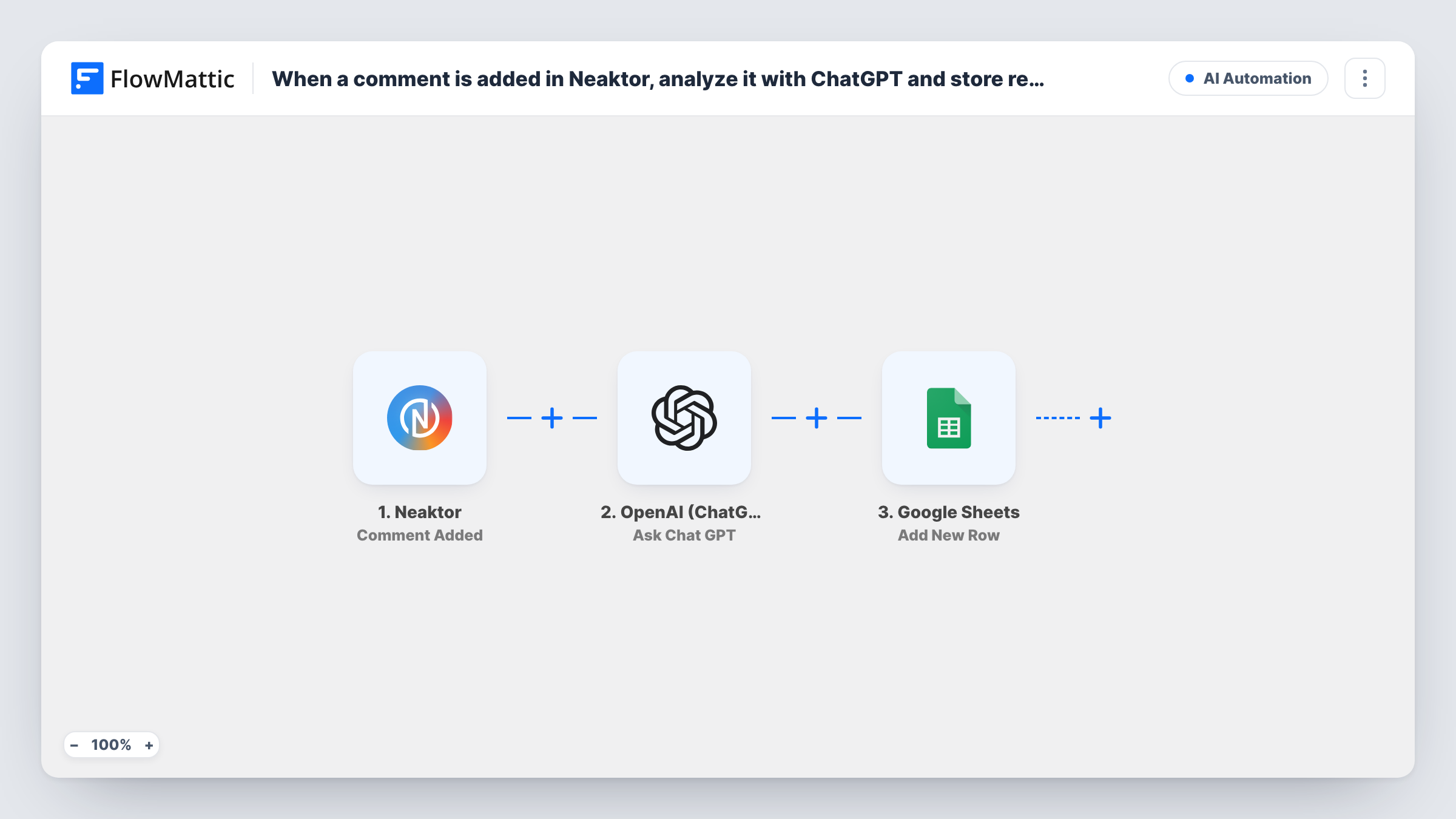
The Neaktor trigger fires when a comment is added. FlowMattic passes the comment text to OpenAI (ChatGPT) with Ask Chat GPT, using a prompt you write after import. You decide what it should return, such as a sentiment label, a one-line summary or a category. The final step adds a row to Google Sheets with the comment details and ChatGPT's reply in the columns you map.
Open the ChatGPT step after import and write the prompt you want before you switch the workflow on. Every comment runs all three steps. Ask for a short, fixed format in the prompt so the sheet stays easy to sort and filter.
Spot unhappy clients on shared tasks
Ask ChatGPT to label each Neaktor comment as positive, neutral or negative. Account managers sort the sheet to find negative comments and reply first.
Weekly digest of blockers
Have ChatGPT state whether a comment mentions a blocker and summarise it. The team lead reviews the sheet before the weekly meeting.
Tag requests by topic
Ask for one category per comment, such as billing, bug or feature request, so the sheet shows which topics come up most.
How this workflow runs
What happens at each step once the workflow is on, and what you need before you import it.
 Neaktor Comment Added
Fires when a comment is added in Neaktor. The comment text and the details the trigger carries about it are passed to ChatGPT and the sheet.
- OpenAI (ChatGPT) Ask Chat GPT
Sends the comment to ChatGPT with the prompt you write, for example a request for sentiment and a short summary. Connect your OpenAI account and insert the comment text into the prompt.
- Google Sheets Add New Row
Logs the analysis as a new spreadsheet row. Map the comment details and ChatGPT's reply to columns so each analysed comment has its own row.
What you need
- FlowMatticCore
- Neaktor AccountAccount
- OpenAI (ChatGPT) AccountAccount
- Google Sheets AccountAccount
After importing, map your own data. To keep the template universal, not every step is pre-filled. Open each step in the builder and connect your accounts and fields (channels, lists, sheets, recipients) before you switch the workflow on.
Make it yours
Changes worth making after you import it.
- Tell ChatGPT to answer with one word from a fixed list, such as Positive, Neutral or Negative. A consistent reply makes the sheet easy to filter and chart.
- Add a Filter after the trigger with conditions that stop comments equal to 'ok' or 'thanks', if you don't want those short replies sent to ChatGPT.
- Add a Filter after the ChatGPT step that continues only when the reply is Negative, if you want the sheet to hold only comments that need attention.
Questions about this workflow
Do I need an OpenAI account to analyse Neaktor comments?
Yes. Ask Chat GPT runs through your own OpenAI account, which you connect on import.
What will ChatGPT return for each Neaktor comment?
The answer depends entirely on the instruction you give it. Write the instruction in the Ask Chat GPT step, insert the comment text, and send a test comment to check the reply before you go live.
Are comments from every Neaktor task analysed?
Yes. Each comment the trigger receives goes to ChatGPT. Add a Filter after the trigger to limit it, for example to one project, using a value the trigger returns.
Will older Neaktor comments be added to the sheet?
No. Only comments added after the workflow is on are sent to ChatGPT and logged.
More AI Automation workflows
Other ready-to-import templates from the same category.







Import this workflow into your WordPress site
Download the JSON, import it from the Workflows screen and connect your accounts. Every run stays on your server, with no per-task fees.
30-day money-back guarantee Unlimited workflows and runs Self-hosted