

When a Concord document is fully signed, archive it in Google Drive and post a Slack notification
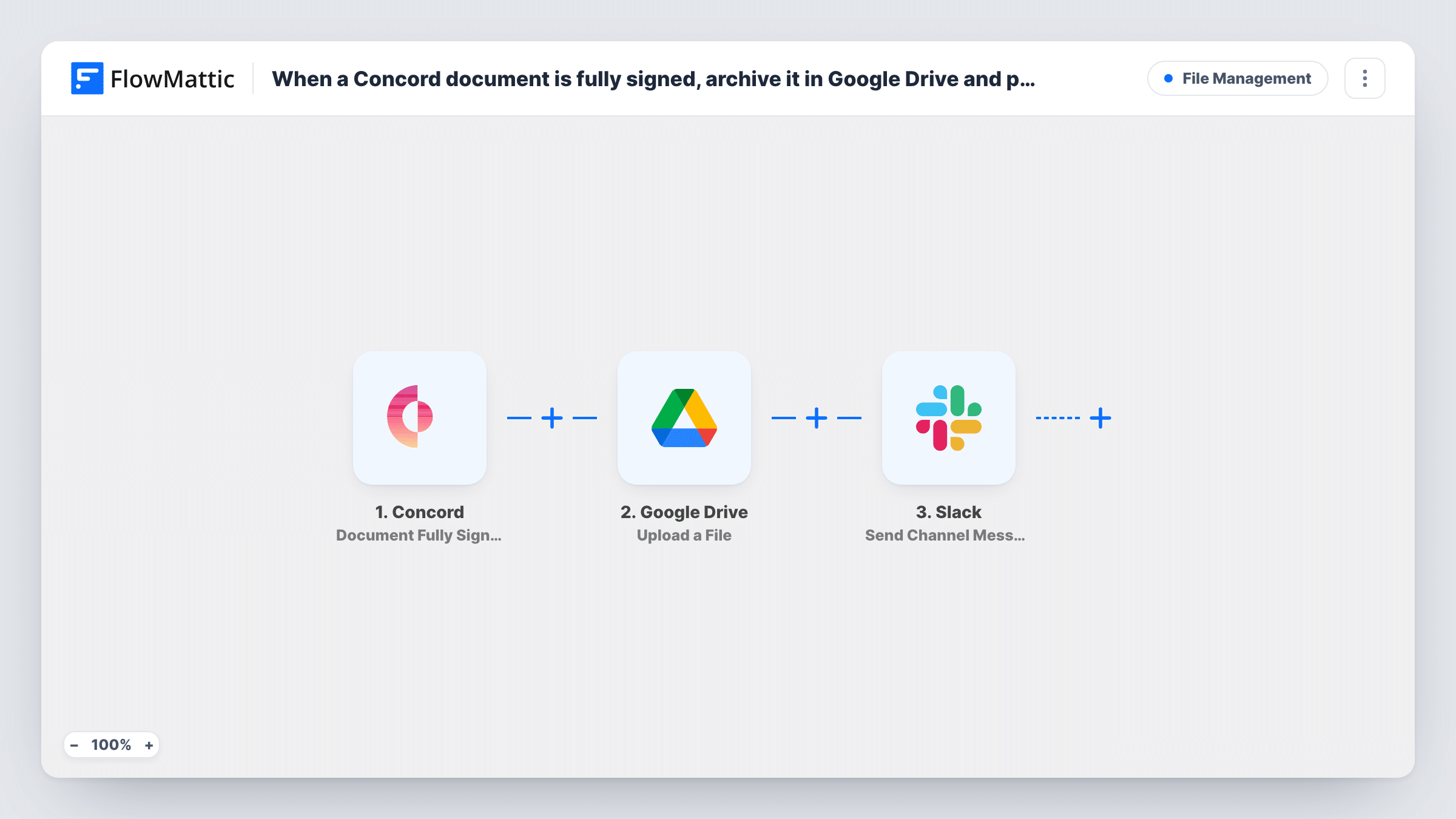
Once every party has signed a Concord document, this workflow uploads the signed file to a Google Drive folder and then posts a Slack message, so contracts are filed and your team knows they are done.
 Concord
 Google Drive
 Slack
3 steps Setup ~5 min Used on 2.1k sites Free to import
What this workflow does
A contract is finished when the last signature lands, but filing it is still a manual job. Someone downloads the PDF, drops it in the right Drive folder and tells the team. When that slips, people hunt through email for the final copy. This workflow does the filing and the announcement in one run.
The run starts when Concord reports that the last party has signed a document. FlowMattic passes the document data to Google Drive, where the Upload a File action saves a file to the folder you select. You map the signed file from the Concord data into that step. The last step posts a message to a Slack channel, and you can include details from Concord or the Drive upload in it.
Task History keeps what each step returned, including the Drive upload, so check it if a contract is missing from the folder. Run one signed test document before going live and confirm the file opens from the Drive folder.
Sales contracts filed for finance
When a customer countersigns an order form in Concord, the PDF lands in the finance team's Drive folder and the sales channel hears the deal is signed.
Supplier agreements in one archive
Procurement keeps every fully signed supplier contract in one Google Drive folder, with a Slack note so the requester knows they can start ordering.
Employment contracts for HR
A new hire's signed contract goes to the HR folder in Drive, and the hiring channel gets a message to plan the start date.
How this workflow runs
What happens at each step once the workflow is on, and what you need before you import it.
 Concord Document Fully Signed
Fires once a Concord document has been signed by all parties. Documents with any signature still missing do not start a run.
- Google Drive Upload a File
Saves the signed Concord file into a Google Drive folder of your choosing. Map the signed document from the Concord data, then check with a test run that the file arrives and opens.
- Slack Send Channel Message
Posts a message to your chosen Slack channel after the upload step. Write the text and add details such as the document name, and the Drive file link if the upload returns one.
What you need
- FlowMatticCore
- Concord AccountAccount
- Google Drive AccountAccount
- Slack AccountAccount
After importing, map your own data. To keep the template universal, not every step is pre-filled. Open each step in the builder and connect your accounts and fields (channels, lists, sheets, recipients) before you switch the workflow on.
Make it yours
Changes worth making after you import it.
- Sign a test document in Concord after import and look at Task History to see which document values Concord sends before you finish the Drive mapping.
- Add a Google Drive Share File step after the upload if a client or colleague outside your Drive needs access to the signed copy.
- Put a Filter between the Google Drive step and the Slack step that continues only when the upload returned a file ID (check a test run for what it returns), so the channel only hears about contracts that reached Drive.
Questions about this workflow
Does a Concord signature from one party trigger the upload?
No. This trigger is Document Fully Signed, which fires only when all parties have signed. FlowMattic has a separate Signature Provided trigger for single signatures.
Which Google Drive folder do signed Concord documents go to?
Whichever Drive folder this template's upload step points at. Every signed document goes to that same folder unless you change the mapping.
Can the Slack message link to the signed Concord contract in Drive?
Yes, if the upload step returns a link or ID for the file. Sign a test document, look in Task History at what the Google Drive step returned, and map that value into the Slack message.
Are documents signed before I import it uploaded to Drive?
No. Only documents that become fully signed after the workflow is turned on are uploaded and announced.
More File Management workflows
Other ready-to-import templates from the same category.





Import this workflow into your WordPress site
Download the JSON, import it from the Workflows screen and connect your accounts. Every run stays on your server, with no per-task fees.
30-day money-back guarantee Unlimited workflows and runs Self-hosted