

When a Divi Engine form is submitted, add the contact to ActiveCampaign and notify sales in Slack
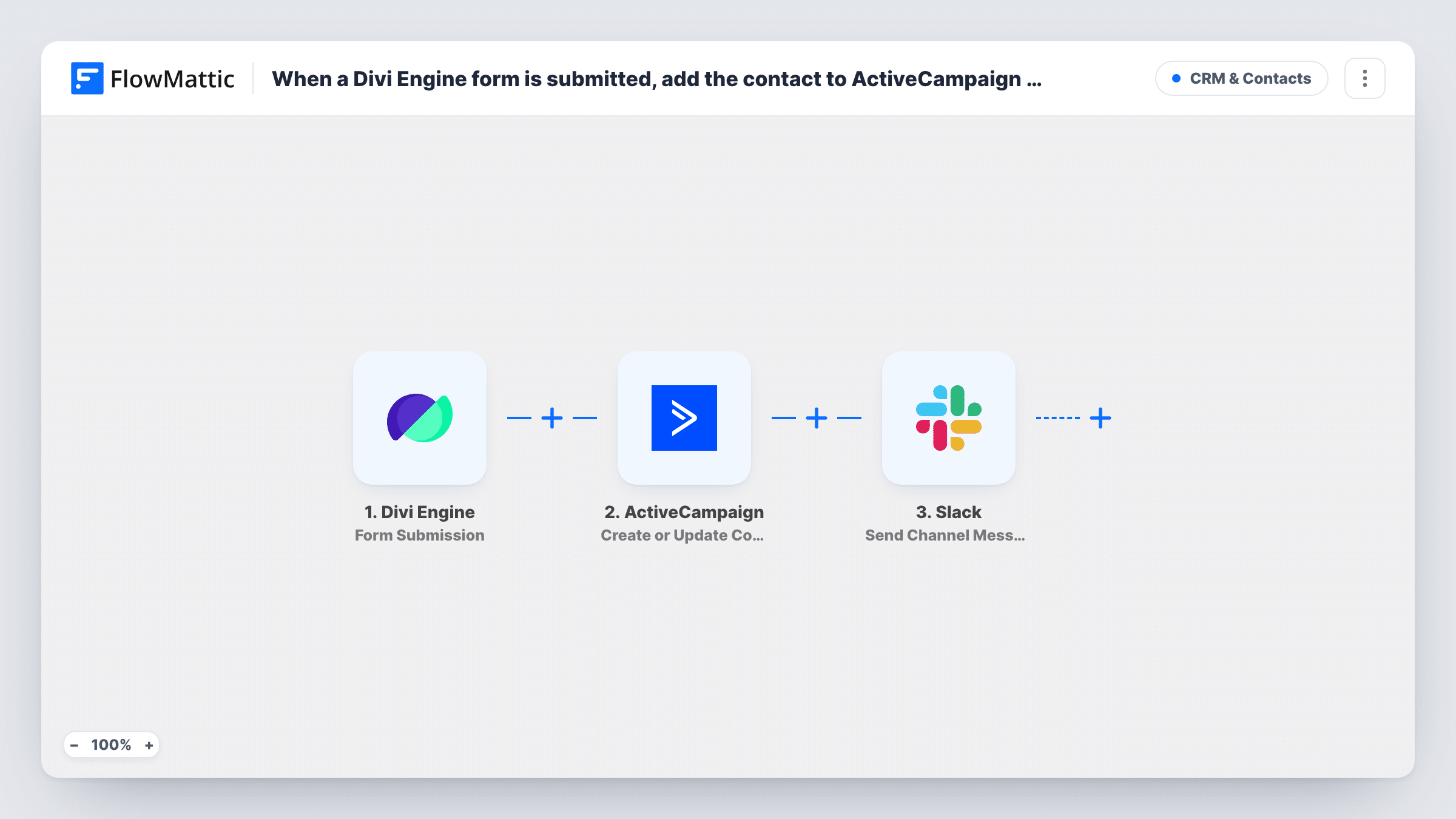
When a Divi Engine form is submitted, this workflow creates or updates the person as an ActiveCampaign contact and then posts a message to a Slack channel, so your sales team sees the new lead while it is already in your CRM.
 Divi Engine
 ActiveCampaign
 Slack
3 steps Setup ~5 min Used on 1.1k sites Free to import
What this workflow does
Leads from a Divi site usually need two things to happen: they go into ActiveCampaign so marketing and sales can follow up, and somebody on the sales team is told they exist. Doing both by hand means copying form data into the CRM and then writing a message to your colleagues. This workflow does both for each submission.
The Divi Engine trigger fires when a user successfully submits the Divi form. The ActiveCampaign step runs Create or Update Contact, which adds a new contact or updates the existing one. The last step posts to the Slack channel you choose, with the form fields you insert into the message.
CRM first, Slack second: that order repeats for each form entry. Repeat visitors are updated in ActiveCampaign rather than duplicated, but each of their submissions still posts to Slack. Task History shows what ActiveCampaign and Slack returned for each submission.
Quote requests for a service business
A Divi quote form adds each prospect to ActiveCampaign and posts the request in #sales, so a salesperson can call while the contact record is ready.
Demo requests on a software site
Visitors asking for a demo become ActiveCampaign contacts for your nurture emails, and the sales channel gets their name and company.
Partner or reseller applications
Applications from a Divi form land in ActiveCampaign and alert the partnerships team in Slack for review.
How this workflow runs
What happens at each step once the workflow is on, and what you need before you import it.
 Divi Engine Form Submission
Starts a run whenever a Divi Engine form on your WordPress site is submitted successfully. The submitted fields are captured for the ActiveCampaign and Slack steps.
- ActiveCampaign Create or Update Contact
Creates an ActiveCampaign contact from the submission, or updates the contact if they already exist. Map the form's email field plus the name or phone fields you collect.
- Slack Send Channel Message
Posts a message to the sales channel you pick in Slack. Write the alert and insert fields from the Divi Engine form, such as the person's name and what they asked for.
What you need
- FlowMatticCore
- Divi Engine AccountAccount
- ActiveCampaign AccountAccount
- Slack AccountAccount
After importing, map your own data. To keep the template universal, not every step is pre-filled. Open each step in the builder and connect your accounts and fields (channels, lists, sheets, recipients) before you switch the workflow on.
Make it yours
Changes worth making after you import it.
- Send a test entry through the Divi Engine form after import, then map the fields in ActiveCampaign and write the Slack alert using the captured data.
- Add an ActiveCampaign Add/Remove Tag From Contact step after the contact step if a tag should start an ActiveCampaign automation for these leads, and keep the Slack alert last.
- Only want sales alerted for some leads? Put a Filter between ActiveCampaign and Slack so every contact is saved, but only submissions meeting your condition are posted.
Questions about this workflow
What if the Divi Engine form is submitted by an existing ActiveCampaign contact?
Create or Update Contact updates that contact instead of creating a second one. The Slack step still posts an alert for the submission.
Does the workflow put Divi Engine leads on an ActiveCampaign list?
Not as imported. The only ActiveCampaign step is Create or Update Contact. To add leads to a list, put ActiveCampaign's Subscribe or Unsubscribe Contact From List action between the contact step and the Slack step, and map the same email.
Does the Divi Engine form have to be on the FlowMattic site?
Yes. The trigger listens for form submissions on the WordPress site where FlowMattic is installed.
Can the sales alert include a link to the ActiveCampaign contact?
The Slack message can use any data the ActiveCampaign step returns. Run a test to see what comes back, then insert the fields you want.
More CRM & Contacts workflows
Other ready-to-import templates from the same category.






Import this workflow into your WordPress site
Download the JSON, import it from the Workflows screen and connect your accounts. Every run stays on your server, with no per-task fees.
30-day money-back guarantee Unlimited workflows and runs Self-hosted