

When a FluentCRM contact is created, generate a QR code for WhatsApp contact in QR Generator, then send it via Gmail
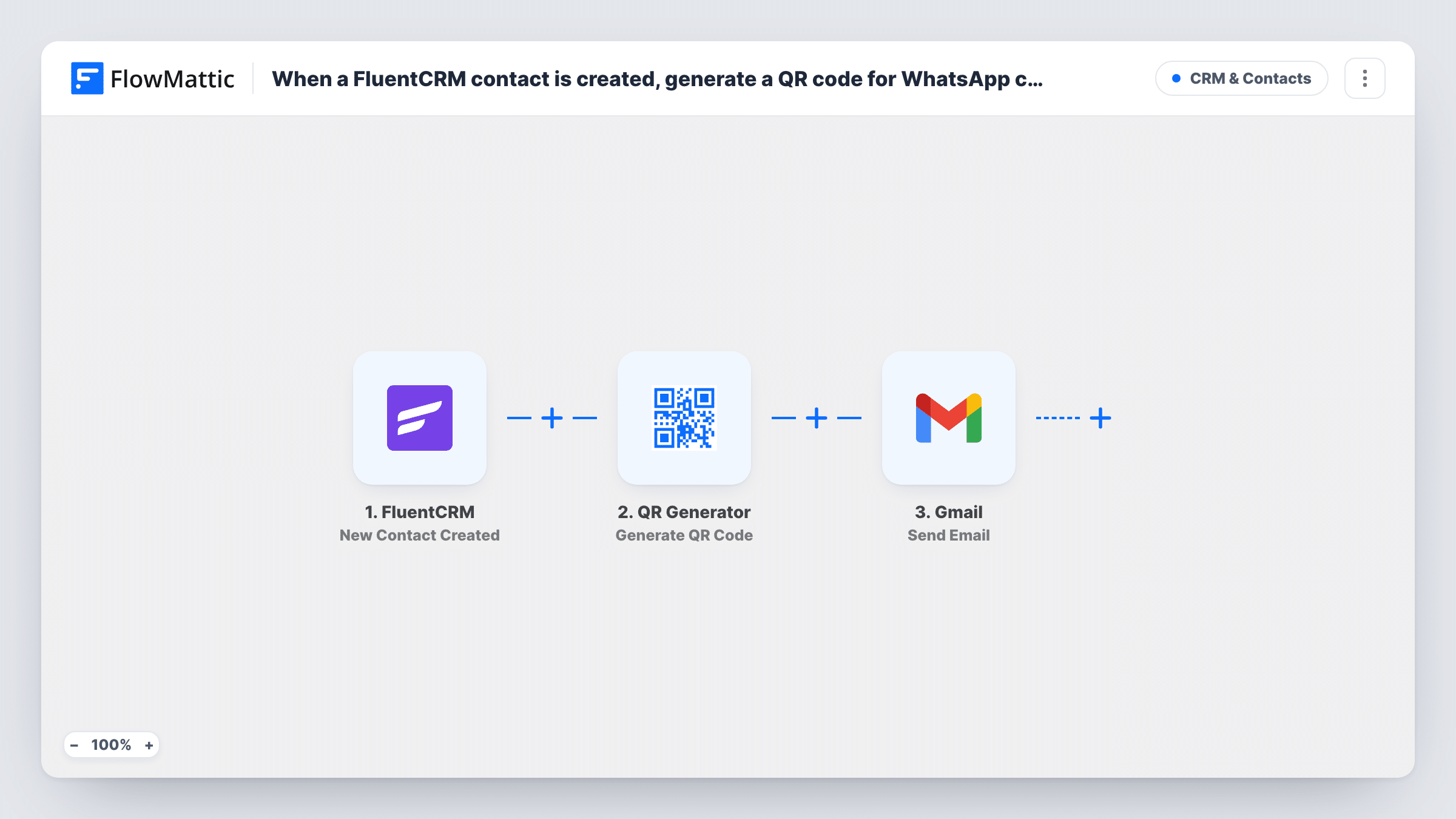
When a contact is created in FluentCRM, FlowMattic generates a QR code that opens a WhatsApp chat with your number, saves it to your media library, and emails it to the contact through Gmail.
 FluentCRM
 QR Generator
 Gmail
Gmail3 steps Setup ~5 min Used on 2.8k sites Free to import
What this workflow does
A QR code is a quick way to hand someone your WhatsApp contact: they scan it and a chat with your number opens. This workflow sends that code to every new FluentCRM contact by email, so they have a way to reach you on WhatsApp from the first message.
The FluentCRM trigger fires when a new contact is created. The QR Generator step then makes a QR code and saves it to your WordPress media library. Set its content to a WhatsApp click-to-chat link, which is wa.me/ followed by your number in international format. The last step sends an email from your account through Gmail to the contact's address, with the QR code you generated mapped in.
The code points to your number, so it is the same for every contact unless you change what you encode. Every new contact gets the email, including contacts imported in bulk, so think about how contacts are added before you switch it on. Task History shows each run and what Gmail returned.
Welcome email for a WhatsApp-first business
A salon or tutor who books clients over WhatsApp sends every new FluentCRM contact a code they can scan to start a chat.
Support channel for new customers
Contacts created by your checkout or forms receive a code for your WhatsApp support number, so they know where to message with questions.
Event follow-up
People added to FluentCRM from an event sign-up get a code to message the organiser on WhatsApp on the day.
How this workflow runs
What happens at each step once the workflow is on, and what you need before you import it.
 FluentCRM New Contact Created
Starts a run for each contact that FluentCRM adds. The contact's details, including their email address, are passed on to the next steps.
- QR Generator Generate QR Code
Generates a QR code and saves it to your media library. Set the content to your WhatsApp click-to-chat link, wa.me/ plus your number with country code.
- Gmail Send Email
Sends an email through your Gmail account to the contact. Map the contact's email as the recipient and put the QR code from the previous step in the message.
What you need
- FlowMatticCore
- FluentCRM PluginPlugin
- Gmail AccountAccount
After importing, map your own data. To keep the template universal, not every step is pre-filled. Open each step in the builder and connect your accounts and fields (channels, lists, sheets, recipients) before you switch the workflow on.
Make it yours
Changes worth making after you import it.
- Add a Filter after the trigger on a FluentCRM tag or list, so only contacts meant to hear from you on WhatsApp receive the email.
- Run one test contact and look at the QR Generator step's output to see which value holds the saved image, then map that value into the Gmail message.
- Add a short pre-filled message to the wa.me link with ?text= so the chat opens with a greeting, which tells you the person came from this email.
Questions about this workflow
Does the QR code from QR Generator open WhatsApp directly?
It opens whatever you encode. Use a wa.me link with your number, and scanning it on a phone with WhatsApp opens a chat with you.
Will contacts imported into FluentCRM in bulk all get this Gmail email?
If the import fires FluentCRM's New Contact Created event for each contact, yes. Test with a small import first, or pause the workflow while you import.
Where are the generated QR images stored?
The QR Generator step saves each code to your WordPress media library, so they stay on your own site and you can remove them later.
More CRM & Contacts workflows
Other ready-to-import templates from the same category.




Import this workflow into your WordPress site
Download the JSON, import it from the Workflows screen and connect your accounts. Every run stays on your server, with no per-task fees.
30-day money-back guarantee Unlimited workflows and runs Self-hosted