

When a form is opened in NativeForms, send a notification email to the admin using Gmail
Each time a visitor opens one of your NativeForms forms, FlowMattic emails your site admin. Send it through WordPress mail or your SMTP account, or add Gmail’s SMTP details to send from Gmail.
 NativeForms
 Email
Email2 steps Setup ~5 min Used on 531 sites Free to import
What this workflow does
Submissions tell you who finished a form. Opens tell you who started looking at it. If you are testing a new form, a landing page or a campaign link, a note each time the form is opened shows you whether people are reaching it at all. This workflow sends that note to the admin's inbox.
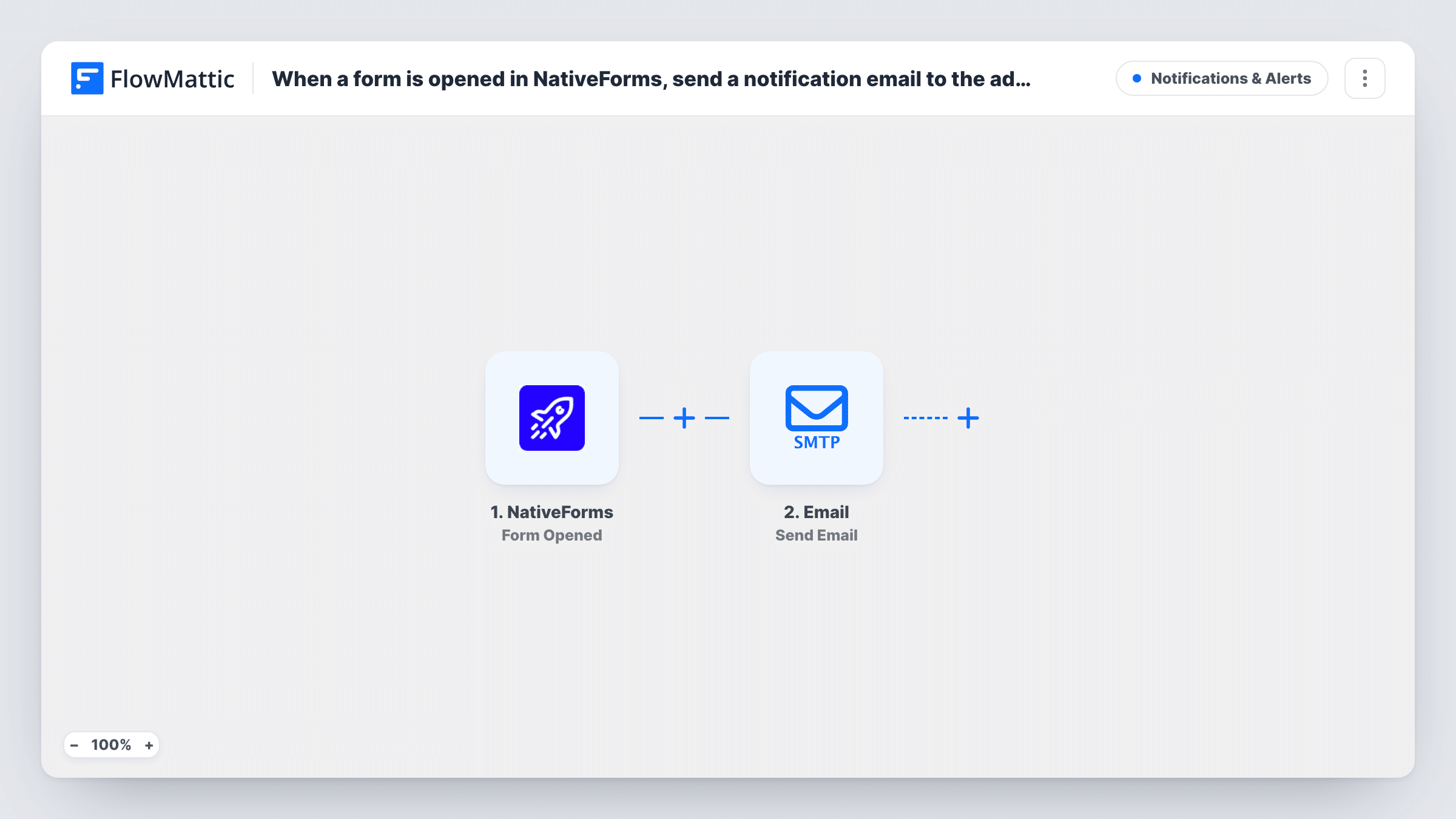
The NativeForms trigger, Form Opened, fires when a form is opened. FlowMattic then runs the Send Email action from its Email module. You write the subject and message, set the admin address as the recipient, and map any details the open event passes along. A test run after import shows which details NativeForms sends.
The title says Gmail, but the email step is FlowMattic's Email module, which sends with the built-in WordPress mail function or a custom SMTP account. To send from a Gmail address, enter Gmail's SMTP details in that step. You can also replace it with the Gmail app's Send Email action. There is no Filter, so every open sends one email. On a busy form that can mean a lot of messages.
Checking a new form goes live
You publish a fresh NativeForms form and share the link. The first emails confirm that visitors are reaching it and that the link works.
Watching a low-traffic enquiry form
A form for custom quotes is opened a few times a week. An email per open lets you compare opens with the submissions you actually receive.
Tracking a link sent to one client
You send a single client a form link for a project brief. An open email tells you they have looked at it, so you know when to follow up.
How this workflow runs
What happens at each step once the workflow is on, and what you need before you import it.
 NativeForms Form Opened
Fires when a visitor opens your NativeForms form. Run a test after import to see which details about the open and the form become available to map.
 Email Send Email
Sends the notification with FlowMattic's Email module, using WordPress mail or your SMTP settings. Set the admin address, subject and body. For Gmail, enter Gmail's SMTP details here.
What you need
- FlowMatticCore
- NativeForms AccountAccount
After importing, map your own data. To keep the template universal, not every step is pre-filled. Open each step in the builder and connect your accounts and fields (channels, lists, sheets, recipients) before you switch the workflow on.
Make it yours
Changes worth making after you import it.
- To send from your Gmail address without SMTP settings, delete the Email step and add the Gmail app's Send Email action, then connect your Google account.
- Want to compare opens with finished forms? Build a second workflow on NativeForms' Form Completed trigger and send its emails to the same admin address.
- On a busy form, one email per open fills the inbox. Log each open to a Google Sheets row instead and check the sheet when you need it.
Questions about this workflow
Does this email go out through Gmail as imported?
No. The step is FlowMattic's Email module, which uses the WordPress mail function or a custom SMTP account. Enter Gmail's SMTP details in it, or swap in the Gmail app's Send Email action.
Will I get an email when someone submits the NativeForms form?
Not from this workflow. The trigger is Form Opened, so it reacts to opens. For submissions, build a separate workflow on the NativeForms Form Completed trigger.
How many emails will the admin receive?
One for every time the form is opened. Nothing in the workflow limits or groups them, so the count follows your form's traffic.
Do I need a NativeForms account?
Yes. You connect your NativeForms account to FlowMattic so the trigger can receive the open events from your forms.
More Notifications & Alerts workflows
Other ready-to-import templates from the same category.






Import this workflow into your WordPress site
Download the JSON, import it from the Workflows screen and connect your accounts. Every run stays on your server, with no per-task fees.
30-day money-back guarantee Unlimited workflows and runs Self-hosted