

When a form submission is received in Swipe Pages, check if a field contains a word, and create a new ticket in Desku.io
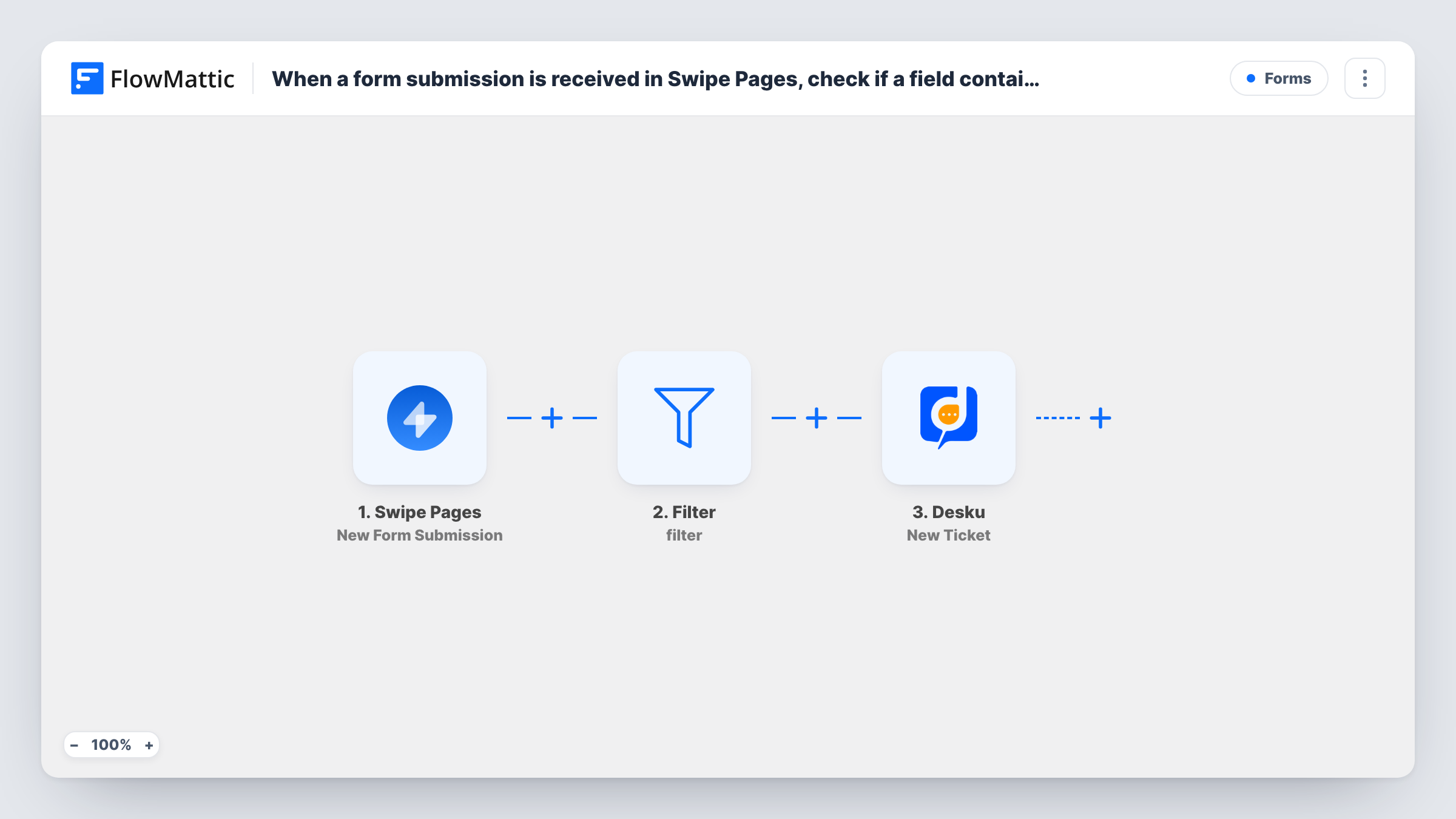
Swipe Pages form submissions go through a Filter that checks whether a field you pick contains a word you set, and each submission that matches opens a new ticket in Desku.io.
 Swipe Pages
 Filter
 Desku
Desku3 steps Setup ~5 min Used on 2.1k sites Free to import
What this workflow does
One landing page form can collect sales questions, partnership pitches and support problems. Your support team only wants the last kind in their helpdesk. This workflow looks for a word in one field of each Swipe Pages submission and turns only the matching ones into Desku tickets.
The Swipe Pages trigger starts a run when a form on your page is submitted. A Filter then checks one field with a contains condition. The check ignores upper and lower case and matches the word anywhere in the text, so "help" also matches "helpful". Submissions that don't match stop at the Filter.
The condition ships blank: no field and no word are set. Pick the form field and type the word before you turn the workflow on. With both left empty, the condition matches every submission, so every entry opens a Desku ticket until you set the field and word.
Matching submissions reach the Desku.io step, which creates a ticket. It is unmapped too, so map the visitor's email, name and message into the ticket after import. Task History shows which runs stopped at the Filter and what Desku returned.
Support requests from a mixed form
A software company's Swipe Pages contact form asks visitors to pick a topic, and only entries whose topic contains Support become Desku tickets.
Refund and complaint handling
An online course seller checks the message field for the word refund and sends those submissions to the support queue in Desku.
Product-specific enquiries
A hardware brand running several product pages routes only messages that mention one product line into the Desku inbox that handles it.
How this workflow runs
What happens at each step once the workflow is on, and what you need before you import it.
 Swipe Pages New Form Submission
Starts the workflow when someone submits a form on your Swipe Pages page. The submitted fields are passed to the Filter and then to Desku.
- Filter Continue If Condition Meet
Continues only when the field you choose contains the word you set, ignoring case. Field and word both ship empty, so set them after import; treat the template's condition as an example to edit.
- Desku Create Ticket
Creates a new ticket in Desku.io for each submission that passes the Filter. Connect Desku and map the visitor's email, name and message into the ticket fields.
What you need
- FlowMatticCore
- Swipe Pages AccountAccount
- Desku.io AccountAccount
After importing, map your own data. To keep the template universal, not every step is pre-filled. Open each step in the builder and connect your accounts and fields (channels, lists, sheets, recipients) before you switch the workflow on.
Make it yours
Changes worth making after you import it.
- Pick a word that won't turn up inside other words. Because the check matches anywhere in the text, a short word like art also matches start and party.
- For a stricter check on a dropdown or radio field, change the condition to exactly matches and enter the option's label, so only that choice passes.
- Add a second condition group to the Filter between the Swipe Pages trigger and the Desku step when two different words should both open a ticket, for example refund or cancel in the message field.
Questions about this workflow
Does capitalisation matter in the Swipe Pages word check?
No. The Filter compares in lower case on both sides, so Support, SUPPORT and support all match the same condition.
What happens to Swipe Pages submissions that don't contain the word?
The run stops at the Filter and no Desku ticket is created. The submission itself stays in Swipe Pages as usual.
Do I have to set the Filter before using this workflow?
Yes. The template's condition has no field and no word. Choose both after import and test with one matching and one non-matching entry before you rely on it.
Which details does the Desku.io ticket get?
Whatever you map in the Create Ticket step, which is empty in the template. A test submission shows the Swipe Pages field names to use.
More Forms workflows
Other ready-to-import templates from the same category.







Import this workflow into your WordPress site
Download the JSON, import it from the Workflows screen and connect your accounts. Every run stays on your server, with no per-task fees.
30-day money-back guarantee Unlimited workflows and runs Self-hosted