

When a form with audio upload is submitted in Contact Form 7, convert speech to text in ElevenLabs
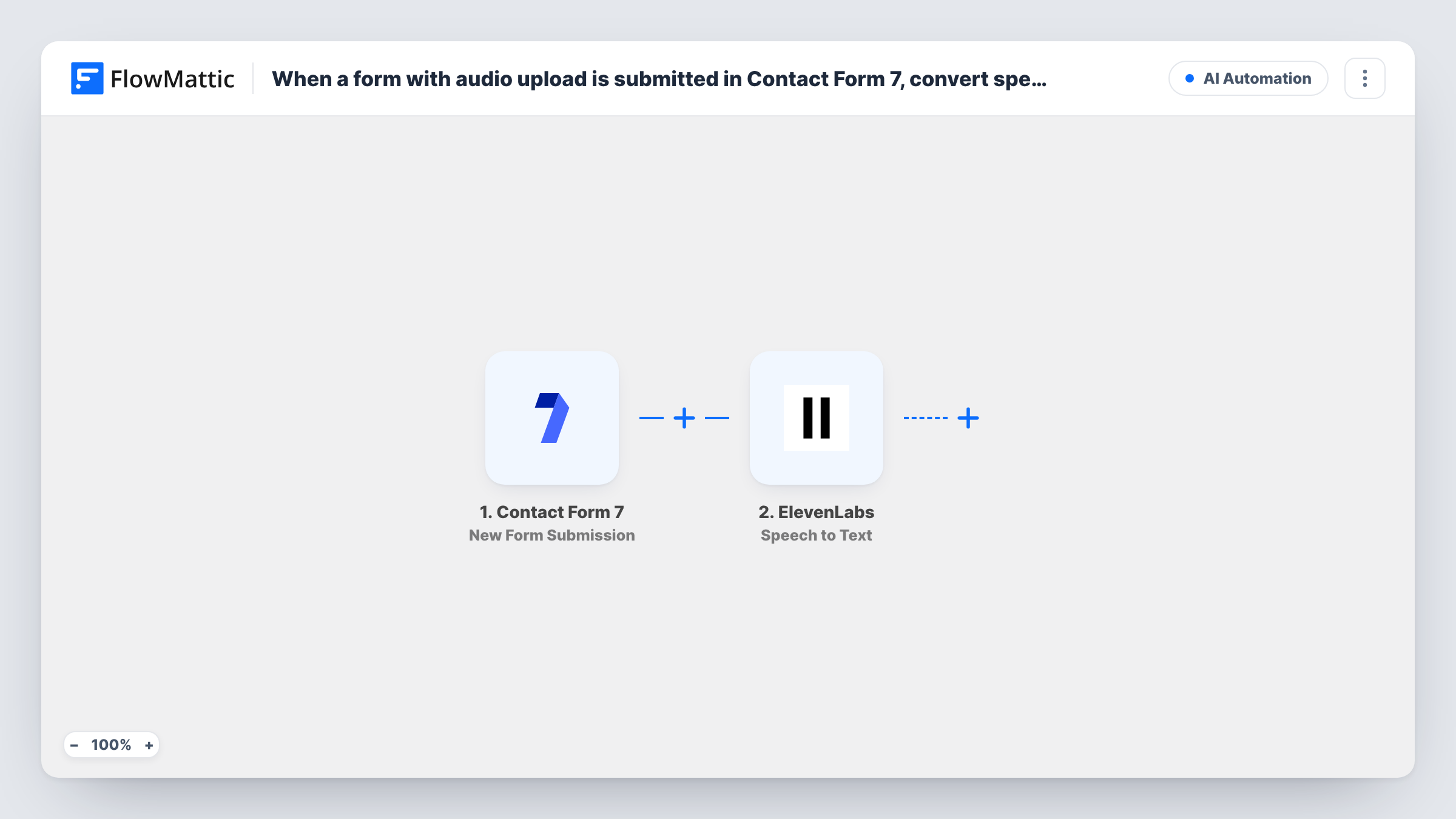
When a visitor sends a Contact Form 7 form with an audio file attached, FlowMattic passes that recording to ElevenLabs Speech to Text and gets back a transcript you can send on with a step of your own.
 Contact Form 7
 ElevenLabs
2 steps Setup ~5 min Used on 3.4k sites Free to import
What this workflow does
Some visitors would rather talk than type. If your Contact Form 7 form lets them attach a voice note, someone still has to listen to each one before acting on it. This workflow hands each recording to ElevenLabs so you get the words as text.
The Contact Form 7 trigger runs on every submission of the form you connect, and the answers come with it. In the ElevenLabs step, you map the uploaded audio from the submission into Speech to Text. ElevenLabs returns the transcript as part of the step's response.
Two things to know before you rely on it. First, the trigger fires for every submission, including ones with no file, so add a Filter if the upload is optional. Second, the template ends at ElevenLabs: the transcript is not saved or sent anywhere until you add a step that does it, such as an email or a spreadsheet row. Submit a test entry with a short recording and check in Task History that the file reached ElevenLabs.
Voice messages on a contact page
Visitors record a question on their phone and attach it to your contact form. The transcript lets you read the question before deciding who should answer.
Spoken testimonials
Customers upload a short audio review through a feedback form, and ElevenLabs turns it into text you can quote after asking their permission.
Accessible application forms
Applicants who find typing hard answer an essay question by voice, and you receive a written version alongside the recording.
How this workflow runs
What happens at each step once the workflow is on, and what you need before you import it.
 Contact Form 7 New Form Submission
Runs each time someone submits your Contact Form 7 form. The answers and the uploaded file are passed on, so you can map the audio into the ElevenLabs step.
- ElevenLabs Speech to Text
Sends the uploaded recording to ElevenLabs and returns the speech as text. Map the file from the submission and connect your ElevenLabs account. Nothing uses the transcript until you add a later step.
What you need
- FlowMatticCore
- Contact Form 7 PluginPlugin
- ElevenLabs AccountAccount
After importing, map your own data. To keep the template universal, not every step is pre-filled. Open each step in the builder and connect your accounts and fields (channels, lists, sheets, recipients) before you switch the workflow on.
Make it yours
Changes worth making after you import it.
- Add a Filter after the trigger that continues only when the file field is not empty, so submissions without a recording don't call ElevenLabs.
- Add an email or Gmail step after ElevenLabs that sends the transcript, together with the visitor's name and email, to whoever handles enquiries.
- Add a Google Sheets row after ElevenLabs to keep each transcript next to the visitor's other answers in one place.
- Limit the Contact Form 7 file field to audio types with its filetypes option, so visitors can't attach documents or images that ElevenLabs cannot transcribe.
Questions about this workflow
Where does the ElevenLabs transcript go?
Into the step's response only. The template has no step after ElevenLabs, so add one, such as an email or a sheet row, to store or send the transcript.
Does the Contact Form 7 workflow run when no audio is attached?
Yes. The trigger runs for every submission. Add a Filter that checks the file field is not empty if the upload is optional on your form.
Do I need an ElevenLabs account to transcribe the uploads?
Yes. The Speech to Text step runs through your own ElevenLabs account, which you connect in FlowMattic. Check your ElevenLabs plan for its transcription allowance.
How do I check the uploaded file reaches ElevenLabs?
Submit a test entry with a short recording after import, then open Task History. The trigger data shows what Contact Form 7 passed for the file, and the ElevenLabs step shows the response.
More AI Automation workflows
Other ready-to-import templates from the same category.






Import this workflow into your WordPress site
Download the JSON, import it from the Workflows screen and connect your accounts. Every run stays on your server, with no per-task fees.
30-day money-back guarantee Unlimited workflows and runs Self-hosted