

When a Foxy.io transaction is refunded, record it in Airtable and alert the finance team in Slack
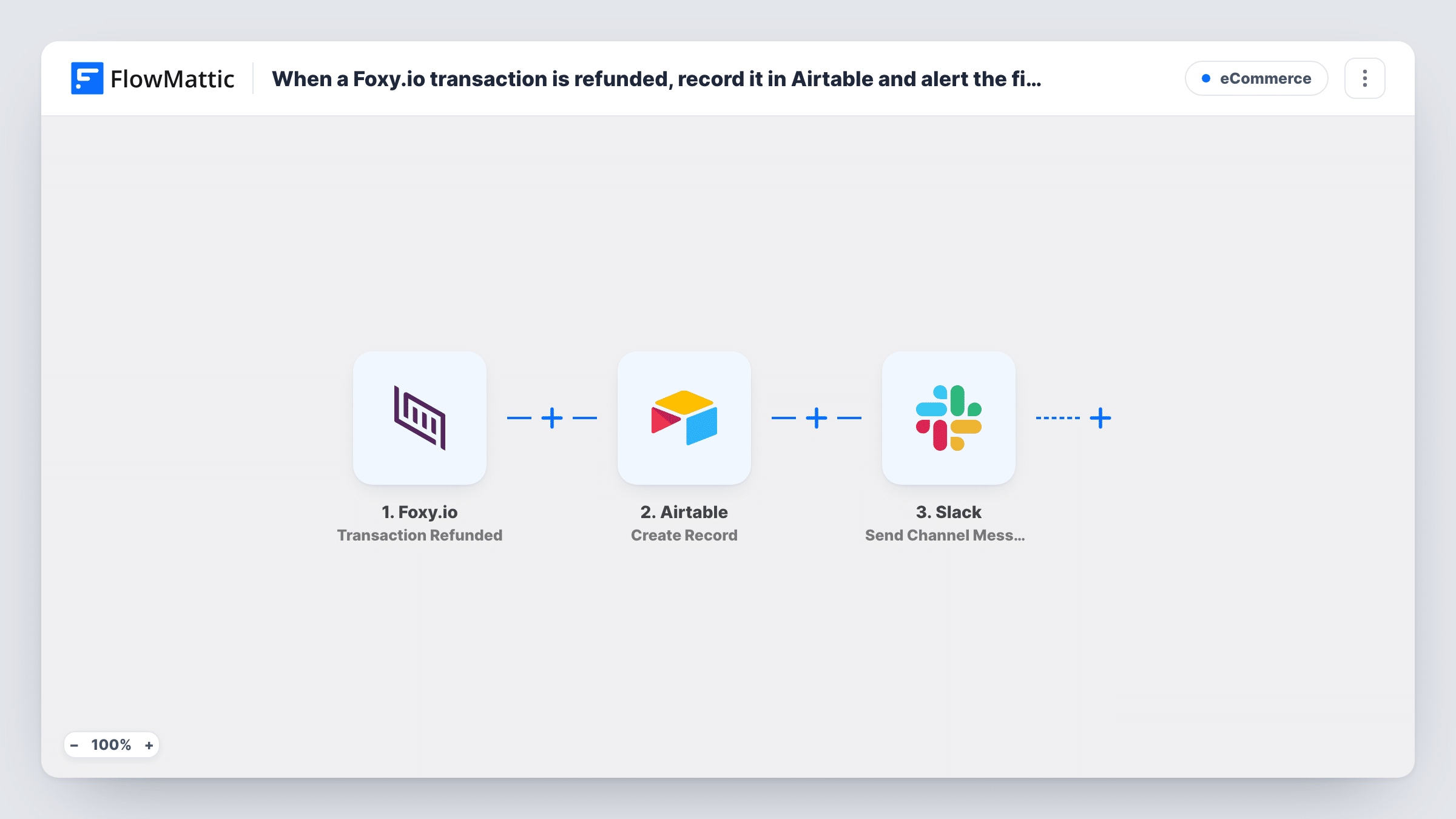
When a Foxy.io transaction is refunded, this workflow creates an Airtable record with the refund details and then posts a message to your finance team’s Slack channel, giving you a log and a heads-up.
 Foxy.io
 Airtable
 Slack
Slack3 steps Setup ~5 min Used on 2.1k sites Free to import
What this workflow does
Refunds touch two jobs at once. Someone has to record the refund for reconciliation, and someone has to know it happened so they can follow up. When both rely on a person checking the Foxy.io admin, refunds slip through. This workflow handles the record and the alert from one event.
The Foxy.io trigger fires when a transaction in your store is refunded. FlowMattic takes the transaction data from that event and passes it to Airtable, which creates a new record in the base and table you choose, with the fields you map. After that, the Slack step sends a message to the channel your finance team watches, built from the same refund data.
Each refund event creates one new Airtable record and one Slack message. The workflow does not look for an earlier record of the original sale, so the table becomes a list of refunds in the order they happened. Task History shows what Foxy.io sent and what Airtable and Slack returned for every refund.
Monthly reconciliation for a small store
Your bookkeeper matches refunds against the payment processor each month. The Airtable table gives them every Foxy.io refund in one place to tick off.
Spotting refund patterns by product
Map the product details into Airtable columns, then group the table by product to see which items are refunded most often.
Finance follow-up on each refund
The Slack message reaches the finance channel as the refund happens, so the person handling accounts can check the order and the customer's history straight away.
How this workflow runs
What happens at each step once the workflow is on, and what you need before you import it.
 Foxy.io Transaction Refunded
Fires when a transaction in your Foxy.io store is refunded. The transaction data from that event, such as the order details Foxy.io sends, becomes available for the next two steps.
- Airtable Create Record
Adds one refund record to an Airtable table of your choice. Map Foxy.io transaction fields to your table's fields and connect your Airtable account on import.
- Slack Send Channel Message
Sends a message to the Slack channel you pick so finance hears about the refund. Write the message text and map refund fields into it, then connect your Slack workspace.
What you need
- FlowMatticCore
- Foxy.io AccountAccount
- Airtable AccountAccount
- Slack AccountAccount
After importing, map your own data. To keep the template universal, not every step is pre-filled. Open each step in the builder and connect your accounts and fields (channels, lists, sheets, recipients) before you switch the workflow on.
Make it yours
Changes worth making after you import it.
- Make a test refund in Foxy.io after import so FlowMattic captures the real transaction fields, then map them in both the Airtable and Slack steps.
- If you only want larger refunds logged and announced, add a Filter on the refund amount between the Foxy.io trigger and the Airtable step. Run a test first to see how Foxy.io sends the amount.
- Want voided transactions on record too? Import a second copy and switch its trigger to Foxy.io's Transaction Voided event, pointing it at the same Airtable table.
Questions about this workflow
Does this update the original Foxy.io order in Airtable?
No. The Airtable step is Create Record, so each refund adds a new record. It does not search for or change an earlier record of the sale.
Which Slack channel does the Foxy.io refund alert go to?
Whichever channel you select when you set up the Send Channel Message step. For a private finance channel, replace it with Slack's Send Private Channel Message action.
Does the finance Slack message show the refund amount?
Only if you map it. You write the Slack text yourself and drop in Foxy.io fields, such as the order details and the amount, if the refund event sends them. A test refund shows the available values in Task History.
Are refunds made before import logged in Airtable?
No. Only refunds that happen while the workflow is turned on start a run. Older refunds stay in Foxy.io.
More E-Commerce workflows
Other ready-to-import templates from the same category.







Import this workflow into your WordPress site
Download the JSON, import it from the Workflows screen and connect your accounts. Every run stays on your server, with no per-task fees.
30-day money-back guarantee Unlimited workflows and runs Self-hosted