

When a Freemius affiliate is approved, add them to a FluentCRM list and notify the team in Slack
When you approve an affiliate in Freemius, FlowMattic creates or updates them as a FluentCRM contact, adds them to the list you choose, and tells your team in Slack.
 Freemius
 FluentCRM
 Slack
Slack4 steps Setup ~8 min Used on 3.0k sites Free to import
What this workflow does
Approving an affiliate for your plugin or SaaS product is the start of a relationship: they need onboarding emails, promo material and a contact on your team. This workflow puts each approved Freemius affiliate into FluentCRM on a list of their own and lets your team know in Slack, so the welcome sequence and the personal hello both happen.
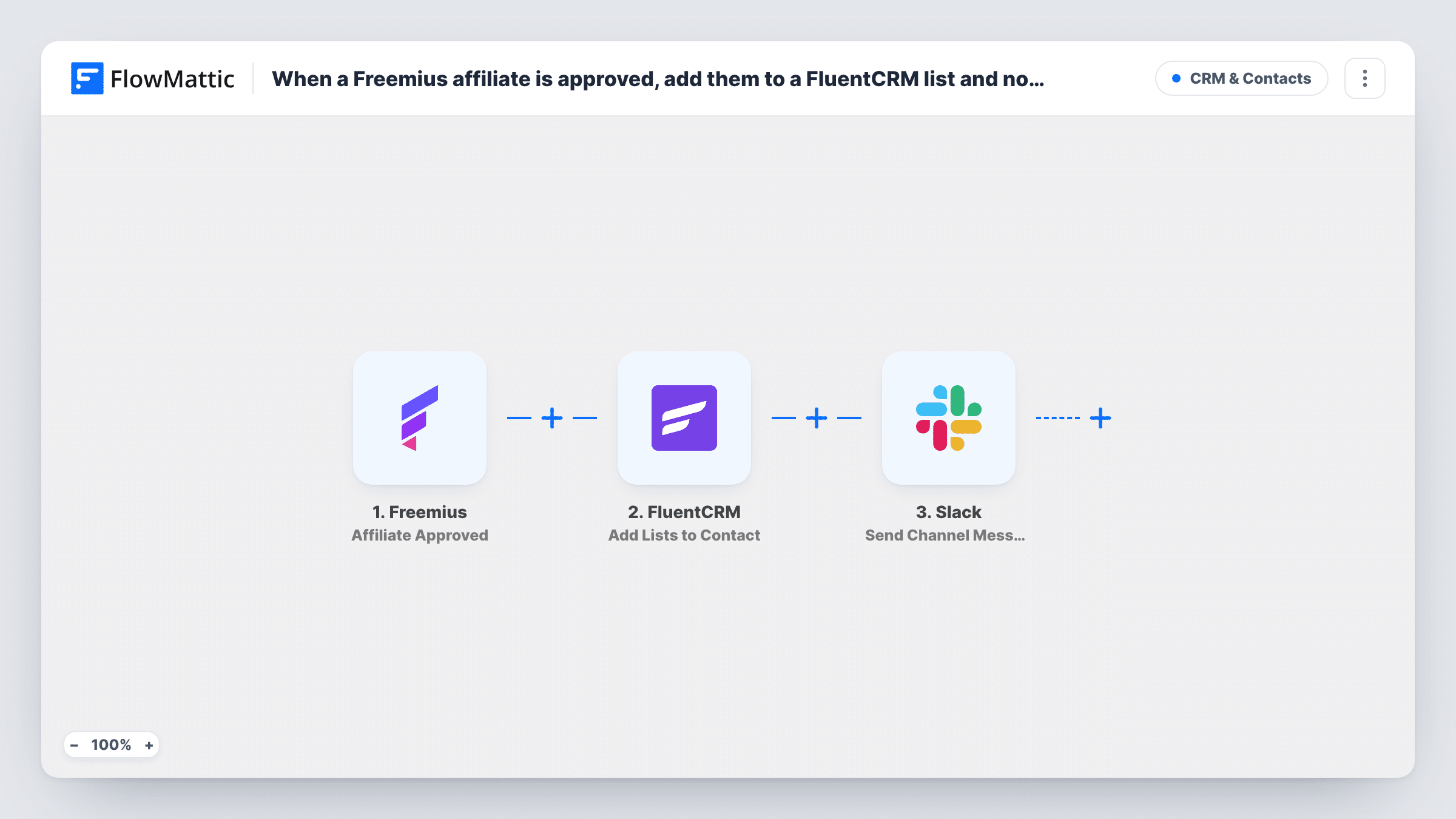
The Freemius Affiliate Approved trigger fires whenever an affiliate is approved. Their details, such as name and email, are passed on.
The first FluentCRM step creates a contact, or updates the existing one when the email is already in FluentCRM. The next step adds lists to that contact. Because the contact now exists, the list step has someone to work on even for an affiliate you have never emailed before. Both steps ship unmapped, so map the affiliate's email and name in the first and pick your affiliates list in the second.
Finally, the Slack Send Channel Message step posts to a public channel. Write the message after import and map in the affiliate's name or email so your partner manager knows whom to welcome. Approve a test affiliate and check Task History to see what each step returned.
Welcome sequence for new partners
A plugin company starts a FluentCRM email sequence for its affiliates list, so each approved partner gets the logo pack and linking guide.
Partner manager says hello
The partnerships lead sees the Slack message, looks the affiliate up and sends a personal note about the commission terms.
Separate newsletter for affiliates
A SaaS founder keeps affiliates on their own FluentCRM list to send launch dates and promo codes ahead of the public announcement.
How this workflow runs
What happens at each step once the workflow is on, and what you need before you import it.
 Freemius Affiliate Approved
Fires whenever an affiliate is approved in Freemius. The affiliate's details, such as name and email, are passed to FluentCRM and Slack.
- FluentCRM Create or Update Contact
Creates a FluentCRM contact for the affiliate, or updates the existing contact with that email address. Nothing is mapped yet, so after import you map the affiliate's email address and name into it.
- FluentCRM Add Lists to Contact
Adds one or more lists to the contact the previous step created or updated. Pick your affiliates list after import and map the contact from step 2.
- Slack Send Channel Message
Posts a message to a public Slack channel about the newly approved affiliate. Write the text after import and map in the affiliate's name and email.
What you need
- FlowMatticCore
- Freemius AccountAccount
- FluentCRM PluginPlugin
- Slack AccountAccount
After importing, map your own data. To keep the template universal, not every step is pre-filled. Open each step in the builder and connect your accounts and fields (channels, lists, sheets, recipients) before you switch the workflow on.
Make it yours
Changes worth making after you import it.
- Create a dedicated Affiliates list in FluentCRM before import, then select it in the Add Lists to Contact step.
- Set up a FluentCRM automation that starts when a contact joins the affiliates list, so your onboarding emails go out without another FlowMattic step.
- Build a second workflow on the Freemius Affiliate Rejected or Affiliate Blocked trigger if you also want the team told about those decisions.
Questions about this workflow
An approved Freemius affiliate is already in FluentCRM. Do I get a duplicate?
The Create or Update Contact step matches by email, so the existing contact is updated rather than duplicated. The list step then adds your affiliates list to that same contact.
Does an affiliate need to exist in FluentCRM before approval?
No. The second step creates the contact when the email is new, and the list is added after that, so new and existing people both end up on the list.
Can the team alert about a new affiliate go to a private Slack channel?
Not with the template's step, which posts to public channels. Use Slack's Send Private Channel Message action for a private one, or Send Direct Message to notify one person.
Is the workflow triggered for affiliates who are only created in Freemius?
No. It runs on approval only. Freemius has a separate Affiliate Created trigger in FlowMattic if you want to act on sign-ups before you review them.
More CRM & Contacts workflows
Other ready-to-import templates from the same category.




Import this workflow into your WordPress site
Download the JSON, import it from the Workflows screen and connect your accounts. Every run stays on your server, with no per-task fees.
30-day money-back guarantee Unlimited workflows and runs Self-hosted