

Add new Zoom meeting registrants as HubSpot contacts
Each time someone registers for one of your Zoom meetings, this workflow creates a contact for them in HubSpot CRM, so registrants from demos, workshops and info sessions are in your CRM without an export.
 Zoom
 HubSpot CRM
2 steps Setup ~5 min Used on 2.4k sites Free to import
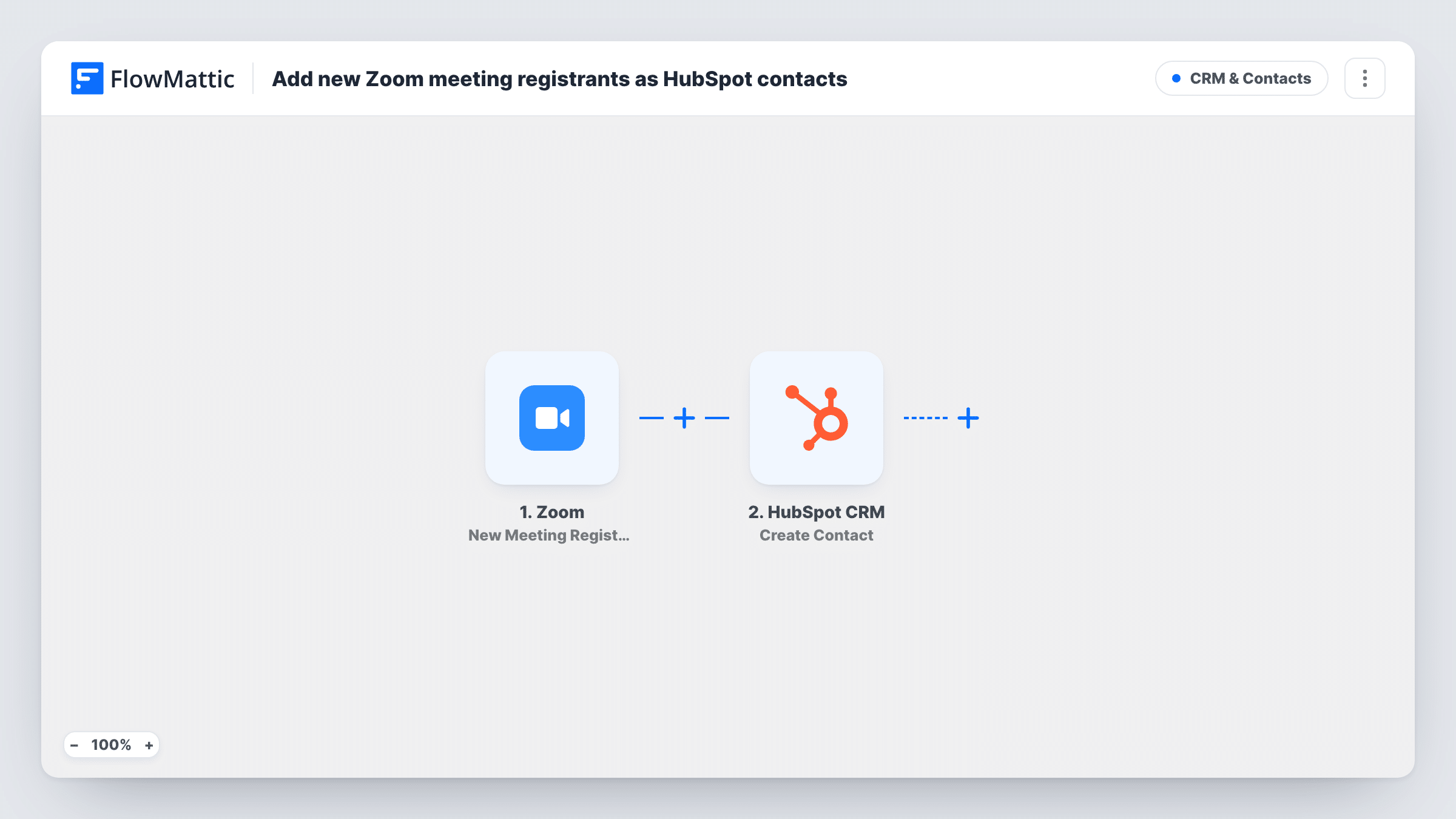
What this workflow does
People who register for a Zoom meeting have told you who they are and that they care about the topic. If that list stays in Zoom, sales and marketing never see it unless someone exports a report and imports it into HubSpot. This workflow moves each registrant across as they sign up.
The Zoom trigger fires when a new registrant is added to a meeting in your connected account. The registration details Zoom sends, such as name and email, become fields you can map. The HubSpot CRM step then runs Create Contact with the values you map, which gives your team a contact record they can work with.
Create Contact makes new records only. If the registrant's email already belongs to a HubSpot contact, HubSpot may refuse the request, and Task History shows the response for that run. Registration only exists on meetings that have it turned on in Zoom, so meetings without a registration form never trigger this flow.
Product demo sign-ups
Prospects register for a weekly live demo on Zoom, and each one becomes a HubSpot contact your sales reps can follow up with after the call.
Customer training sessions
Clients sign up for onboarding workshops, and their registration creates a HubSpot record so account managers can see who signed up for training.
Open days for a school or course
Parents or applicants register for a virtual open day, and admissions staff find them in HubSpot alongside enquiries from other channels.
How this workflow runs
What happens at each step once the workflow is on, and what you need before you import it.
 Zoom New Meeting Registrant
Fires when someone is added as a registrant to a Zoom meeting in the account you connect. Their registration details are passed on to map into HubSpot.
- HubSpot CRM Create Contact
Creates a new contact in HubSpot CRM from the registration. Map the registrant's email and name from Zoom into it, then run a test registration to check the contact looks right.
What you need
- FlowMatticCore
- Zoom AccountAccount
- HubSpot CRM AccountAccount
After importing, map your own data. To keep the template universal, not every step is pre-filled. Open each step in the builder and connect your accounts and fields (channels, lists, sheets, recipients) before you switch the workflow on.
Make it yours
Changes worth making after you import it.
- Add a Filter after the Zoom trigger that continues only when the meeting topic contains a word such as Demo, so internal meeting registrants stay out of HubSpot.
- Add a condition to the Filter that skips registrants whose email ends with your own company domain, so colleagues testing the registration page don't become HubSpot contacts.
- Follow Create Contact with HubSpot's Add Contact To List step to put every registrant on a static list for the event.
Questions about this workflow
My event is a Zoom webinar, not a meeting. Will HubSpot still get the registrants?
This template uses the New Meeting Registrant trigger. Zoom webinars have their own New Webinar Registrant trigger in FlowMattic, so swap the trigger if your event is a webinar.
What happens if the Zoom registrant is already a HubSpot contact?
Create Contact only creates records, so HubSpot may refuse a duplicate email. Task History shows the response, and the existing contact stays as it was.
Are registrants who signed up before I turned this on copied to HubSpot?
No. The trigger reacts to new registrations only. Export earlier registrants from Zoom and import them into HubSpot once if you need them.
Can I record which Zoom meeting the contact registered for?
Yes, if you map the meeting details from the trigger into a HubSpot contact property. Run a test registration to see which fields Zoom sends.
More CRM & Contacts workflows
Other ready-to-import templates from the same category.



Import this workflow into your WordPress site
Download the JSON, import it from the Workflows screen and connect your accounts. Every run stays on your server, with no per-task fees.
30-day money-back guarantee Unlimited workflows and runs Self-hosted