

When a Cardz email capture event fires, add the contact to FluentCRM and notify the team in Slack
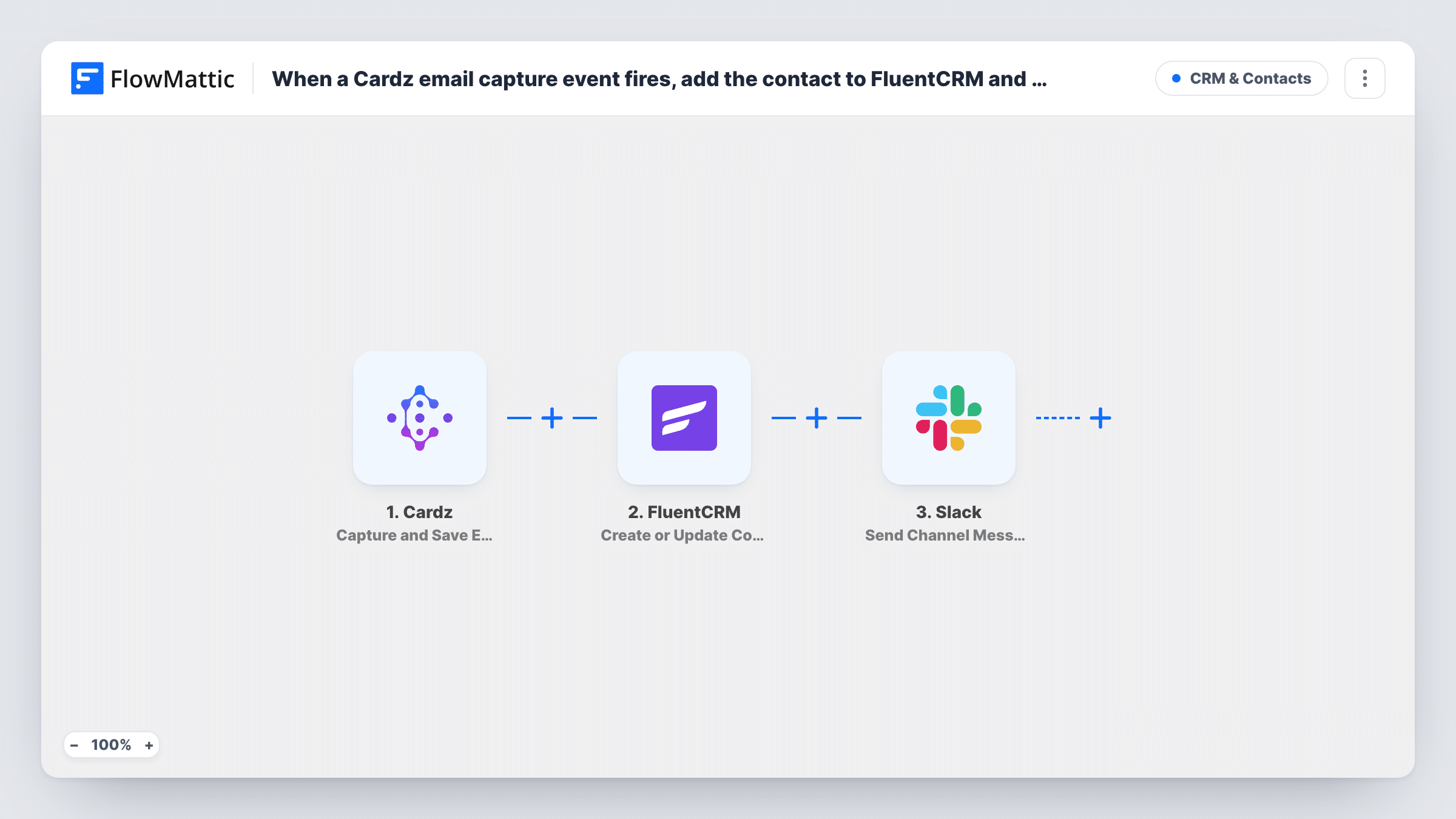
When someone leaves their email through a Cardz email capture block, this workflow creates or updates them as a FluentCRM contact and posts a Slack message so your team sees the new lead.
 Cardz
 FluentCRM
 Slack
3 steps Setup ~5 min Used on 2.4k sites Free to import
What this workflow does
A digital business card is often the first thing a prospect sees after meeting you. When they leave their email on it, that lead should land in your email list and in front of whoever follows up. Copying it out of Cardz by hand means some get missed. This workflow handles both parts as each email is captured.
The Cardz trigger, Capture and Save Email Block Event, fires when an email capture block on your card records an entry. FlowMattic passes the details to FluentCRM, which creates a new contact or updates an existing one based on the email address. Then the Slack step posts a message to the channel you choose, with the lead's details that you map into the text.
FluentCRM runs inside your WordPress site, so the contact is stored there. Every capture runs both steps, so someone who submits twice gets their FluentCRM contact updated and your team sees a second Slack post. Each run, with the data that moved, is recorded in Task History.
Trade show networking
You share your Cardz card at a booth. Visitors who leave their email become FluentCRM contacts, and the sales channel in Slack sees each one as it comes in.
Real estate open houses
Buyers scan an agent's card and enter an email for listing updates. FluentCRM holds them for the newsletter, and the office hears about each new name in Slack.
Consultant follow-ups
After a talk, attendees save their email on your card. You email them from FluentCRM later, while a Slack post reminds you who to thank personally.
How this workflow runs
What happens at each step once the workflow is on, and what you need before you import it.
 Cardz Capture and Save Email Block Event
Fires when someone saves their email in an email capture block on your Cardz card. The captured details come into FlowMattic for the FluentCRM and Slack steps.
- FluentCRM Create or Update Contact
Adds the person to FluentCRM, or updates them if a contact with that email already exists. Map the captured email to the contact email, and any name the block collects.
- Slack Send Channel Message
Puts a new-lead note in a Slack channel of your choice. Connect your workspace and write the text, mapping in the lead's email or name so the team knows who to contact.
What you need
- FlowMatticCore
- Cardz AccountAccount
- FluentCRM PluginPlugin
- Slack AccountAccount
After importing, map your own data. To keep the template universal, not every step is pre-filled. Open each step in the builder and connect your accounts and fields (channels, lists, sheets, recipients) before you switch the workflow on.
Make it yours
Changes worth making after you import it.
- Add FluentCRM's Add Tags to Contact step after the contact step, with a tag such as Cardz, so these leads are easy to segment later. Because the Cardz lead was just saved, the tag step has a contact to work on.
- Send a test capture from your own card after import. FlowMattic then has a sample of the Cardz data to map into FluentCRM and the Slack message.
- Posting to a private Slack channel needs Slack's Send Private Channel Message action rather than the channel action in this template.
Questions about this workflow
What happens if the Cardz lead is already a FluentCRM contact?
FluentCRM's Create or Update Contact matches by email address, so the existing contact is updated rather than duplicated. A later capture with blank fields may overwrite values you had, so map only the fields Cardz fills in.
Does FluentCRM have to be on the same site as FlowMattic?
Yes. FluentCRM is a WordPress plugin, and FlowMattic adds contacts to the FluentCRM install on the same WordPress site.
Will Cardz appointments start this workflow too?
No. This trigger is the email capture block event only. Cardz has a separate New Appointment Received trigger you could use in another workflow.
Can I skip the Slack post for some Cardz leads?
Add a Filter between FluentCRM and Slack on a value from the capture. The contact is still saved, and only leads that pass the Filter reach Slack.
More CRM & Contacts workflows
Other ready-to-import templates from the same category.







Import this workflow into your WordPress site
Download the JSON, import it from the Workflows screen and connect your accounts. Every run stays on your server, with no per-task fees.
30-day money-back guarantee Unlimited workflows and runs Self-hosted