

When a tag is added to the contact in FluentCRM, update the user post meta in WordPress and add the tag to the user in Mailchimp
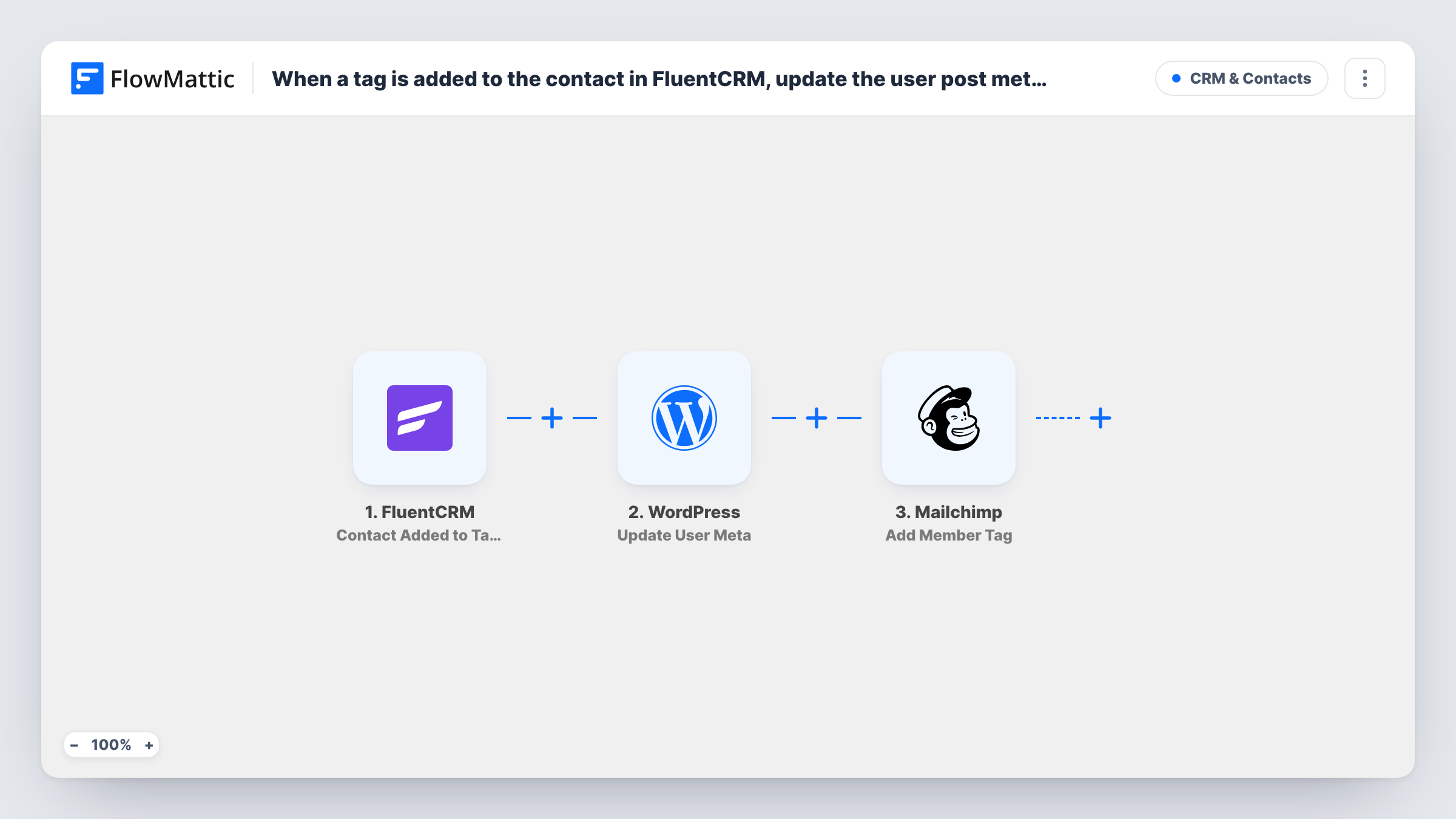
When a FluentCRM contact is added to a tag, this workflow updates a meta value on the matching WordPress user and adds a tag to that person’s Mailchimp member record, so all three places reflect the change.
 FluentCRM
 WordPress
 Mailchimp
3 steps Setup ~5 min Used on 1.8k sites Free to import
What this workflow does
Tags in FluentCRM often mean something beyond email: a customer level, a course they joined, a status your site or other tools need to know about. When you also send email through Mailchimp and store details on WordPress users, a tag added in FluentCRM stays there unless someone copies it across. This workflow carries the change to both places.
The FluentCRM trigger runs when a contact is added to tags. FlowMattic then uses the WordPress Update User Meta action to update meta on the matching WordPress user, with values you map from the contact and tag data. Last, the Mailchimp Add Member Tag action adds a tag to that person's member record in your audience.
Two things need to be true for each run to land. The contact must also be a WordPress user, and the email must already belong to a Mailchimp member. When either is missing, Task History shows what that step returned, and the other step still runs. There are no conditions, so any tag added to any contact starts the workflow.
Membership level kept on the user
When you tag a contact Gold in FluentCRM, the workflow saves that level in the user's meta for your site to read and tags the same person Gold in Mailchimp.
Course enrolment flags
A tag marks that a student joined a course. The user meta records it on their WordPress account, and the Mailchimp tag lets you include them in course emails sent from Mailchimp.
Moving from FluentCRM to Mailchimp gradually
Your team tags contacts in FluentCRM while some campaigns still go out from Mailchimp. Each tag is mirrored so Mailchimp segments stay current.
How this workflow runs
What happens at each step once the workflow is on, and what you need before you import it.
 FluentCRM Contact Added to Tags
Runs when a FluentCRM contact is added to one or more tags. The contact's details and the tag data are passed on for the next two steps.
- WordPress Update User Meta
Updates user meta on a WordPress user, using values you map from the FluentCRM contact and tag data. Run a test with a contact who has a user account to confirm which user changes and what is stored.
- Mailchimp Add Member Tag
Adds a tag to the person's member record in Mailchimp, using the contact details and tag you map. Connect your Mailchimp account and test with an address already in your audience.
What you need
- FlowMatticCore
- FluentCRM PluginPlugin
- Mailchimp AccountAccount
After importing, map your own data. To keep the template universal, not every step is pre-filled. Open each step in the builder and connect your accounts and fields (channels, lists, sheets, recipients) before you switch the workflow on.
Make it yours
Changes worth making after you import it.
- Add a Filter after the trigger so only the tag you care about continues. Without it, every tag added to every contact updates user meta and Mailchimp.
- Add a tag to a test contact who is a WordPress user and a Mailchimp member right after import. That captures real data to map in both action steps.
- If some contacts are not yet Mailchimp members, add a Mailchimp step before Add Member Tag that adds them to the audience first.
Questions about this workflow
What if the FluentCRM contact has no WordPress user account?
The Update User Meta step has no user to update and Task History shows its result. The Mailchimp step still runs, so the tag can still reach Mailchimp.
Does removing a tag in FluentCRM remove it from Mailchimp?
No. The trigger is Contact Added to Tags. Removing a tag does not start this workflow, and nothing removes the Mailchimp tag.
Does the Mailchimp tag have to match the FluentCRM tag name?
No. You decide what the Add Member Tag step applies. Map the tag from FluentCRM to mirror it, or set one tag of your own for every run.
Which FluentCRM tags start this workflow?
As imported, any tag added to any contact. Add a Filter after the trigger to narrow it to the tags that should reach WordPress and Mailchimp.
More CRM & Contacts workflows
Other ready-to-import templates from the same category.






Import this workflow into your WordPress site
Download the JSON, import it from the Workflows screen and connect your accounts. Every run stays on your server, with no per-task fees.
30-day money-back guarantee Unlimited workflows and runs Self-hosted