

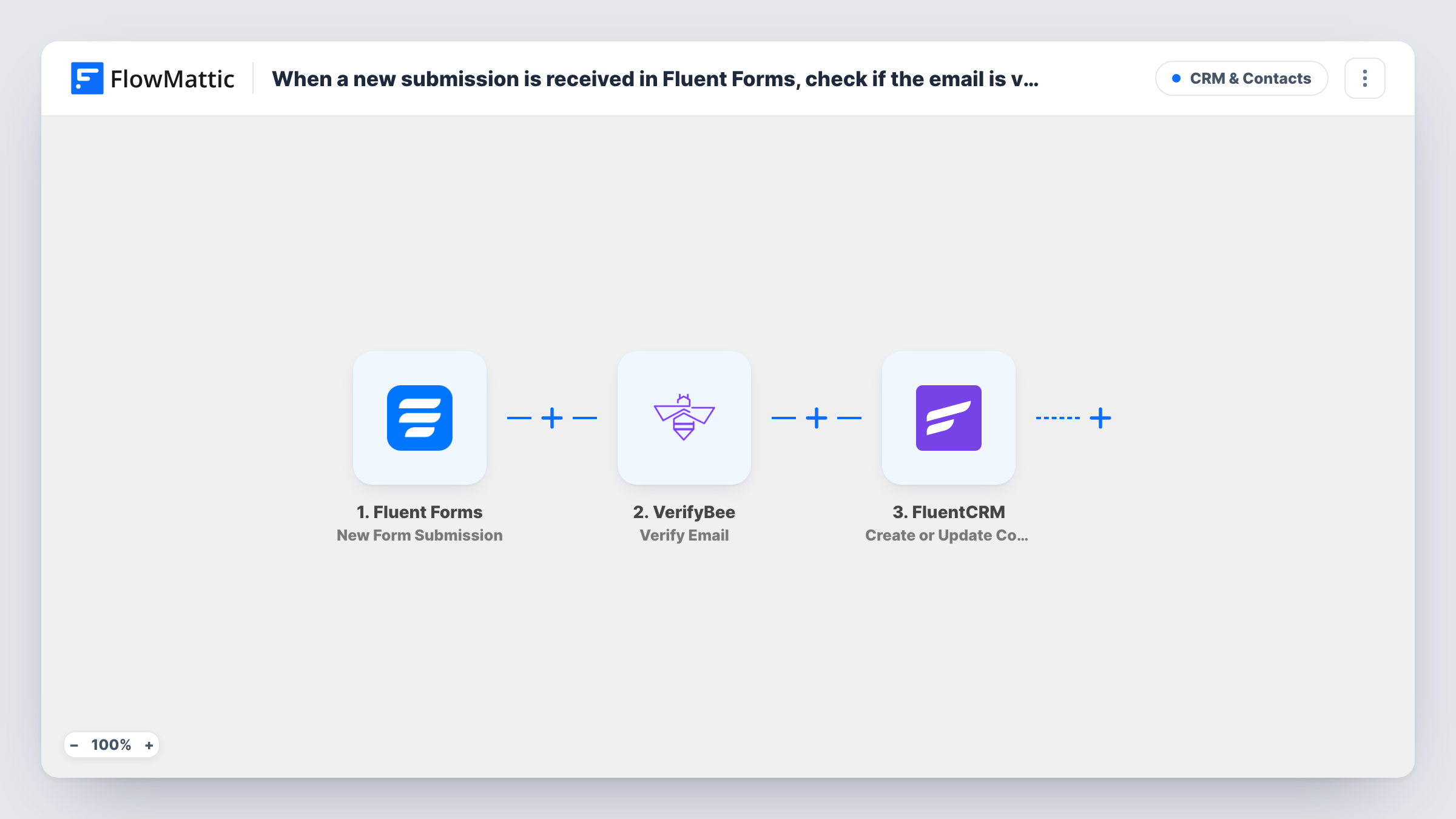
When a new submission is received in Fluent Forms, check if the email is valid with VerifyBee, and create a new contact in FluentCRM
Each Fluent Forms submission has its email address checked by VerifyBee, then the person is created or updated as a FluentCRM contact, so you know how each address tested before emailing it.
 Fluent Forms
 VerifyBee
 FluentCRM
3 steps Setup ~5 min Used on 2.2k sites Free to import
What this workflow does
Sign-up forms collect mistyped and made-up addresses along with the real ones. Once those land in FluentCRM they sit on your lists, and every campaign you send to them bounces. This workflow puts a VerifyBee check between the form and the CRM, so you know how each address tested before you email it.
A visitor submits a Fluent Forms form, and FlowMattic receives every answer. The email field goes to VerifyBee with its Verify Email action, and the response comes back as data you can map. The final step sends the submission to FluentCRM, which adds a new contact or updates the one that already has that address.
As imported, there is no condition between the check and the CRM. Every submission becomes a contact, whatever VerifyBee reports. To keep failed addresses out, add a Filter after the VerifyBee step. To keep everyone, check after a test run whether the FluentCRM step offers a place to store the VerifyBee result on the contact.
Newsletter sign-ups on a WordPress blog
Readers join through a Fluent Forms box. With a Filter added after VerifyBee, only addresses that pass reach your FluentCRM newsletter list.
Webinar registrations
Registrants become FluentCRM contacts you can send joining details to, and the VerifyBee response for each one is visible in Task History when an address looks doubtful.
Free trial or download requests
People asking for a trial or a file give an email address. Checking it first shows which entries used a throwaway or mistyped address before your follow-up sequence starts.
How this workflow runs
What happens at each step once the workflow is on, and what you need before you import it.
 Fluent Forms New Form Submission
Starts each time someone sends a Fluent Forms entry on your WordPress site. The email address and every other answer are passed on for the next two steps.
- VerifyBee Verify Email
Sends the submitted email address to VerifyBee to check it. Map the form's email field here and connect your VerifyBee account. The response is then available to the FluentCRM step.
- FluentCRM Create or Update Contact
Creates a contact in FluentCRM from the submission, or updates the existing contact with that email. Map the form fields here. The VerifyBee response is also available if you want to use it.
What you need
- FlowMatticCore
- Fluent Forms PluginPlugin
- VerifyBee AccountAccount
- FluentCRM PluginPlugin
After importing, map your own data. To keep the template universal, not every step is pre-filled. Open each step in the builder and connect your accounts and fields (channels, lists, sheets, recipients) before you switch the workflow on.
Make it yours
Changes worth making after you import it.
- Place a Filter between VerifyBee and FluentCRM that continues only when the result matches the value VerifyBee returns for a good address. Submit a test entry first to see that value.
- Use a Router instead of a Filter if you want both outcomes handled: one route sends passing addresses to FluentCRM, the other sends failed ones to a review sheet or a notification for you.
- Make the email field required in your Fluent Forms form so VerifyBee always has an address to check and FluentCRM has one to match contacts on.
Questions about this workflow
Will invalid emails still be added to FluentCRM?
Yes, as imported. The workflow checks every address but adds every submission. Add a Filter after the VerifyBee step to stop failed addresses before the FluentCRM step.
Do I need a VerifyBee account for this Fluent Forms workflow?
Yes. The check runs through your own VerifyBee account, which you connect when you import. Check your VerifyBee plan for how many verifications it covers.
What if the person is already a FluentCRM contact?
The step is Create or Update Contact, so FluentCRM updates the existing record with the new details instead of adding a duplicate.
Is the Fluent Forms entry kept if VerifyBee flags the address?
Yes. The workflow starts after the submission is made, so Fluent Forms stores the entry as normal whatever the result. The check only affects what reaches FluentCRM.
More CRM & Contacts workflows
Other ready-to-import templates from the same category.





Import this workflow into your WordPress site
Download the JSON, import it from the Workflows screen and connect your accounts. Every run stays on your server, with no per-task fees.
30-day money-back guarantee Unlimited workflows and runs Self-hosted