

When a Funnelforms form is submitted, add the lead to ActiveCampaign and notify the team on Telegram
When someone completes a Funnelforms form, this workflow creates or updates their ActiveCampaign contact and sends a Telegram message to your team with the lead’s details.
 Funnelforms
 ActiveCampaign
 Telegram
3 steps Setup ~5 min Used on 3.4k sites Free to import
What this workflow does
Funnelforms is built to turn visitors into leads with multi-step forms. The lead is only useful once it sits in your CRM and someone on the team knows it arrived. This workflow does both straight after the form is sent, so nobody has to watch the form entries or copy them by hand.
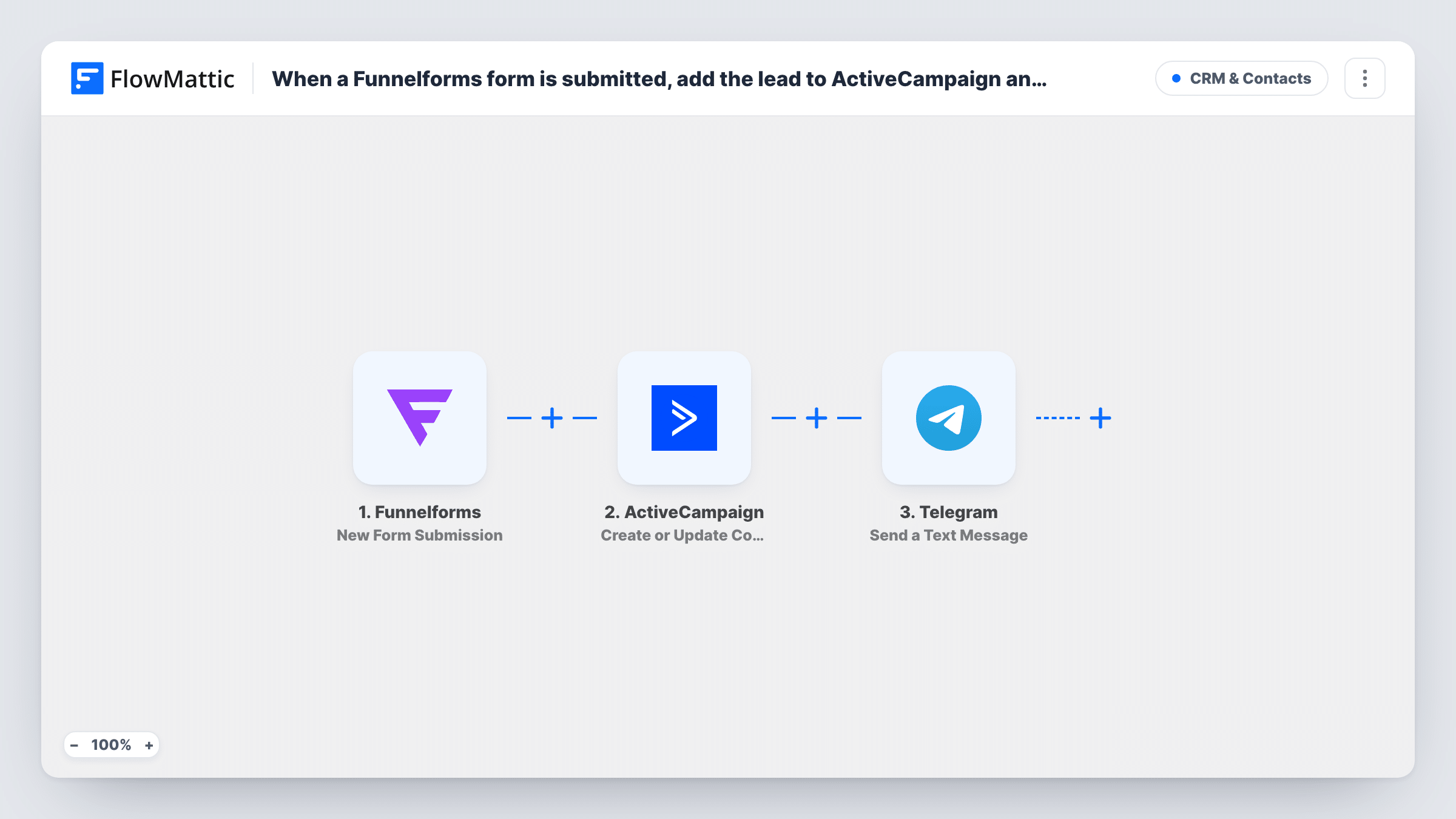
The Funnelforms trigger picks up each submission. FlowMattic sends the answers to ActiveCampaign, which creates a contact, or updates the existing contact when that person is already there. Next, Telegram posts a text message to the chat you choose, built from the fields you map, such as the name, email and the answer that matters most to your sales process.
The CRM update and the chat message happen on every submission, with no condition between them. Each run shows in Task History, so you can see what reached ActiveCampaign and whether the Telegram message went out.
Quote funnel for a trades business
A Funnelforms quote funnel asks about job type and postcode. The lead goes to ActiveCampaign for follow-up emails, and the team's Telegram group sees the job straight away.
Coaching discovery calls
Applicants for a discovery call become ActiveCampaign contacts, and the coach gets a Telegram message with their main goal from the form.
Agency lead qualification
A budget and timeline funnel feeds ActiveCampaign, while a Telegram message to the sales chat shows the budget answer so someone can reply quickly.
How this workflow runs
What happens at each step once the workflow is on, and what you need before you import it.
 Funnelforms New Form Submission
Runs each time a visitor submits a Funnelforms form. Every answer from the funnel becomes available to map in the ActiveCampaign and Telegram steps.
- ActiveCampaign Create or Update Contact
Creates a contact in ActiveCampaign from the submission, or updates the contact if it already exists. Map the form's email field, plus name and phone fields if your funnel collects them.
- Telegram Send a Text Message
Sends a text message to Telegram with the lead details you map. Connect your Telegram bot, choose the chat, and write the message using fields from the form.
What you need
- FlowMatticCore
- Funnelforms AccountAccount
- ActiveCampaign AccountAccount
- Telegram AccountAccount
After importing, map your own data. To keep the template universal, not every step is pre-filled. Open each step in the builder and connect your accounts and fields (channels, lists, sheets, recipients) before you switch the workflow on.
Make it yours
Changes worth making after you import it.
- Add a Filter before the Telegram step that continues only for a chosen answer, such as a high budget, so the team chat hears about priority leads while every lead still reaches ActiveCampaign.
- Put the ActiveCampaign contact into a list or automation from the ActiveCampaign side, so a welcome sequence starts once the contact arrives.
- Submit the funnel once after import so FlowMattic captures its fields, then map them in both later steps before you turn the workflow on.
Questions about this workflow
What happens if the lead is already in ActiveCampaign?
The step is Create or Update Contact, so the existing contact is updated with the new answers instead of being duplicated. The Telegram message is still sent for the submission.
Can the Telegram message go to a group chat?
Yes, as long as your Telegram bot is a member of that group. Pick the chat in the Telegram step, then send a test submission to confirm the message arrives.
Does every Funnelforms submission trigger both steps?
Yes. There is no Filter in the template, so each submission updates ActiveCampaign and sends a Telegram message. Add a Filter if you only want alerts for some leads.
Will past Funnelforms entries be sent to ActiveCampaign?
No. The trigger reacts to new submissions, so only entries made after you turn the workflow on are processed.
More CRM & Contacts workflows
Other ready-to-import templates from the same category.




Import this workflow into your WordPress site
Download the JSON, import it from the Workflows screen and connect your accounts. Every run stays on your server, with no per-task fees.
30-day money-back guarantee Unlimited workflows and runs Self-hosted