

When a Gainsight feedback event arrives, log it in Airtable and notify the success team in Slack
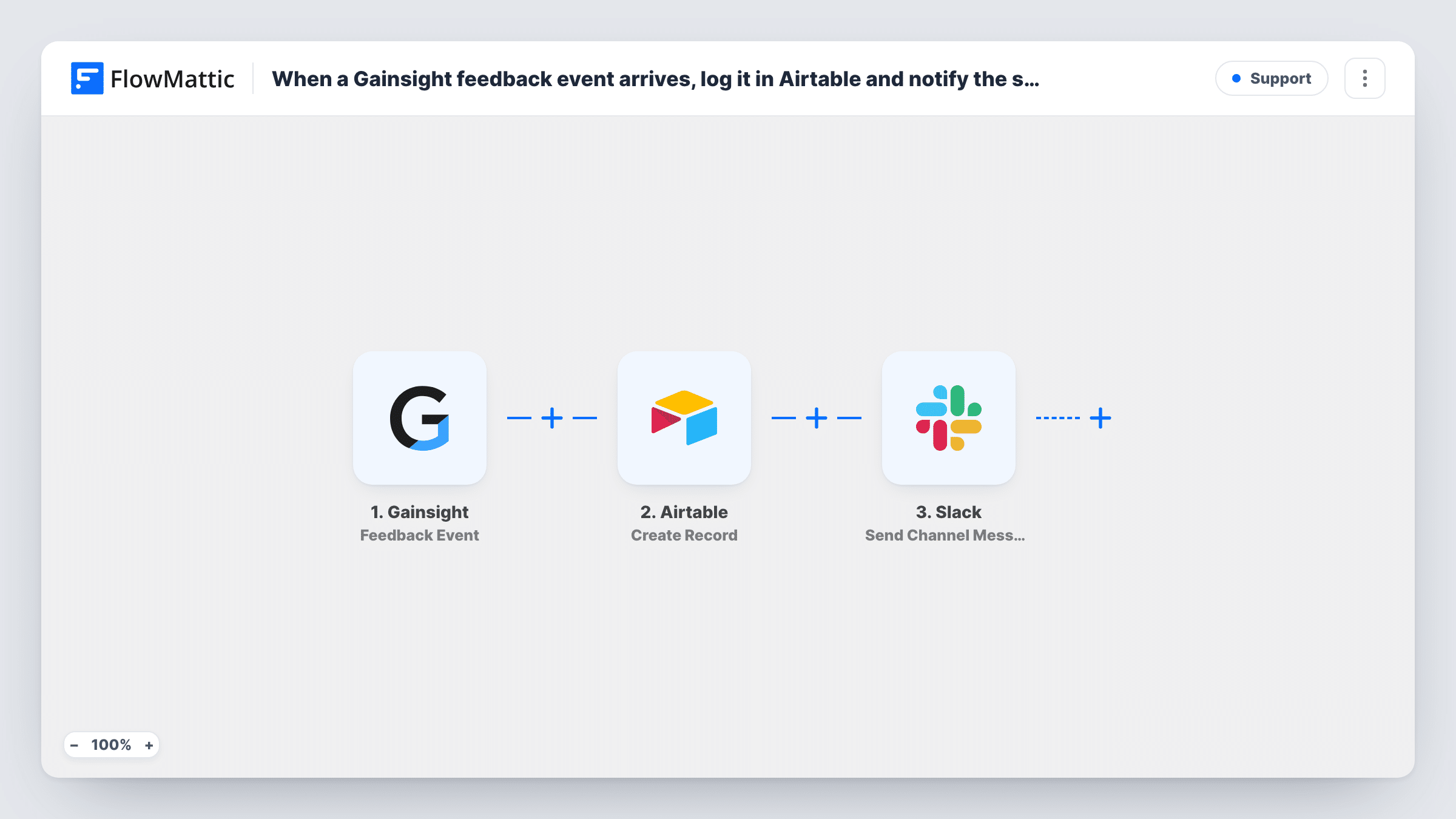
When Gainsight sends a feedback event, this workflow saves it as a new Airtable record and then posts a Slack channel message, so your success team has both a log and a heads-up.
 Gainsight
 Airtable
 Slack
3 steps Setup ~5 min Used on 2.5k sites Free to import
What this workflow does
Customer feedback collected in Gainsight is useful only when the right people see it and it is stored somewhere they can sort and review. This workflow gives each feedback event two homes: a row in an Airtable base for tracking, and a message in Slack so the success team knows it arrived.
The Gainsight trigger starts a run whenever it sends a feedback event. FlowMattic passes the event data to Airtable, which creates a new record in the base and table you choose, with the event values mapped to your fields. The run then moves to Slack and posts a message to the channel you pick, built from the same event data.
Each feedback event creates its own Airtable record and its own Slack message. Nothing is filtered or merged as imported. Task History shows every run, including what reached Airtable and Slack, which helps when you check your field mapping.
A feedback tracker for customer success
Your CS team triages feedback in an Airtable base with views by account and status. Each Gainsight feedback event becomes a record they can assign and work through.
Keeping the success channel informed
Managers watch a #customer-success channel in Slack. A message for each feedback event means they hear about it the same day without opening Gainsight.
Sharing feedback with product
Product managers without Gainsight access can read the Airtable table, while the Slack message points the success team to the new entry.
How this workflow runs
What happens at each step once the workflow is on, and what you need before you import it.
 Gainsight Feedback Event
Fires for a Gainsight feedback event. The values in that event are passed on so the Airtable and Slack steps can use them.
- Airtable Create Record
Adds one fresh Airtable record for the feedback event, in the base and table you pick. Connect your Airtable account and map the Gainsight event values to your table's fields.
- Slack Send Channel Message
Sends a note about the feedback to a Slack channel of your choice. Connect Slack and write the message text using values from the Gainsight event.
What you need
- FlowMatticCore
- Gainsight AccountAccount
- Airtable AccountAccount
- Slack AccountAccount
After importing, map your own data. To keep the template universal, not every step is pre-filled. Open each step in the builder and connect your accounts and fields (channels, lists, sheets, recipients) before you switch the workflow on.
Make it yours
Changes worth making after you import it.
- Add a Filter between the Gainsight trigger and the Airtable step if only some feedback matters, for example events of one type or score. A Filter stops every later step, so filtered events reach neither Airtable nor Slack. Check field names with a test event.
- Map Airtable's response into the Slack message if it returns the new record's ID, so the team can find the matching Airtable entry quickly. Check what Airtable returns in Task History.
- If feedback for some accounts belongs in a different channel, add a Router between the Airtable step and the Slack step. Give each route its own Slack step for one channel, with conditions that cannot both match.
Questions about this workflow
Does every Gainsight feedback event create a new Airtable record?
Yes. The Airtable step uses Create Record, so each event adds a new record. It does not look for an existing record to update.
What will the Slack post about Gainsight feedback contain?
Whatever you write in the Send Channel Message step. You can mix your own text with values from the Gainsight event, such as the account or the feedback content, if the event includes them.
Can the Gainsight feedback post to a private Slack channel?
Not as shipped. The template uses Send Channel Message, which posts to a #channel you pick. If your success team's channel is private, switch to the Send Private Channel Message action that FlowMattic's Slack integration offers.
Do I need a specific Airtable table layout for Gainsight feedback?
No fixed layout is required. Create the fields you want in your table, then map the Gainsight values to them in the Create Record step.
More Support workflows
Other ready-to-import templates from the same category.






Import this workflow into your WordPress site
Download the JSON, import it from the Workflows screen and connect your accounts. Every run stays on your server, with no per-task fees.
30-day money-back guarantee Unlimited workflows and runs Self-hosted