

When a Hibob employee profile is updated, update the matching Google Sheets row and alert the team in Slack
When an employee’s profile is updated in Hibob, FlowMattic finds that person’s row in your Google Sheets staff list, updates it with the new details and posts a note in Slack.
 Hibob
Hibob
 Google Sheets
 Slack
Slack4 steps Setup ~8 min Used on 2.2k sites Free to import
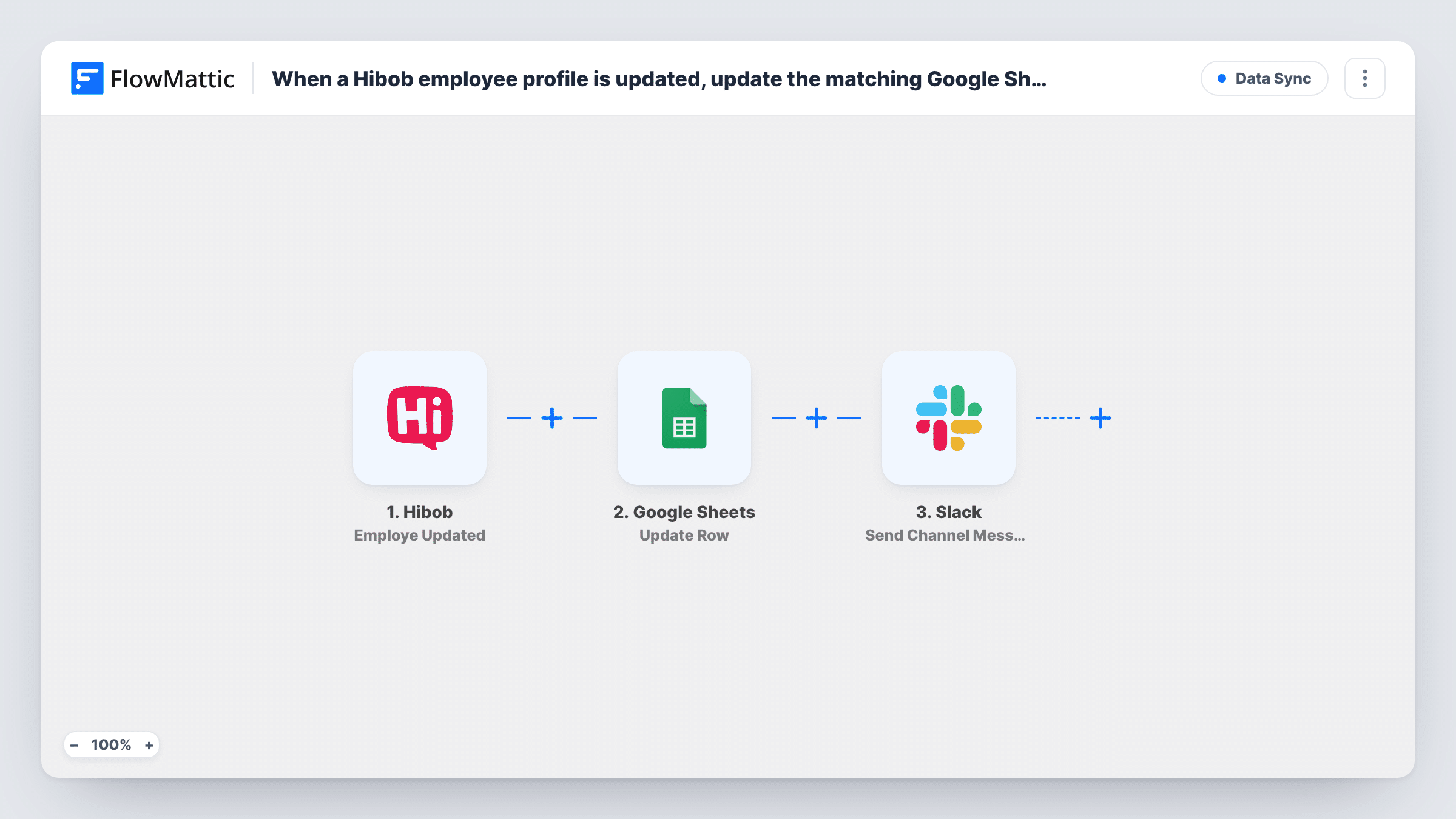
What this workflow does
Many teams keep a staff sheet alongside their HR system for headcount planning, equipment lists or office seating. It goes stale the moment someone changes a title or a manager in Hibob. This workflow keeps that sheet current and tells the people who rely on it.
The Hibob trigger fires when an existing employee is updated in Bob and passes the employee's details on. The first Google Sheets step, Lookup Row Data, searches your sheet for that person. Your sheet needs a column that holds a value Hibob also sends, such as the employee ID or work email, and you set the lookup to search that column for the value from the trigger.
Then Update Row rewrites that employee's row in place. Map the row the lookup returned into it (a test run shows how it's identified), then map the Hibob fields into the columns that should change. Last, a Slack step posts a message to the channel you choose, for example naming the employee and their current title and department.
None of the lookup, update or Slack steps is mapped in the template. Every saved change to a profile runs the workflow, so busy HR days produce several Slack posts. Update a test employee in Hibob and check Task History to see what each step returned.
Headcount sheet for finance
Finance keeps a Google Sheet of employees with department and cost centre, and Hibob profile changes keep those columns right without HR sending updates.
IT notified about role changes
When someone's job title or department changes in Hibob, the #it-requests channel gets a Slack post so access and equipment can be reviewed.
Office manager's seating list
An office manager's sheet of desks and teams stays current as managers and locations are updated in Hibob.
How this workflow runs
What happens at each step once the workflow is on, and what you need before you import it.
 Hibob Employe Updated
Fires when an existing employee is updated in Hibob. The employee's profile details are passed to the lookup, update and Slack steps.
- Google Sheets Lookup Row Data
Searches your staff sheet for the employee. Point it at the column that holds the employee ID or work email and map the matching value from the Hibob trigger.
- Google Sheets Update Row
Updates the row the lookup found with mapped data. Map the row returned by step 2, then map the Hibob fields you track into their columns.
- Slack Send Channel Message
Posts an update to the Slack channel you pick. Write the message after import and map in the employee's name and the fields your team cares about.
What you need
- FlowMatticCore
- Hibob AccountAccount
- Google Sheets AccountAccount
- Slack AccountAccount
After importing, map your own data. To keep the template universal, not every step is pre-filled. Open each step in the builder and connect your accounts and fields (channels, lists, sheets, recipients) before you switch the workflow on.
Make it yours
Changes worth making after you import it.
- Use the Hibob employee ID as the lookup column rather than a name, since names can change and two people can share one.
- Put a Filter between the lookup step and the Update Row step that continues only when the lookup found a row, so people missing from the sheet end there.
- For a private HR channel, swap the Slack step for Send Private Channel Message.
- Add a last-updated column to the sheet and map an update time into it, if Hibob sends one, so you can see when each row last changed.
Questions about this workflow
What if the Hibob employee isn't in my Google Sheet?
The lookup finds no row, so there's nothing for Update Row to change. Task History shows the lookup's result. Add new hires with a separate workflow on Hibob's New Employee Created trigger.
Does every Hibob profile change send a Slack message?
Yes, as imported. Each update to an employee starts a run. Add a Filter between the Update Row step and the Slack step if only certain changes should be announced.
Which columns in the staff sheet get updated?
Just the columns you map Hibob fields into when you set up Update Row. Leave out columns your team edits by hand so the workflow doesn't overwrite them.
Can this also add new Hibob employees to the sheet?
Not this workflow, which only reacts to updates. FlowMattic's Hibob integration has a New Employee Created trigger that you could pair with Google Sheets' Add New Row action.
More Data Sync workflows
Other ready-to-import templates from the same category.





Import this workflow into your WordPress site
Download the JSON, import it from the Workflows screen and connect your accounts. Every run stays on your server, with no per-task fees.
30-day money-back guarantee Unlimited workflows and runs Self-hosted