

When a Jira Software issue is created, add a Todoist task and notify the team in Slack
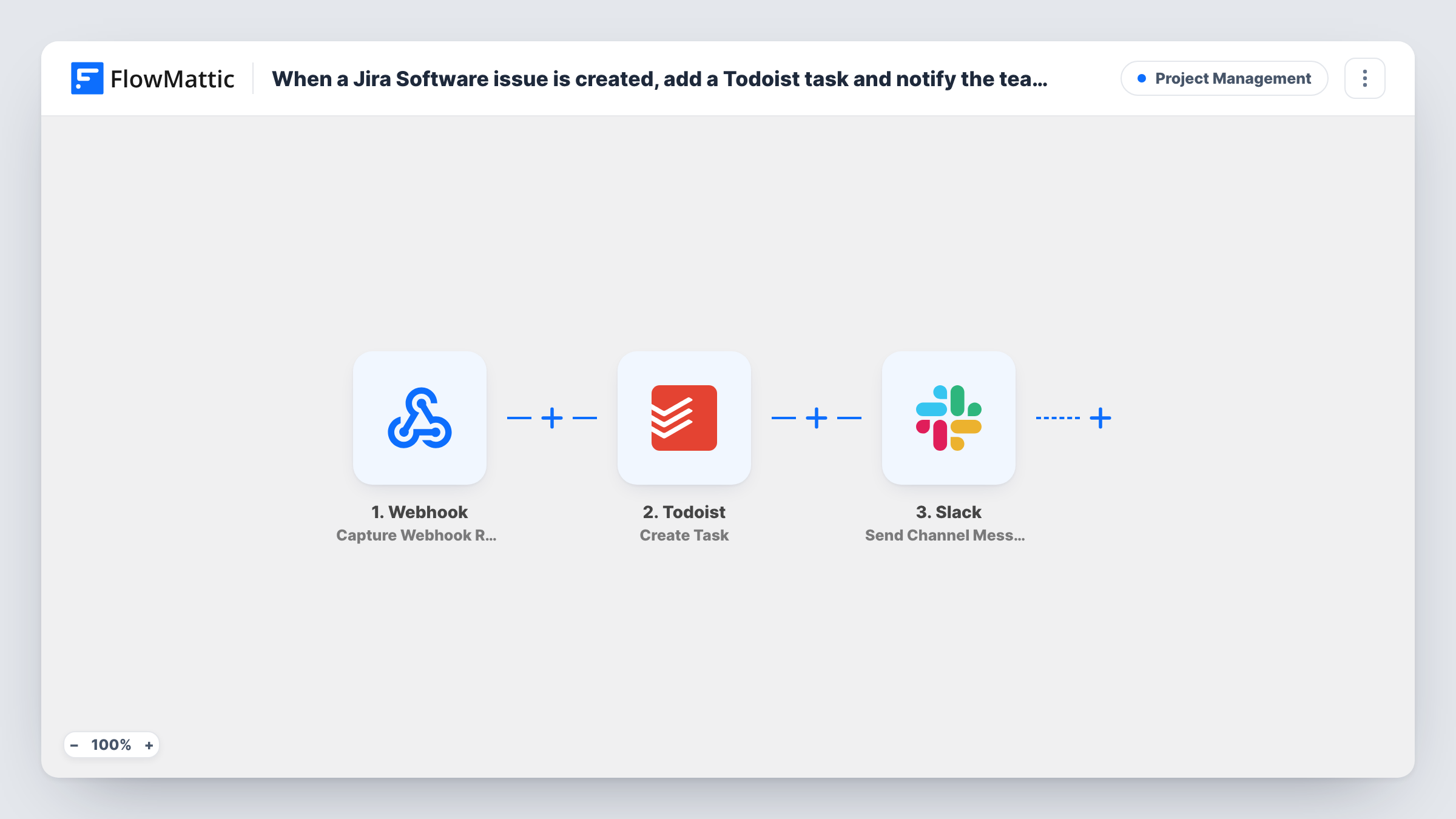
When Jira Software sends a created-issue webhook to this workflow, FlowMattic adds a task to Todoist and then posts a note in a Slack channel, so the work is on a to-do list and the team knows about it.
 Webhook
 Todoist
 Slack
Slack3 steps Setup ~5 min Used on 3.2k sites Productivity Free to import
What this workflow does
Some teams plan in Jira but do their daily work from a personal list in Todoist, and talk in Slack. A new issue then has to be noticed in Jira, copied to Todoist and mentioned in Slack. This workflow does the copying and the mention whenever Jira reports a new issue.
Step one is a FlowMattic Webhook trigger. You add its URL to a webhook in Jira that sends the issue created event. FlowMattic's own Jira Software trigger also works by receiving a webhook you set up in Jira, so this setup gets the same data. The issue details then go to Todoist, where Create Task adds a task in the project you pick. Last, Send Channel Message posts in Slack with the details you put in the text.
The events that arrive are the ones you tick in Jira's webhook. If edits or comments are included, each one adds another Todoist task and another Slack post. Turn on the Webhook trigger's authentication setting where your Jira webhook supports it, since without it anyone holding the URL can start a run.
Developer who works from Todoist
A developer keeps their day in Todoist. New issues in the team's Jira project appear there as tasks, and the team channel in Slack gets a note at the same time.
Agency handling client tickets
Client requests are logged in Jira. The account manager gets a Todoist task to reply to the client, and the delivery team sees the issue in Slack.
Small team with one shared Todoist project
Every new Jira issue becomes a task in the shared project, and a Slack message tells the team it's there so someone can claim it.
How this workflow runs
What happens at each step once the workflow is on, and what you need before you import it.
 Webhook Capture Webhook Response
Receives the issue data Jira posts to this workflow's URL. Register the URL in a Jira webhook for the issue created event, then create a test issue to capture its fields.
- Todoist Create Task
Creates a task in Todoist from the Jira issue. Connect your Todoist account, pick the project, and use the issue key and summary in the task's content.
- Slack Send Channel Message
Posts a note about the new issue in the Slack channel you select. Connect your workspace and build the message from the Jira fields, such as the summary and reporter.
What you need
- FlowMatticCore
- Todoist AccountAccount
- Slack AccountAccount
After importing, map your own data. To keep the template universal, not every step is pre-filled. Open each step in the builder and connect your accounts and fields (channels, lists, sheets, recipients) before you switch the workflow on.
Make it yours
Changes worth making after you import it.
- Use a JQL filter in the Jira webhook to send only issues from the projects you want, so other projects don't create Todoist tasks.
- Put the Jira issue key in the Todoist task name. It makes the task easy to find in Jira when you come to close it.
- Add a Filter after the trigger that continues only for certain issue types, such as Bug, if the rest should stay in Jira alone.
Questions about this workflow
Does closing the Todoist task resolve the Jira issue?
No. The workflow only copies from Jira to Todoist and Slack. Nothing in it sends changes back to Jira.
Why does the Jira, Todoist and Slack workflow start with a generic Webhook?
FlowMattic's Jira Software trigger is a webhook receiver too, so both get the same data from a webhook you set up in Jira. You register the URL in Jira either way.
Will Jira issue updates create more Todoist tasks?
Only if your Jira webhook sends update events. Select issue created alone in Jira so each issue gives one task and one Slack message.
Can the Slack note go to a private channel or one person?
The imported Slack step posts to a regular channel only. Swap it for Send Private Channel Message for a private channel, or Send Direct Message to reach one person.
More Project Management workflows
Other ready-to-import templates from the same category.




Import this workflow into your WordPress site
Download the JSON, import it from the Workflows screen and connect your accounts. Every run stays on your server, with no per-task fees.
30-day money-back guarantee Unlimited workflows and runs Self-hosted