

When a Kylas CRM deal is created, log it in Google Sheets, notify the team in Slack, then mark the row as tracked
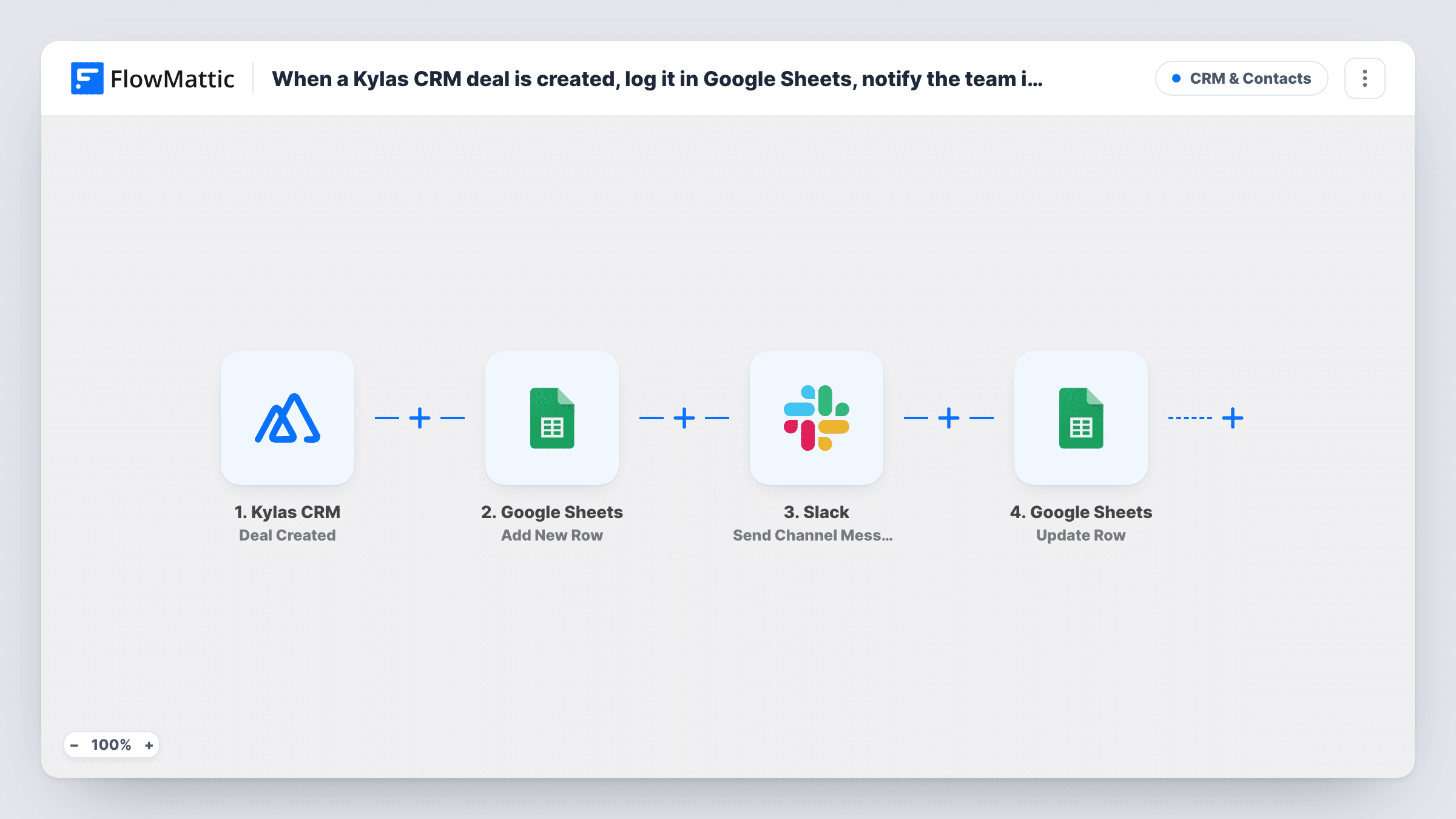
When Kylas CRM reports a new deal, FlowMattic adds it to a Google Sheets log, posts a Slack notice, then looks the row up again and marks it as tracked.
 Kylas CRM
 Google Sheets
 Slack
Slack5 steps Setup ~8 min Used on 2.5k sites Free to import
What this workflow does
Sales managers often keep a deal log outside the CRM for forecasting, commission or a weekly review. Copying each new deal into a sheet by hand and telling the team in Slack is slow. This workflow does both when a deal is created in Kylas CRM, and leaves a marker in the sheet showing the deal went through the whole flow.
The Kylas CRM Deal Created trigger receives deal events from a Kylas webhook. FlowMattic describes it as firing when a deal is created, updated or deleted, so subscribe the webhook in Kylas to the deal created event only. With updates or deletions selected, each edit would log, notify and mark again.
The first Google Sheets step adds a row with the deal details you map, such as the deal name, value, owner and the Kylas deal ID. A Slack message then tells the channel you choose about the deal.
The last two steps find that row again and change it. Lookup Row Data searches the sheet for a value from the deal, ideally the Kylas deal ID you stored, and Update Row writes to the row it returns, for example "Tracked" in a status column. All four action steps ship unmapped, so map each one after import and test with a new deal, then check Task History for each step's result.
Deal log for a weekly pipeline review
A sales manager keeps every new Kylas deal in a Google Sheet for the Monday review, and the tracked column shows each row went through the whole flow.
New-deal shout-outs in Slack
A growing sales team posts each new Kylas deal to its #wins-and-pipeline channel, so reps see what colleagues are working on.
Commission tracking sheet
A finance assistant uses the sheet's rows to prepare commission figures by deal owner, and only counts rows that carry the tracked marker.
How this workflow runs
What happens at each step once the workflow is on, and what you need before you import it.
 Kylas CRM Deal Created
Receives deal events from your Kylas CRM webhook. Subscribe that webhook to the deal created event alone; the trigger can also carry updates and deletions, which would repeat every step.
- Google Sheets Add New Row
Adds a row for the new deal to your Google Sheets log. Pick the spreadsheet and map the deal name, value, owner and Kylas deal ID into columns after import.
- Slack Send Channel Message
Posts a notice about the new deal to the Slack channel you choose. Write the message after import, mapping in details from Kylas such as the deal name and value.
- Google Sheets Lookup Row Data
Searches the same sheet for the row you just added, using a value from the deal. Search the column that holds the Kylas deal ID, so the lookup finds this deal's row and no other.
- Google Sheets Update Row
Writes to the row the lookup returned, for example "Tracked" in a status column. Map the row reference from step 4 and the value to write; other columns keep what step 2 put there.
What you need
- FlowMatticCore
- Kylas CRM AccountAccount
- Google Sheets AccountAccount
- Slack AccountAccount
After importing, map your own data. To keep the template universal, not every step is pre-filled. Open each step in the builder and connect your accounts and fields (channels, lists, sheets, recipients) before you switch the workflow on.
Make it yours
Changes worth making after you import it.
- Store the Kylas deal ID in its own column in step 2, because a unique value makes the lookup in step 4 find exactly one row.
- Add a status column to the sheet header before you map Update Row, so the tracked marker has a place to go.
- Include the deal owner in the Slack message, so the team knows who to congratulate or ask about the deal.
- For a private sales channel, swap in Slack's Send Private Channel Message action for step 3.
Questions about this workflow
Why does the Kylas deal workflow look up the row it just added?
Before anything is marked, the deal's row has to be located. The template finds it with Lookup Row Data, searching for the deal's value, and Update Row then writes to the row that search returns.
Will editing a Kylas deal add another row?
Not if the Kylas webhook is subscribed only to deal created. With update events selected too, each edit would add a row, post to Slack and mark again.
What does marking a row as tracked mean here?
Update Row writes whatever value you map into the row, such as "Tracked" or the date. It shows the deal went through every step of this workflow.
Which Kylas deal fields can go into the sheet and Slack message?
Whatever the Kylas deal event includes. Create a test deal and look at the trigger data in FlowMattic, then map fields such as name, value, owner and stage.
More CRM & Contacts workflows
Other ready-to-import templates from the same category.






Import this workflow into your WordPress site
Download the JSON, import it from the Workflows screen and connect your accounts. Every run stays on your server, with no per-task fees.
30-day money-back guarantee Unlimited workflows and runs Self-hosted