

When a new Uscreen member joins, create a HubSpot CRM contact and send a welcome email via Gmail
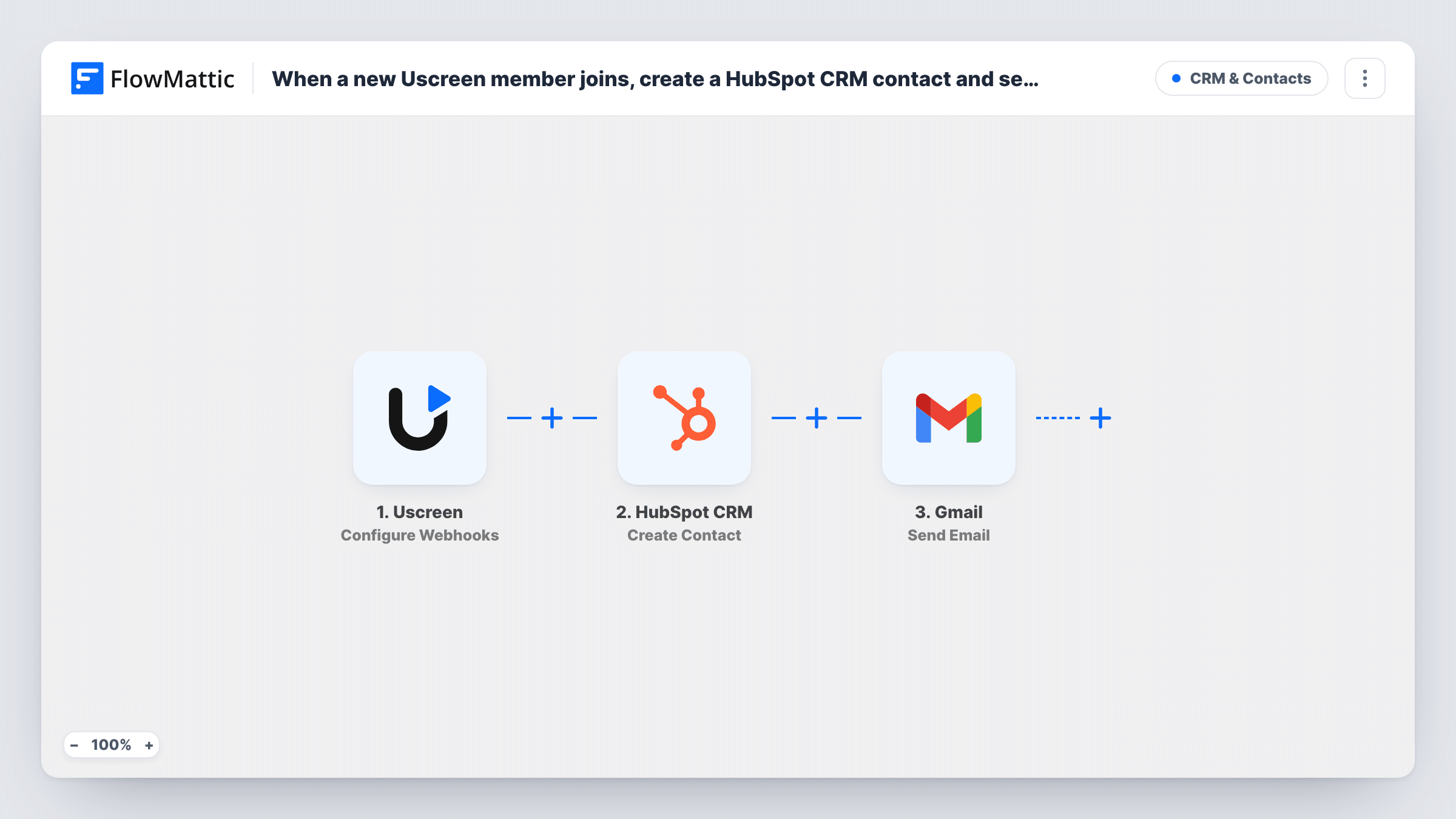
When Uscreen reports a new member through its webhook, this workflow creates a HubSpot CRM contact for them and sends a welcome email from your Gmail account, all in one run.
 Uscreen
 HubSpot CRM
 Gmail
Gmail3 steps Setup ~5 min Used on 2.3k sites Free to import
What this workflow does
New members of a Uscreen video platform often need two things straight away: a record in your CRM so your team knows who they are, and a personal welcome. This workflow does both from one Uscreen event.
The Uscreen trigger receives webhook events. FlowMattic describes it as letting you select the event type, and the template leaves it unset, so choose the event that marks a new member and have Uscreen send only that one. The member data then goes to HubSpot CRM, where Create Contact adds a new contact from the details you map.
Last, the Gmail step sends your welcome message from the Google account you connect, addressed to the member's email from Uscreen. Create Contact only makes new records, so HubSpot may refuse an address it already holds; Task History shows that response, and the Gmail step still runs.
Faith community streaming services
A church sells access to recorded services on Uscreen. Each new member becomes a HubSpot contact for the pastoral team and gets a personal welcome from the office Gmail.
Cooking school memberships
A cookery channel welcomes each subscriber with a Gmail message listing the best first recipes, while HubSpot keeps the member for later course offers.
B2B training libraries
Companies buy seats on a Uscreen training site. Each new learner is added to HubSpot for the account manager and receives login help by email.
How this workflow runs
What happens at each step once the workflow is on, and what you need before you import it.
 Uscreen Configure Webhooks
Listens for the member events your Uscreen account posts to this workflow's URL. Set the event type for new members after import, send only that event from Uscreen, and run a test to see the member fields.
- HubSpot CRM Create Contact
Creates a new HubSpot CRM contact from the Uscreen member data. Map the member's email, plus name or plan if Uscreen sends them, into the contact.
- Gmail Send Email
Sends a welcome email from the Google account you connect. Map the member's email from Uscreen as the recipient and write your welcome text.
What you need
- FlowMatticCore
- Uscreen AccountAccount
- HubSpot CRM AccountAccount
- Gmail AccountAccount
After importing, map your own data. To keep the template universal, not every step is pre-filled. Open each step in the builder and connect your accounts and fields (channels, lists, sheets, recipients) before you switch the workflow on.
Make it yours
Changes worth making after you import it.
- Send a test event from Uscreen after setting the event type, then map the member fields into both HubSpot and Gmail before going live.
- Add a Delay before the Gmail step if you would rather the welcome arrive a little after sign-up than straight away.
- Put a Filter after the trigger if only some Uscreen plans should get this welcome, using the plan field from a test run if Uscreen sends one.
Questions about this workflow
Which Uscreen event starts the HubSpot and Gmail steps?
Whichever event type you choose in the trigger. The template doesn't set one, so pick the new-member event and limit Uscreen's webhook to it.
What if the new Uscreen member is already a HubSpot contact?
Create Contact doesn't update existing contacts, so HubSpot may refuse the duplicate email. Task History shows the response, and the welcome email is still sent.
Does the welcome email come from Uscreen or Gmail?
From Gmail. The workflow sends it through the Google account you link, so replies come to that inbox. Uscreen's own emails are not changed.
Are existing Uscreen members imported into HubSpot?
No. Only events Uscreen sends after the webhook and workflow are active start a run.
More CRM & Contacts workflows
Other ready-to-import templates from the same category.






Import this workflow into your WordPress site
Download the JSON, import it from the Workflows screen and connect your accounts. Every run stays on your server, with no per-task fees.
30-day money-back guarantee Unlimited workflows and runs Self-hosted