

When a MaintainX work order status changes, update the row in Google Sheets and alert the team in Slack
When a MaintainX work order changes status, the matching row in your Google Sheets tracker is found and updated with the new status, and your team gets a Slack channel alert.
 MaintainX
 Google Sheets
 Slack
4 steps Setup ~8 min Used on 2.1k sites Free to import
What this workflow does
Many maintenance teams keep a spreadsheet of work orders for managers or contractors who don't use MaintainX. Keeping its status column current by hand is tedious. This workflow updates that sheet whenever a work order's status changes and tells the team in Slack.
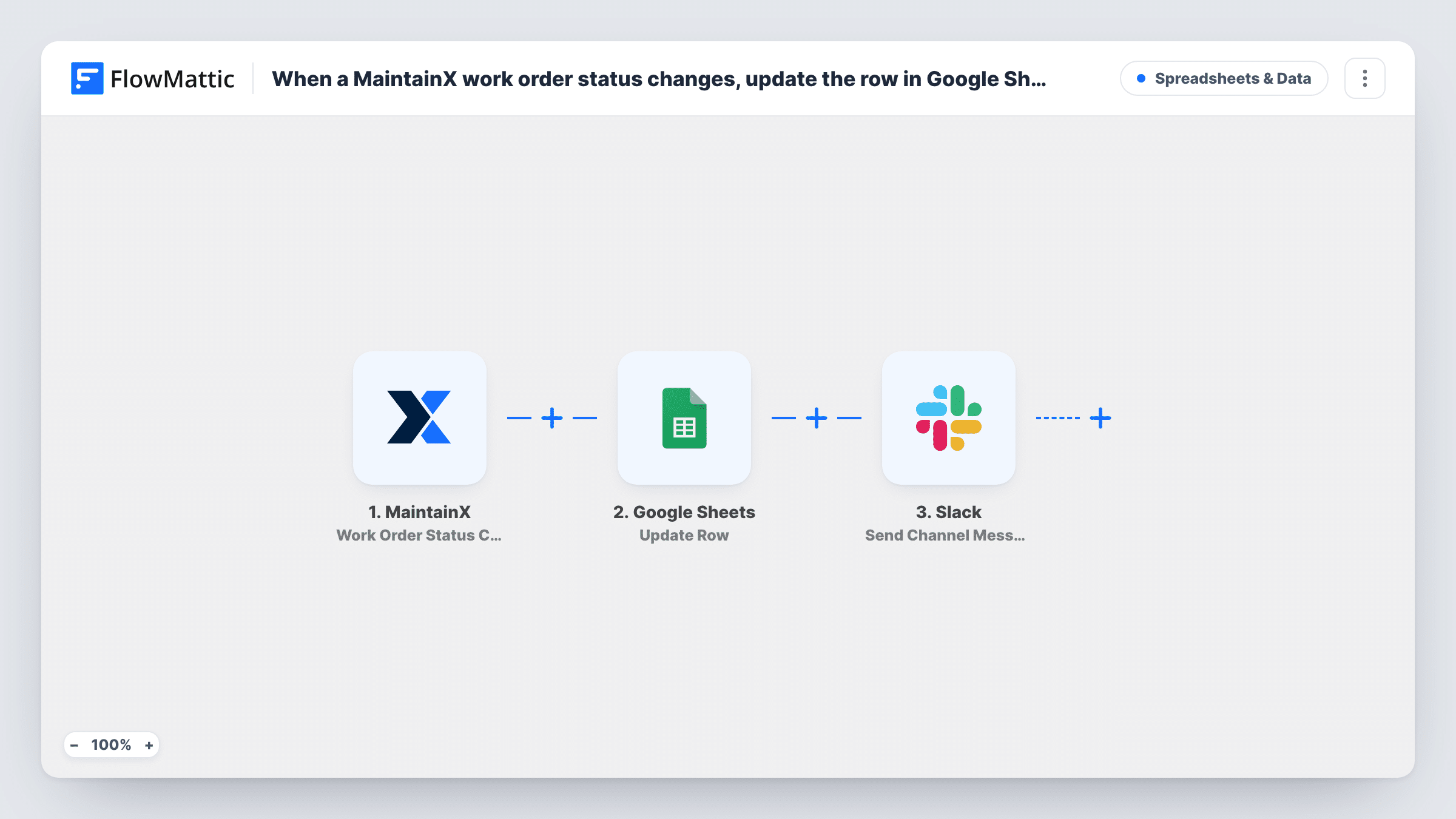
The MaintainX trigger fires on any work order status change and passes the work order's details on. The Lookup Row Data step in Google Sheets then searches your sheet for that work order, usually by its ID in a column you choose. The Update Row step writes the new status, and anything else you map, into the row the lookup found.
This only works if the sheet already has a row for each work order with its MaintainX ID in its own column. If the lookup finds no match, there is no row to update, and Task History shows what the lookup returned. Brand-new work orders need their row added first, for example by a separate workflow on MaintainX's New Work Order trigger.
The last step posts to a Slack channel you choose, with the message you write. All three action steps ship unmapped, so set the lookup column, the row mapping and the Slack text after import, then change a test work order's status.
Status board for building managers
A facilities team shares a work-order sheet with property managers, who see each order move from open to in progress to done without a MaintainX login.
Contractor progress tracking
An operations lead keeps outside contractors' jobs in a sheet, and the status column updates as technicians change work orders in MaintainX.
Shift handover alerts
Each status change posts to a #maintenance channel in Slack, so the next shift sees what was started or finished.
How this workflow runs
What happens at each step once the workflow is on, and what you need before you import it.
 MaintainX Work Order Status Change
Fires whenever a MaintainX work order's status changes, whatever the new status is. The work order's details, such as its ID and new status, are passed on for the lookup and the update.
- Google Sheets Lookup Row Data
Searches your Google Sheets spreadsheet for the row that holds this work order. The step ships unmapped: choose the sheet and the column with the MaintainX ID, then map the ID from the trigger.
- Google Sheets Update Row
Updates the row the lookup found with the new status and any other fields you map. Map the row from the lookup step so the right row changes, then check a test run.
- Slack Send Channel Message
Sends a Slack channel message about the change. Pick the channel and write the text after import, mapping the work order title and new status so people know what moved.
What you need
- FlowMatticCore
- MaintainX AccountAccount
- Google Sheets AccountAccount
- Slack AccountAccount
After importing, map your own data. To keep the template universal, not every step is pre-filled. Open each step in the builder and connect your accounts and fields (channels, lists, sheets, recipients) before you switch the workflow on.
Make it yours
Changes worth making after you import it.
- Build a companion workflow on MaintainX's New Work Order trigger that adds a row with the work order ID, so every order has a row for this lookup to find.
- To alert Slack only when an order is done, put a Filter between the Update Row step and the Slack step on the status. The sheet still updates for every change. Use the exact status name your MaintainX account shows.
- Add a "last updated" column and map the time of the change into it, so readers can see how fresh each row is.
Questions about this workflow
What if the work order has no row in my Google Sheet?
The lookup has nothing to find, so there is no row to update. Check Task History for what the lookup returned, and add rows for new work orders with a separate workflow.
Does every MaintainX status change post to Slack?
Yes, as imported. The trigger fires on any status change. Put a Filter between the Update Row step and the Slack step if only some statuses should alert the team.
Which column does the lookup search in Google Sheets?
The one you choose in Lookup Row Data after import. Use a column that holds the MaintainX work order ID, since titles can repeat.
More Spreadsheets & Data workflows
Other ready-to-import templates from the same category.





Import this workflow into your WordPress site
Download the JSON, import it from the Workflows screen and connect your accounts. Every run stays on your server, with no per-task fees.
30-day money-back guarantee Unlimited workflows and runs Self-hosted