

When a new appointment is scheduled in Appointlet, create text-to-speech reminder in Murf AI
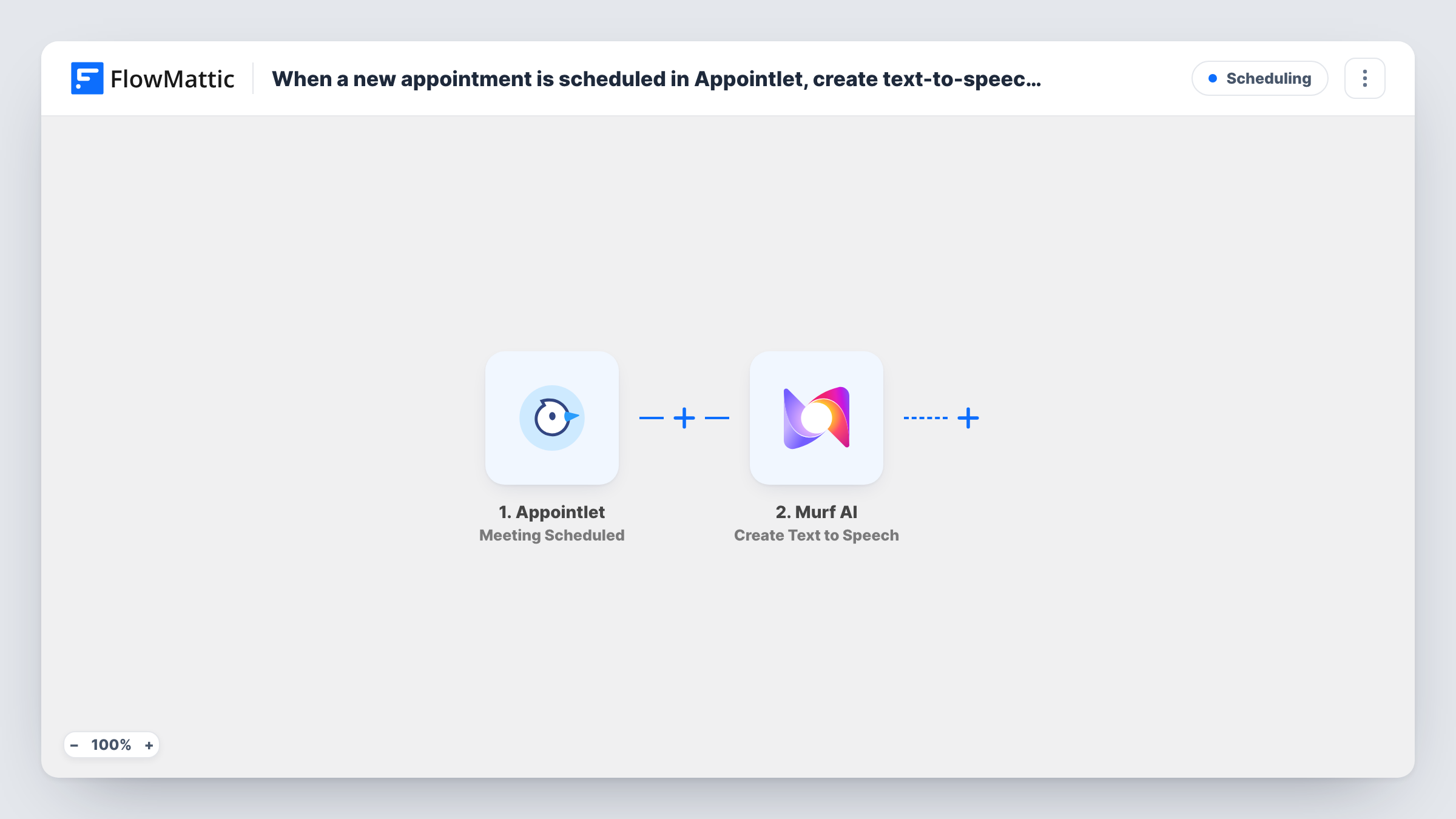
Each meeting booked through Appointlet sends a reminder script, built from the booking details, to Murf AI’s Create Text to Speech action. Delivering the audio to the attendee is a step you add yourself.
 Appointlet
 Murf AI
2 steps Setup ~5 min Used on 2.3k sites Free to import
What this workflow does
A spoken reminder can feel more personal than another plain email. If you want a voice message for each booking, writing and recording one by hand doesn't scale. This workflow drafts the speech for every new Appointlet meeting with Murf AI.
The Appointlet Meeting Scheduled trigger fires when someone books a meeting with you. In the Murf AI step, you write the reminder text and drop in booking details from the trigger, such as the attendee's name and the meeting time if Appointlet sends them. Murf AI's Create Text to Speech action turns that text into speech, and its response becomes data in the run.
The template ends there. Nothing sends the audio to the attendee or saves it, so the reminder is created but not delivered. Run a test booking, check what Murf AI returns in Task History, then add a step that uses it, for example an email to the attendee or a row in Google Sheets. The audio is made at booking time, not shortly before the meeting.
Voice reminders for coaching sessions
A coach builds a short spoken message for each booked session, then adds an email step that sends the client its link.
Clinic appointment messages
A small clinic creates an audio confirmation for each Appointlet booking to play back or send to patients who prefer listening.
Testing voice styles for reminders
A team trying out Murf AI voices gets a fresh sample built from real booking details each time someone schedules.
How this workflow runs
What happens at each step once the workflow is on, and what you need before you import it.
 Appointlet Meeting Scheduled
Runs when a meeting is scheduled through Appointlet. The booking details are passed on, so you can use them in the reminder text.
- Murf AI Create Text to Speech
Sends your reminder text, filled with booking details, to Murf AI to create speech. Connect your Murf AI account and check a test run for what the step returns. Nothing uses the result yet.
What you need
- FlowMatticCore
- Appointlet AccountAccount
- Murf AI AccountAccount
After importing, map your own data. To keep the template universal, not every step is pre-filled. Open each step in the builder and connect your accounts and fields (channels, lists, sheets, recipients) before you switch the workflow on.
Make it yours
Changes worth making after you import it.
- Add an email step after Murf AI that sends the attendee the audio link, if a test run shows Murf AI returns one.
- Add a Google Sheets row after Murf AI to log each booking alongside what Murf AI returned, so you can find the audio later.
- Use Murf AI's Get Available Voices action in a separate test workflow to see which voices your account offers before you pick one.
- Keep the reminder text short and include the meeting date and time, so the spoken message is easy to follow.
Questions about this workflow
Does the attendee receive the Murf AI audio?
Not as imported. The workflow only asks Murf AI to create the speech. Add a step that sends it, such as an email with the audio link, after checking what Murf AI returns.
When is the Murf AI reminder created?
At the moment the meeting is booked in Appointlet, not shortly before it starts. Add a Delay before any sending step if you want the attendee to get it closer to the meeting.
Do rescheduled Appointlet meetings create new audio?
No. This template uses Meeting Scheduled. Appointlet's Meeting Rescheduled trigger is separate, and you can use it in another workflow.
Do I need a Murf AI account for the Appointlet reminders?
Yes. The text-to-speech step runs through your own Murf AI account, which you connect in FlowMattic.
More Scheduling workflows
Other ready-to-import templates from the same category.





Import this workflow into your WordPress site
Download the JSON, import it from the Workflows screen and connect your accounts. Every run stays on your server, with no per-task fees.
30-day money-back guarantee Unlimited workflows and runs Self-hosted