

When a new lead is created in Facebook Lead Ads, create registration for webinar in Demio
When someone fills in your Facebook Lead Ads form, this workflow registers them for a Demio webinar using the name and email from the lead, so ad sign-ups get onto your attendee list.
 Facebook Lead Ads
 Demio
2 steps Setup ~5 min Used on 1.1k sites Free to import
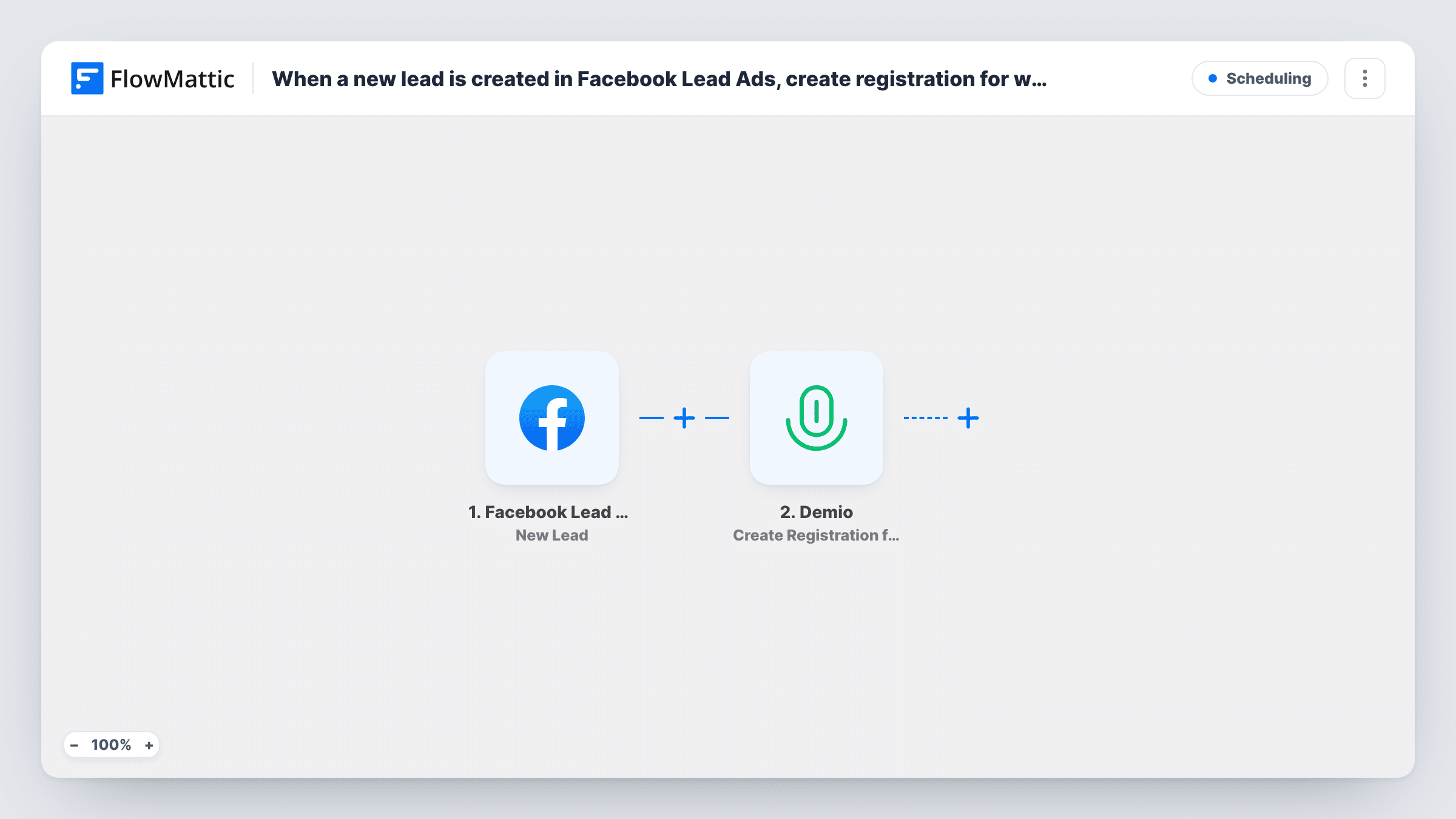
What this workflow does
Running Facebook lead ads to promote a webinar works well until you have to move the leads into Demio. Downloading lead files and importing them by hand means people sign up and hear nothing until you get round to it. This workflow registers each lead as soon as Facebook sends it.
The Facebook Lead Ads trigger fires when a new lead is created on your page's lead form. FlowMattic receives the answers from that form and passes them to Demio, where the Create Registration for Webinar action registers the person. You choose the webinar and map the lead's name and email into the registration.
Every lead from the connected form is registered, so point the workflow at a form that is only used for this webinar. Demio handles what happens after registration, using its own settings. Submit a test lead after import, then check that the person appears in the Demio event and that the run shows in Task History.
Webinar promotion with a lead ad
Your ad offers a free training session. Everyone who submits the lead form is registered for the Demio webinar without you importing a file.
Product demo sign-ups
A SaaS team runs a lead ad for a weekly live demo. Each lead lands in the Demio session the sales engineer hosts.
Course launch masterclass
Before opening enrolment, a course creator runs ads for a masterclass. Every lead from the form is added as a registrant of that Demio event.
How this workflow runs
What happens at each step once the workflow is on, and what you need before you import it.
 Facebook Lead Ads New Lead
Fires when a new lead is submitted through your Facebook Lead Ads form. The form answers, such as name and email, are passed on for mapping.
- Demio Create Registration for Webinar
Registers the lead for the Demio webinar you choose. Connect your Demio account, pick the event, and map the lead's name and email into the registration.
What you need
- FlowMatticCore
- Facebook Lead Ads AccountAccount
- Demio AccountAccount
After importing, map your own data. To keep the template universal, not every step is pre-filled. Open each step in the builder and connect your accounts and fields (channels, lists, sheets, recipients) before you switch the workflow on.
Make it yours
Changes worth making after you import it.
- Use a separate Facebook lead form for each webinar, so the trigger only receives people who asked for this event.
- Add a Filter after the trigger that continues only when the email answer is not empty, so the Demio step always has an address to register.
- Add a Google Sheets step after Demio to log every registration from your ads, which helps you compare ad sign-ups with attendance later.
Questions about this workflow
Does the Facebook lead get Demio's confirmation email?
Demio handles emails for its registrants according to your event settings. The workflow only creates the registration.
What if a Facebook lead registers for the Demio webinar twice?
The workflow sends a registration for every new lead. How Demio treats a repeat email for the same event is up to Demio, so check with a test using your own address.
Can leads from one Facebook form go to different Demio sessions?
Not as imported; the step registers everyone for the one event you pick. Add a Router on a form answer, with a Demio step per route, to split them.
Do I need a Facebook page admin role for the Lead Ads trigger?
You need access to the page and its lead forms with the Facebook account you connect. Without that, the forms won't be listed in the trigger.
More Scheduling workflows
Other ready-to-import templates from the same category.




Import this workflow into your WordPress site
Download the JSON, import it from the Workflows screen and connect your accounts. Every run stays on your server, with no per-task fees.
30-day money-back guarantee Unlimited workflows and runs Self-hosted