

When a new booking is created in Probooking, add a subscriber in Campaign Monitor, and email booking details using Email Module
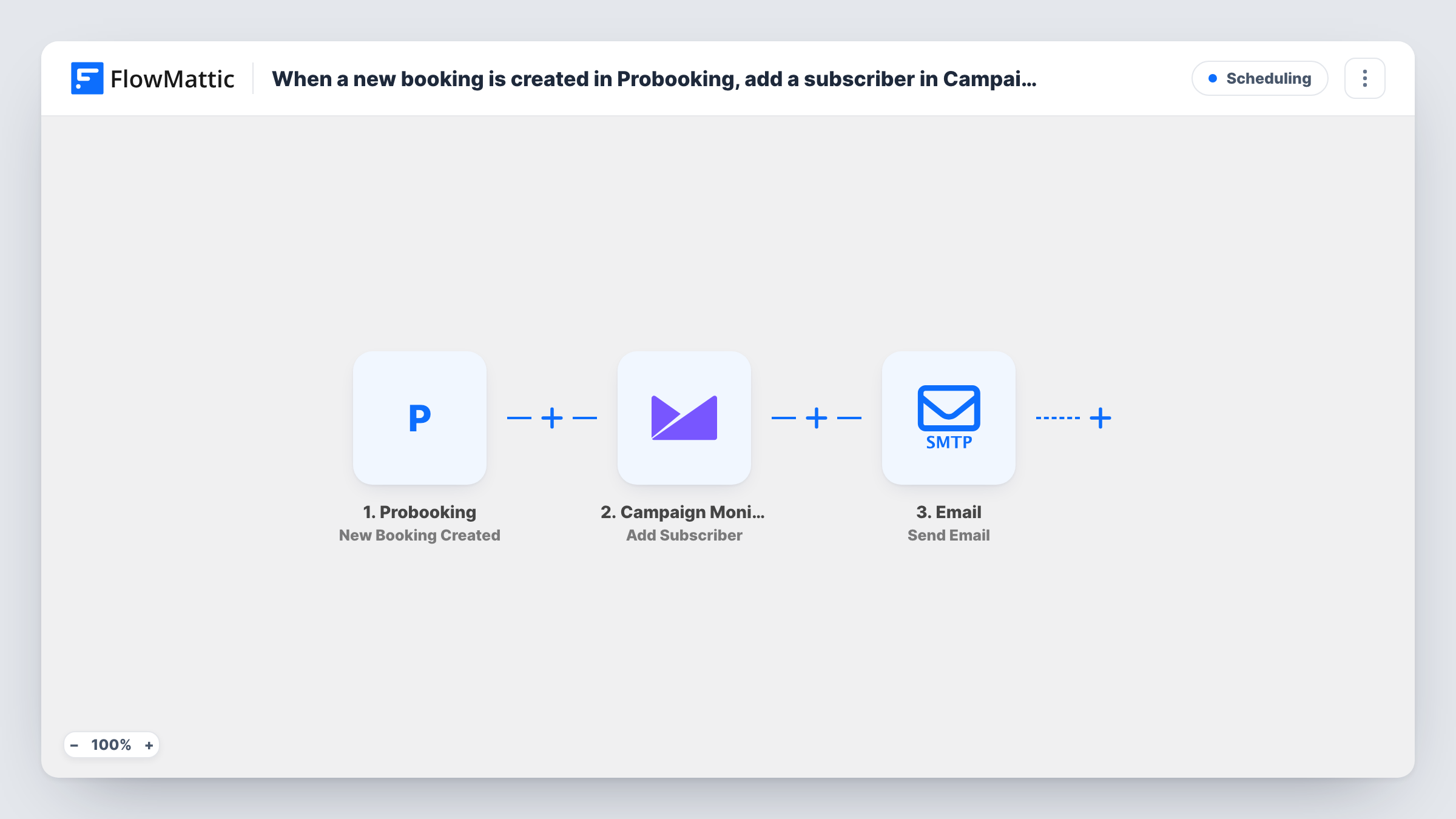
When a booking is created in Probooking, this workflow adds the customer to a Campaign Monitor list and then emails the booking details through FlowMattic’s Email module, using WordPress mail or your SMTP account.
 Probooking
 Campaign Monitor
 Email
Email3 steps Setup ~5 min Used on 1.5k sites Free to import
What this workflow does
Every appointment brings in a customer's contact details. If you also send newsletters through Campaign Monitor, those people belong on your list, and they expect a note with the details of what they booked. This workflow handles both after each new booking.
The Probooking trigger, New Booking Created, starts a run when a booking comes in and passes on the booking data. The Campaign Monitor step, Add Subscriber, adds the customer to the list you choose, using the email and name you map. The final step, FlowMattic's Email module, sends a message you write with the booking details mapped in, through WordPress mail or the SMTP account you set.
You decide who receives the email: the customer, your own team, or both. Each booking runs both steps, so a repeat customer is sent to Campaign Monitor again on every booking. Only add people to marketing lists in line with the consent you collect at booking time.
Salon bookings that feed a newsletter
Clients book appointments through Probooking. Each one joins the salon's Campaign Monitor list for seasonal offers and gets an email with their appointment time.
Consultation bookings for a law firm
A firm emails the booking details to its intake inbox so staff can prepare, while the client joins a list for the firm's legal updates.
Class reservations for a studio
A fitness studio confirms each class booking by email with the date and time, and adds members to the list it uses for timetable changes.
How this workflow runs
What happens at each step once the workflow is on, and what you need before you import it.
 Probooking New Booking Created
Starts each time Probooking records a fresh booking. The booking data, including the customer details Probooking sends, is available to map into the next two steps.
- Campaign Monitor Add Subscriber
Adds the customer to the Campaign Monitor list you select. Map the email and name from the booking and connect your Campaign Monitor account.
 Email Send Email
Sends an email with the booking details through WordPress mail or your SMTP account. Set the recipient, write a subject, and map in the booking details you want the reader to see.
What you need
- FlowMatticCore
- Probooking AccountAccount
- Campaign Monitor AccountAccount
After importing, map your own data. To keep the template universal, not every step is pre-filled. Open each step in the builder and connect your accounts and fields (channels, lists, sheets, recipients) before you switch the workflow on.
Make it yours
Changes worth making after you import it.
- Rescheduled and cancelled bookings have their own Probooking triggers. Build a second workflow on Booking Cancelled if you want a cancellation email too.
- Book a test appointment after import and open Task History to see exactly which booking fields Probooking sends, so the email shows the right date and time.
- If bookings record marketing consent, add a Router after the trigger: one route where consent equals yes holds the Campaign Monitor step, one where it doesn't stays empty. End both in a Join and keep the Email step after it.
Questions about this workflow
Who receives the Probooking confirmation email?
It goes to the address you enter as recipient when you configure the Email step. Map the customer's email from the booking to send it to them, or enter your team's address for an internal notice.
What does the Campaign Monitor step do with a returning customer?
It runs again on every booking. Check Task History after a repeat booking to see how Campaign Monitor responded for an address already on your list.
Can the booking email go out through Gmail?
The Email module sends through WordPress mail or the SMTP account you configure. Use Gmail's SMTP settings there, or replace the step with the Gmail app's Send Email action.
What do I need to run this Probooking workflow?
A Probooking account to connect for the trigger, a Campaign Monitor account with the list you want to use, and working email sending on your WordPress site.
More Scheduling workflows
Other ready-to-import templates from the same category.






Import this workflow into your WordPress site
Download the JSON, import it from the Workflows screen and connect your accounts. Every run stays on your server, with no per-task fees.
30-day money-back guarantee Unlimited workflows and runs Self-hosted