

When a new booking is created in Probooking, create a new customer account in Pabbly Subscription
Every new Probooking booking creates a customer in Pabbly Subscriptions from the booker’s details, so the person is ready to bill as soon as they reserve a slot.
 Probooking
 Pabbly Subscriptions
2 steps Setup ~5 min Used on 1.0k sites Free to import
What this workflow does
If you charge for sessions, packages or memberships through Pabbly Subscriptions, each new client needs a customer record there before you can bill them. Copying that record from your booking system by hand is slow and easy to forget. This workflow does it when the booking comes in.
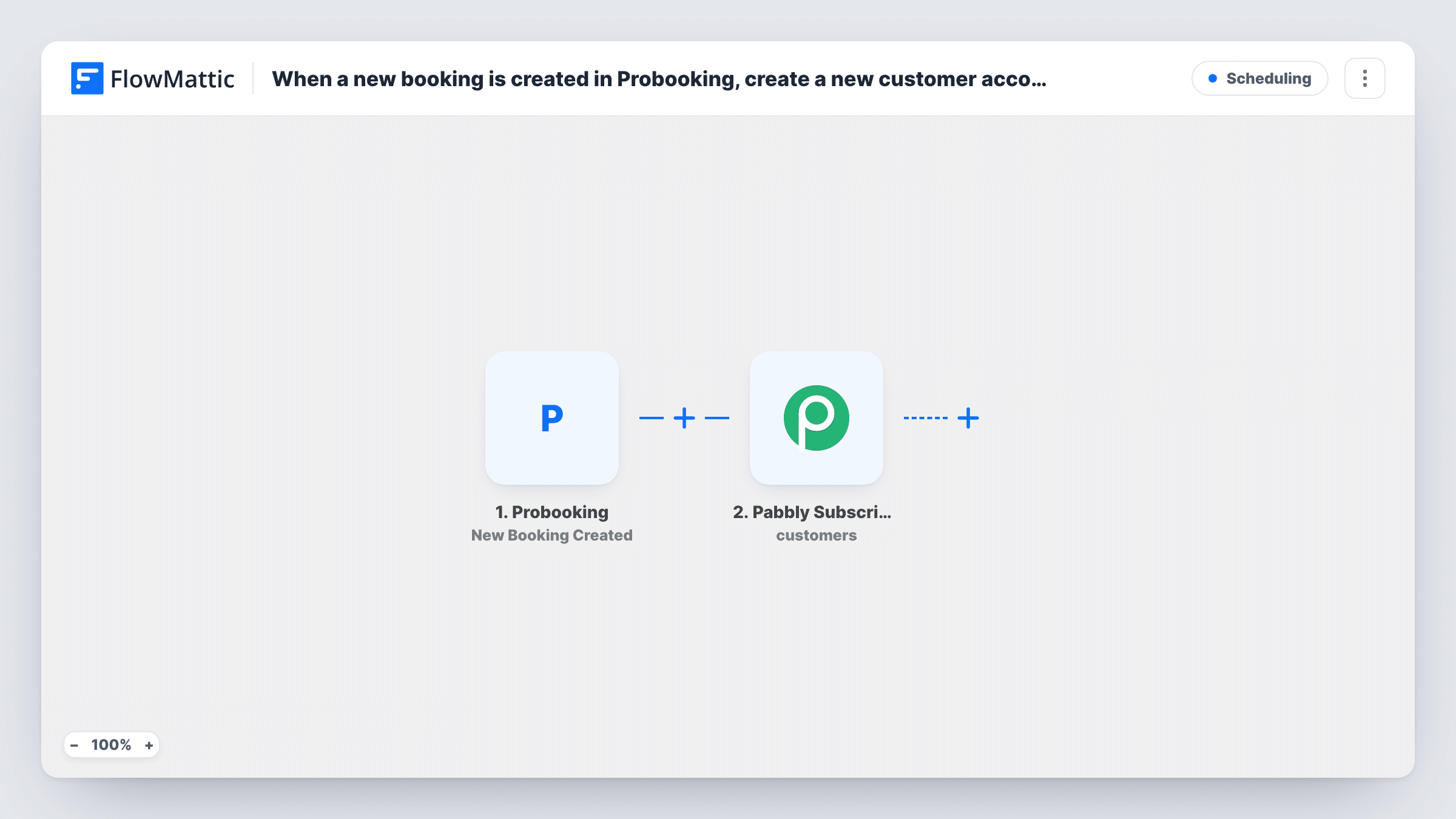
The Probooking trigger starts a run whenever a new booking is created. FlowMattic hands the booking data, such as the client's name, email and phone, to the next step. The Pabbly Subscriptions step then creates a new customer from those details.
The Create Customer step has no fields mapped in the template. After import you connect your Pabbly Subscriptions account and match the Probooking fields to the customer fields Pabbly asks for. A test booking shows you which values arrive from Probooking and what Pabbly sent back.
Every booking starts a run, including a second booking from someone who is already a customer. Pabbly may answer a repeat email with an error rather than a second record; You can read Pabbly's reply to each attempt in Task History. Nothing beyond the customer record is created here. Starting a subscription or sending an invoice is something you add afterwards, if you want it.
Coaching clients ready for a monthly plan
A coach who sells monthly packages has each new Probooking client waiting in Pabbly Subscriptions, so attaching the plan after the first call takes one step.
Studio sign-ups for class passes
A yoga studio that takes trial bookings in Probooking keeps a matching customer list in Pabbly Subscriptions for selling class passes later.
Consultancy billing records
A consultancy invoices through Pabbly Subscriptions and wants every prospect who books a paid session already set up as a customer there.
How this workflow runs
What happens at each step once the workflow is on, and what you need before you import it.
 Probooking New Booking Created
Starts the workflow whenever someone creates a new booking in Probooking. The booking and client details are passed on for mapping into Pabbly Subscriptions.
- Pabbly Subscriptions Create Customer
Adds the booker to Pabbly Subscriptions as a customer. Nothing is mapped in the template, so connect your Pabbly account and map the client's name, email and other booking fields into the customer record.
What you need
- FlowMatticCore
- Probooking AccountAccount
- Pabbly Subscriptions AccountAccount
After importing, map your own data. To keep the template universal, not every step is pre-filled. Open each step in the builder and connect your accounts and fields (channels, lists, sheets, recipients) before you switch the workflow on.
Make it yours
Changes worth making after you import it.
- To start billing straight away, add Pabbly Subscriptions' Create Subscription action after Create Customer and map the customer from its result, after checking a test run.
- Put a Filter between the Probooking trigger and the Create Customer step that continues only when the client's email is not empty, so bookings taken without an email don't reach Pabbly.
- Make your first test booking with your own email, then open that customer in Pabbly Subscriptions and confirm each mapped value landed in the field you meant.
Questions about this workflow
Does a rescheduled Probooking booking create another customer?
No. This template listens only for New Booking Created. Probooking reschedules and cancellations use their own triggers, which this template doesn't include.
What happens when the same client books twice?
Each booking starts a run and tries to create a customer. Pabbly Subscriptions may return an error for an email it already holds, so check that run in Task History.
Does this workflow start a subscription or charge the client?
No. Its single action sets up the customer and stops there. Add the Create Subscription action after it if you want a plan to start from the booking.
Which Probooking fields reach Pabbly Subscriptions?
Only those you map in the Create Customer step. The template leaves it empty, so you choose the fields after a test booking shows what Probooking sends.
More Scheduling workflows
Other ready-to-import templates from the same category.






Import this workflow into your WordPress site
Download the JSON, import it from the Workflows screen and connect your accounts. Every run stays on your server, with no per-task fees.
30-day money-back guarantee Unlimited workflows and runs Self-hosted