

When a new Calilio call is logged, find the caller in Google Sheets and update their last-contact record
Each call that Calilio logs starts a lookup in your Google Sheets contact list, and the row it finds is updated with details from the call, such as when you last spoke.
 Calilio
 Google Sheets
3 steps Setup ~5 min Used on 3.0k sites Free to import
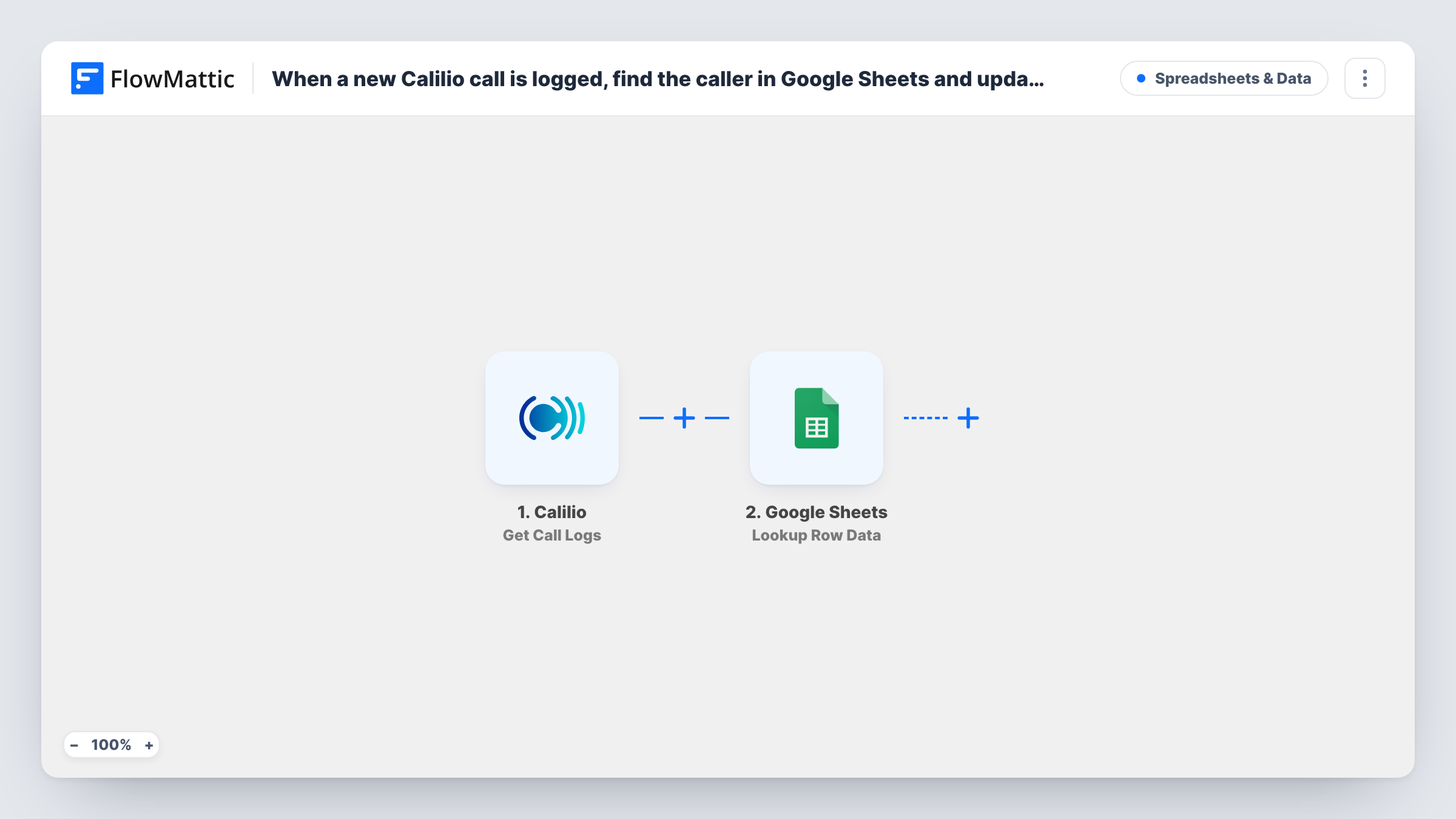
What this workflow does
If you keep your clients or leads in a spreadsheet, the "last contacted" column is usually the one that falls behind. This workflow updates it for you: every call Calilio logs is matched to a row in your sheet, and that row gets the call details.
The Calilio Get Call Logs trigger fires for incoming and outgoing calls alike and passes the call log on, such as the phone numbers involved and the call time. The first Google Sheets step, Lookup Row Data, searches your spreadsheet. After import you pick the spreadsheet and sheet, choose the column that holds phone numbers, and map the caller's number from the call log as the value to look for.
The second Google Sheets step, Update Row, writes to an existing row. Map the row the lookup found into it, then map the call fields you want into your columns, for example the call date into a "Last contact" column and the direction or duration into others. Both steps ship unmapped, so nothing is written until you set them.
Phone numbers have to be stored the same way in the sheet as Calilio sends them, or the lookup won't find the person. Make a test call, then open Task History to see the row the lookup found and the update result.
Keep a client sheet's last-contact date current
An agency's account managers call clients through Calilio, and the shared Google Sheet shows each client's latest call date without anyone typing it.
Track follow-ups on a lead list
A sales rep works through a lead spreadsheet; each call to a lead writes the time and call direction into that lead's row.
See who hasn't been called recently
A small practice sorts its patient call sheet by the last-contact column to see which people have gone longest without a call.
How this workflow runs
What happens at each step once the workflow is on, and what you need before you import it.
 Calilio Get Call Logs
Starts the workflow for every incoming and outgoing call that Calilio logs. The call log details, such as the numbers involved and the call time, are passed to the Google Sheets steps.
- Google Sheets Lookup Row Data
Searches your spreadsheet for the caller. The step ships unmapped: pick the spreadsheet and sheet, choose the phone number column and map the number from the Calilio call log as the search value.
- Google Sheets Update Row
Updates an existing row in your sheet. Map the row found by the lookup, then map the call details into the columns you keep, such as the last contact date. The template leaves this step empty.
What you need
- FlowMatticCore
- Calilio AccountAccount
- Google Sheets AccountAccount
After importing, map your own data. To keep the template universal, not every step is pre-filled. Open each step in the builder and connect your accounts and fields (channels, lists, sheets, recipients) before you switch the workflow on.
Make it yours
Changes worth making after you import it.
- Put a Filter between the Lookup Row Data step and the Update Row step that continues only when the lookup returned a row, so calls from numbers that aren't in your sheet stop there.
- Store phone numbers in the sheet in the same format Calilio sends, including the country code, so the lookup can match them. A test call shows the format in Task History.
- Map the call direction into its own column if you want to tell calls you made apart from calls you received.
Questions about this workflow
Which Calilio calls start the workflow?
All of them. FlowMattic describes the Get Call Logs trigger as firing for all incoming and outgoing call logs, so both directions update the sheet.
What happens when the caller isn't in my Google Sheet?
The lookup finds no row, so Update Row has nothing to point at and Google Sheets may return an error. Check that run's entry in Task History for the response. A Filter on the lookup result stops those runs before the update.
Does this add new rows for unknown callers?
No. The template only looks up and updates existing rows. To log new callers too, you would need a Router after the lookup with an Add New Row route for numbers it doesn't find.
Which columns get updated in the Google Sheet?
Only the ones you map in the Update Row step. The template leaves it empty, so you choose which call details go into which columns.
More Spreadsheets & Data workflows
Other ready-to-import templates from the same category.




Import this workflow into your WordPress site
Download the JSON, import it from the Workflows screen and connect your accounts. Every run stays on your server, with no per-task fees.
30-day money-back guarantee Unlimited workflows and runs Self-hosted