

When a new Closely contact is captured, add it to Zoho CRM and notify the team on Telegram
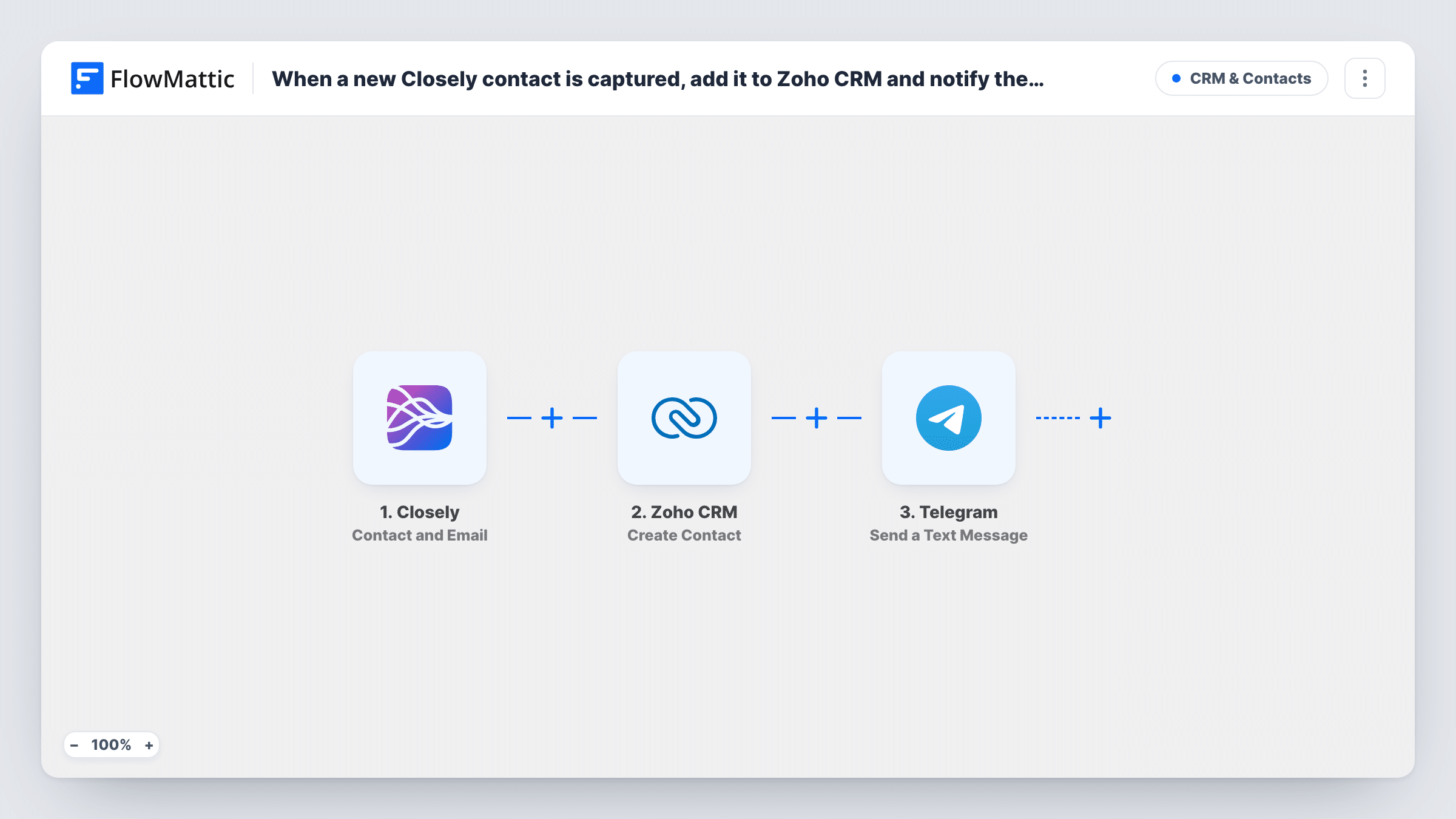
When Closely provides a contact’s email addresses and phone numbers, this workflow creates the contact in Zoho CRM and posts a message to a Telegram chat so your sales team knows.
 Closely
 Zoho CRM
 Telegram
3 steps Setup ~5 min Used on 1.9k sites Free to import
What this workflow does
Closely helps you find prospects on LinkedIn and gather their details. Those details are only useful to your sales team once they are in the CRM and someone knows to follow up. This workflow takes each contact Closely sends, adds it to Zoho CRM and tells the team on Telegram.
Closely starts each run with its Contact and Email event, which carries the email addresses and phone numbers Closely holds for a prospect. FlowMattic then runs Zoho CRM's Create Contact action, so you map the name, email and phone into a new contact. The last step is Telegram's Send a Text Message, which posts through your bot to the chat you choose, with whatever details you put in the text.
The Zoho CRM step always creates. It does not look for an existing contact first, so a person Closely sends twice may appear twice. Task History shows what Zoho CRM returned for each contact, so you can spot duplicates or mapping gaps.
Outbound team working LinkedIn lists
SDRs collect prospects with Closely. Each contact appears in Zoho CRM and the team's Telegram group gets a line with the name and email.
Founder-led sales
A founder finds prospects through Closely and wants them in Zoho CRM without data entry, plus a Telegram note on the phone to follow up later.
Recruitment agency sourcing
Recruiters gather candidate details in Closely. Each one is created as a Zoho CRM contact and announced in the agency's Telegram chat.
How this workflow runs
What happens at each step once the workflow is on, and what you need before you import it.
 Closely Contact and Email
Runs when Closely sends a contact's emails and phone numbers. The contact data is passed on for the Zoho CRM and Telegram steps.
- Zoho CRM Create Contact
Creates a new contact in Zoho CRM from the Closely data. Connect Zoho CRM and map the name, email and phone values you want on the contact.
- Telegram Send a Text Message
Posts a message through your Telegram bot to the chat you set. Write the text and include Closely details such as the contact's name and email.
What you need
- FlowMatticCore
- Closely AccountAccount
- Zoho CRM AccountAccount
- Telegram AccountAccount
After importing, map your own data. To keep the template universal, not every step is pre-filled. Open each step in the builder and connect your accounts and fields (channels, lists, sheets, recipients) before you switch the workflow on.
Make it yours
Changes worth making after you import it.
- Add a Filter between the Closely trigger and the Zoho CRM step that continues only when the email value is not empty. Contacts without an address then get no Zoho contact and no Telegram message.
- Add the bot to your sales group and send it a message first, so it can post there and you can find the group's chat ID for the Telegram step.
- Put the contact's company in the Telegram message, if Closely sends it, so reps can see who the prospect works for without opening Zoho.
Questions about this workflow
What if the Closely contact already exists in Zoho CRM?
The step is Create Contact, which does not search first. Zoho may store a second contact for the same person, depending on your Zoho duplicate settings. Check with a test on a known contact.
Can the Telegram alert include what Zoho CRM sends back?
Yes. Send a Text Message runs after Create Contact, so anything Zoho returns, such as the new contact's ID if it is included, can be mapped into the text. Check the Zoho step in Task History after a test to see what arrives.
Which Closely values are available for Zoho and Telegram?
Those Closely sends with the event. Run a test after import and check the captured values before mapping.
Do I need a Telegram bot for the Closely alerts?
Yes. Send a Text Message posts through a bot you connect in FlowMattic, so create one first and add it to the chat that should receive the alerts.
More CRM & Contacts workflows
Other ready-to-import templates from the same category.





Import this workflow into your WordPress site
Download the JSON, import it from the Workflows screen and connect your accounts. Every run stays on your server, with no per-task fees.
30-day money-back guarantee Unlimited workflows and runs Self-hosted