

When a new Consolto lead comes in, add a CRM contact in HubSpot, notify the team in Slack, then log it in Google Sheets
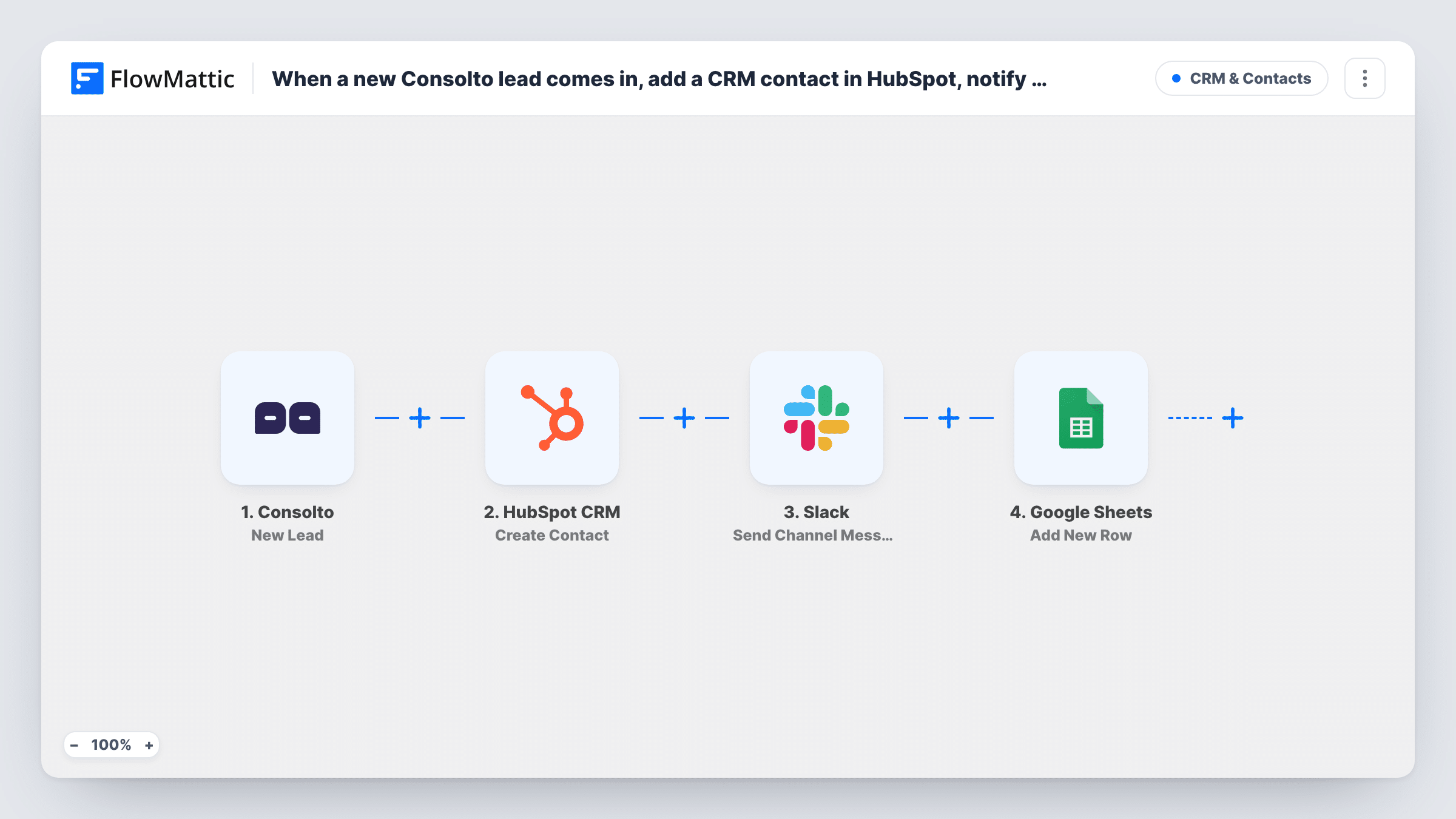
Each new Consolto lead becomes a HubSpot CRM contact, a message in a Slack channel of your choice, and a new row in a Google Sheets spreadsheet, in that order.
 Consolto
 HubSpot CRM
 Slack
Slack
 Google Sheets
4 steps Setup ~8 min Used on 1.6k sites Free to import
What this workflow does
A new lead from your website usually needs three things: a CRM record, a quick heads-up to whoever answers it, and a line in the sheet someone uses for reporting. Doing all three by hand for each lead is where details get dropped. This workflow does them in one run for every lead Consolto collects.
The Consolto trigger fires on New Lead and carries the details the visitor left. First, the HubSpot CRM step runs Create Contact with those details. Next, the Slack step posts a message to the channel you pick. Last, the Google Sheets step adds a new row with the lead data you map to its columns.
Each step runs even if an earlier one returns an error. A lead whose email is already a HubSpot contact may be refused there, since Create Contact only creates, yet the Slack message and the sheet row still go out. Task History marks which step failed on that run.
Small sales team sharing new leads
Reps see each Consolto lead in a Slack channel, the contact is waiting in HubSpot, and the sales manager reviews the week's leads in the sheet.
Agency reporting leads to a client
Your team works the lead in HubSpot while the client follows incoming leads in a shared Google Sheet without HubSpot access.
Keeping a lead log outside the CRM
The spreadsheet keeps a plain record of every lead, including any that HubSpot refused as duplicates.
How this workflow runs
What happens at each step once the workflow is on, and what you need before you import it.
 Consolto New Lead
Starts a run each time Consolto collects a lead. The visitor's details pass on to the HubSpot, Slack and Google Sheets steps for mapping.
- HubSpot CRM Create Contact
Turns the Consolto lead into a new HubSpot CRM contact. Map the lead's details into contact properties. HubSpot may refuse an email that already belongs to a contact.
- Slack Send Channel Message
Sends a lead alert into one Slack channel of your choosing. Write the alert text and map in lead details so the team knows who to contact.
- Google Sheets Add New Row
Writes the lead as one more row in your chosen Google Sheets spreadsheet. Map lead details to the sheet's columns and connect your Google account.
What you need
- FlowMatticCore
- Consolto AccountAccount
- HubSpot CRM AccountAccount
- Slack AccountAccount
- Google Sheets AccountAccount
After importing, map your own data. To keep the template universal, not every step is pre-filled. Open each step in the builder and connect your accounts and fields (channels, lists, sheets, recipients) before you switch the workflow on.
Make it yours
Changes worth making after you import it.
- Map a date or time into one column of the Google Sheets row, if the lead data or a test run shows one, so the sheet sorts by when leads arrived.
- Add a Filter before the Slack step if only some leads need an alert, based on a value Consolto sends.
- Insert HubSpot's Create Deal between the contact and Slack steps when each lead should also open a pipeline deal.
- Collect one test lead after import so each step has sample data to map, then check all three results before turning the workflow on.
Questions about this workflow
What happens when the Consolto lead is already in HubSpot?
Create Contact does not update or merge. HubSpot may refuse the duplicate email. The Slack message and the Google Sheets row are still sent, and Task History shows the HubSpot response.
Can I change the order of the HubSpot, Slack and Sheets steps?
Yes. You can move steps in the FlowMattic editor. Each still runs for every lead. A step can only map data from the steps above it, so keep HubSpot first if Slack or the sheet uses its output.
Should my Google Sheet for Consolto leads have columns set up first?
Set up the columns you want first. The Add New Row step maps lead details to the sheet's columns, so the sheet needs those columns to map into.
Do I need accounts for Consolto, HubSpot, Slack and Google Sheets?
Yes. Each app is connected in FlowMattic for its own step: Consolto for the trigger, then HubSpot, Slack and your Google account.
More CRM & Contacts workflows
Other ready-to-import templates from the same category.





Import this workflow into your WordPress site
Download the JSON, import it from the Workflows screen and connect your accounts. Every run stays on your server, with no per-task fees.
30-day money-back guarantee Unlimited workflows and runs Self-hosted