

When a new contact is added to FluentCRM, Add a lead to a campaign in Instantly
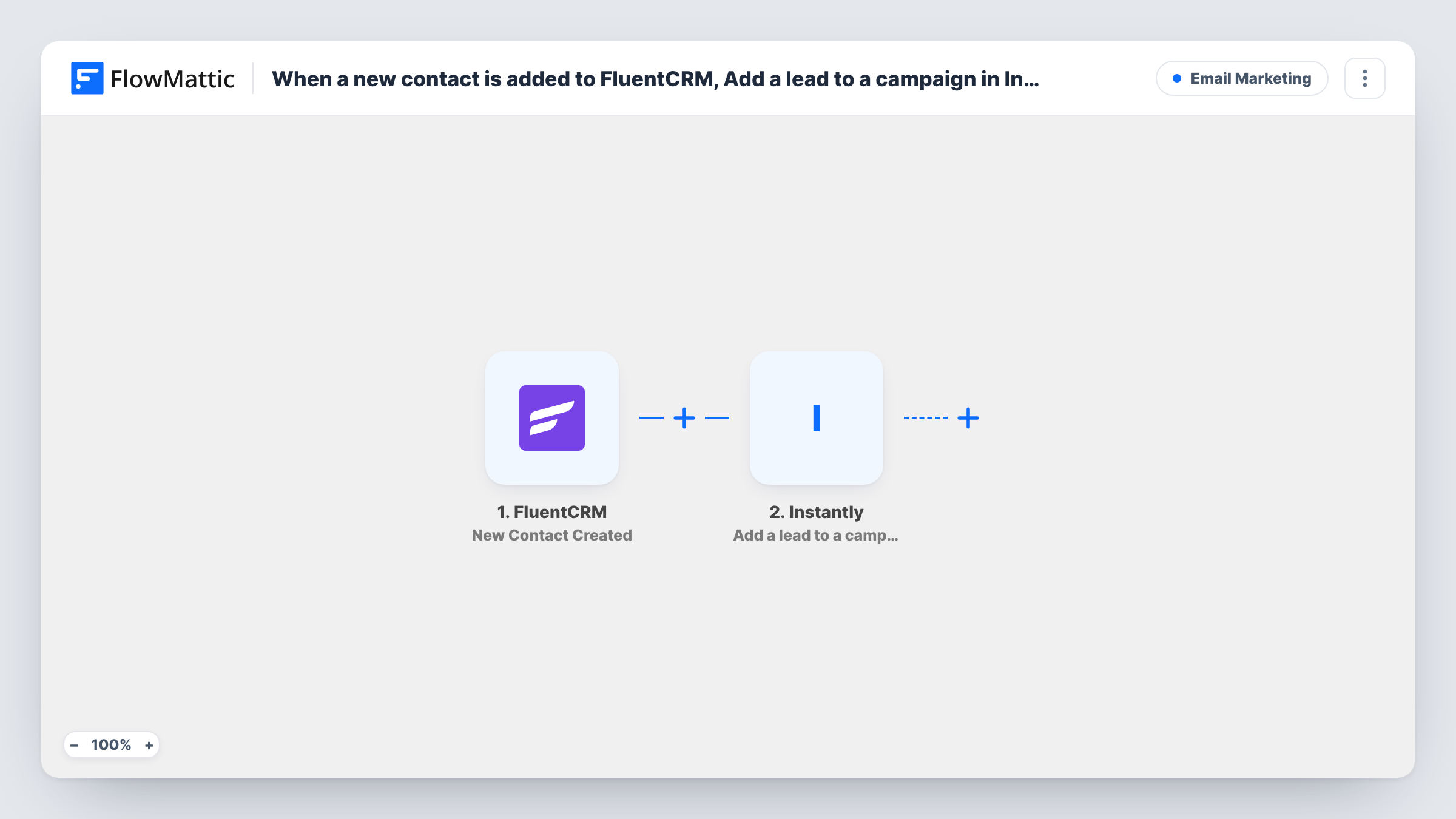
Each time a contact is created in FluentCRM, this workflow adds that person as a lead to an Instantly campaign, so new contacts on your WordPress site feed straight into your Instantly email sequence.
 FluentCRM
 Instantly
2 steps Setup ~5 min Used on 2.8k sites Free to import
What this workflow does
FluentCRM collects contacts from your forms, shop and imports on WordPress, while your outreach sequences may run in Instantly. Exporting a CSV every few days and uploading it to Instantly leaves gaps and delays. This workflow sends each new contact over when FluentCRM creates it.
The FluentCRM New Contact Created trigger fires when a contact is created in FluentCRM, whatever added it. FlowMattic passes the contact's details to Instantly, where Add a lead to a campaign places the person in the campaign you choose. You map the contact's email and any name or company details your Instantly campaign uses in its messages.
Because every new FluentCRM contact runs the workflow, think about who should receive the sequence. Contacts added by an import, a purchase or a form all trigger it. Only send people to Instantly when you have the right to email them that way. Task History records each run and Instantly's response.
Agency following up with new enquiries
Prospects who end up as FluentCRM contacts from your website forms go into an Instantly campaign that sends your follow-up emails on a schedule.
Webinar sign-ups into a sequence
Registrants recorded in FluentCRM join an Instantly campaign with reminder and follow-up emails written for the event.
Partner or reseller outreach
Contacts you add to FluentCRM from a partner form get a dedicated Instantly campaign aimed at partners, separate from your newsletter.
How this workflow runs
What happens at each step once the workflow is on, and what you need before you import it.
 FluentCRM New Contact Created
Runs when a contact is created in FluentCRM on your WordPress site, whether by a form, an import or by hand. The contact's details are passed to Instantly.
- Instantly Add a lead to a campaign
Adds the FluentCRM contact as a lead in the Instantly campaign you pick. Connect your Instantly account and map the email plus any personalisation details the campaign uses.
What you need
- FlowMatticCore
- FluentCRM PluginPlugin
- Instantly AccountAccount
After importing, map your own data. To keep the template universal, not every step is pre-filled. Open each step in the builder and connect your accounts and fields (channels, lists, sheets, recipients) before you switch the workflow on.
Make it yours
Changes worth making after you import it.
- Add a Filter after the trigger that checks a FluentCRM tag, list or status, so only contacts meant for outreach join the Instantly campaign.
- Create a test contact in FluentCRM with your own email after import, then confirm it appears as a lead in the right Instantly campaign.
- Map the first name and company fields from FluentCRM if your Instantly emails use those variables, so messages don't go out with blanks.
Questions about this workflow
Does a bulk import into FluentCRM send everyone to Instantly?
Each contact created fires the trigger, so imported contacts can start runs too. Add a Filter, or turn the workflow off during large imports, if they shouldn't join the campaign.
What if the FluentCRM contact is already a lead in Instantly?
The workflow still sends them to the campaign. How Instantly treats an address it already has depends on your Instantly settings, so check the response in Task History with a known lead.
Does the workflow update FluentCRM after adding the Instantly lead?
No. It only reads the new contact and adds the lead. Add a FluentCRM step afterwards if you want to tag the contact as sent to Instantly.
More Email Marketing workflows
Other ready-to-import templates from the same category.




Import this workflow into your WordPress site
Download the JSON, import it from the Workflows screen and connect your accounts. Every run stays on your server, with no per-task fees.
30-day money-back guarantee Unlimited workflows and runs Self-hosted